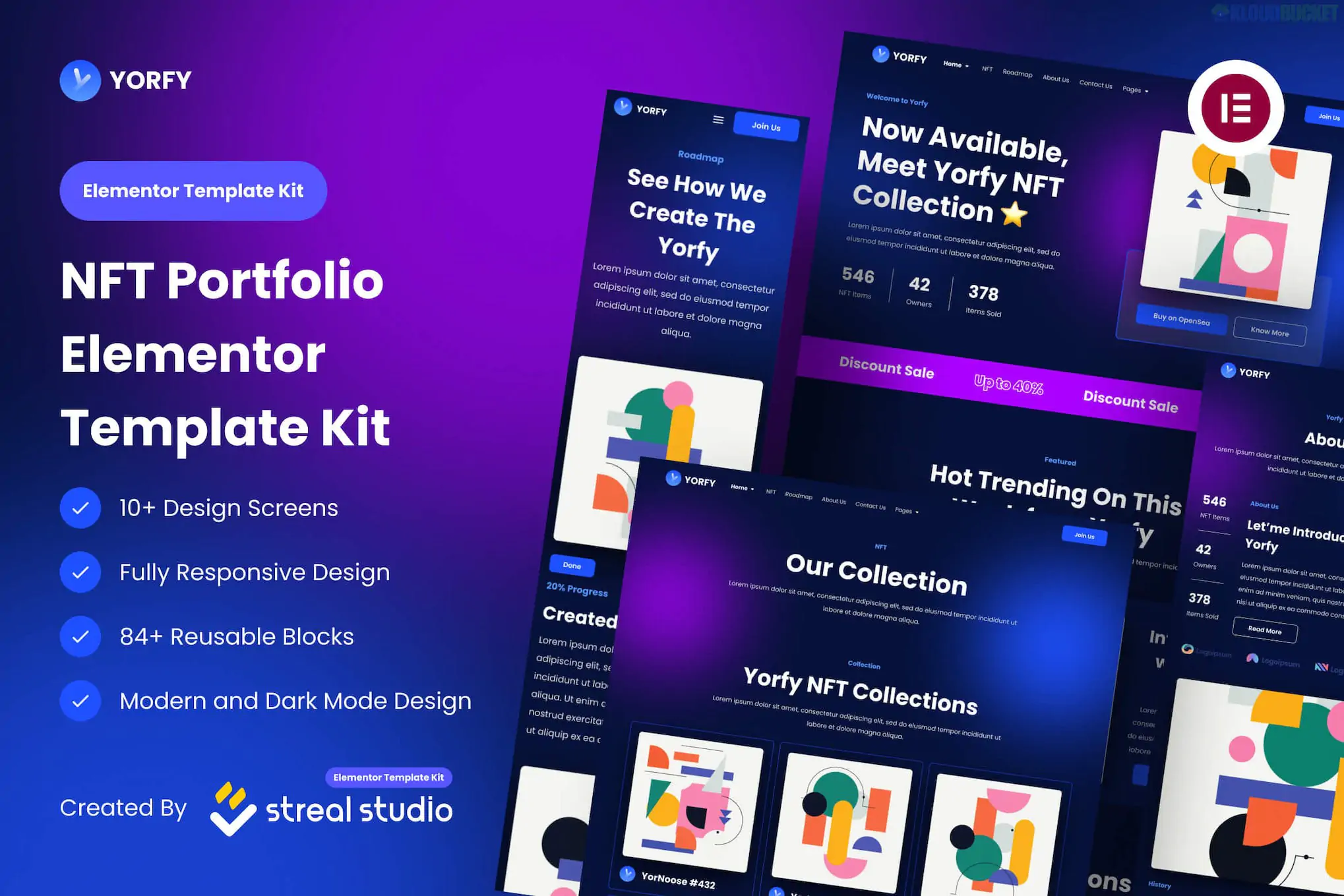
**Yorfy** is a vibrant, dark-themed UI Kit designed for NFT portfolios, crypto-asset showcases, and blockchain technology websites. Unlike the previous "Template Kits" which are ready to use in WordPress, the Yorfy **UI Kit** is primarily a design asset for **Figma**, though an Elementor-specific version also exists.
It features a high-energy "Web3" aesthetic with bold typography, neon accents, and a focus on digital collectibles.
---
### ## Key Features
* **Modern Web3 Design:** A trendy dark mode layout with cyber-inspired visual elements.
* **36+ Design Screens:** (Figma version) A massive library of screens covering every possible user flow for an NFT project.
* **84+ Reusable Blocks:** Components that can be easily moved or resized for custom layouts.
* **Fully Responsive:** Includes designs for desktop, tablet, and mobile views.
* **Organized Layers:** Files are neatly grouped and named, making it simple for designers to customize colors and assets.
### ### Technical Versions
Depending on where you download it, Yorfy comes in two main formats:
1. **Figma UI Kit (.fig):** The most common version. It is a design file used by UI/UX designers to mock up a site before it is coded.
2. **Elementor Template Kit:** A WordPress-ready version (often found on ThemeForest) that allows you to import these designs directly into your site. **Bonus:** Most versions of the Yorfy Elementor Kit work with the **Free version of Elementor**.
---
### ### Included Layouts (Typical)
| Page / Section | Description |
| --- | --- |
| **Home (V1 & V2)** | Multiple options for a high-impact landing page. |
| **NFT Showcase** | Grids and carousels specifically for displaying digital art. |
| **Roadmap** | A visual timeline of project milestones (essential for NFT drops). |
| **Community / FAQ** | Sections to link Discord/Twitter and answer common crypto questions. |
| **Blog & Post** | Layouts for sharing project news or crypto market insights. |
| **Coming Soon/404** | Branded utility pages to keep the aesthetic consistent. |
---
### ### How to Use It
* **If you have the Figma File:** Open it in [Figma](https://www.figma.com/), customize your branding, and hand it off to a developer to build.
* **If you have the Elementor Kit:** 1. Install the **Envato Elements** plugin on WordPress.
2. Upload the `.zip` file (do not unzip).
3. Click **"Install Requirements"** (this kit usually requires *ElementsKit Lite* and *MetForm*).
4. Import **Global Styles** first, then your pages.
> **Note on MetForm:** Yorfy often uses **MetForm** for its contact and inquiry sections. If the form doesn't appear after import, you may need to "Insert" the specific MetForm template into the form widget manually.
Would you like me to explain how to customize the "Roadmap" section, or are you looking for the Figma file's specific typography guide?
Subscribe to access unlimited downloads of themes, videos, graphics, plugins, and more premium assets for your creative needs.
.jpg) Help Us to Buy More New Theme/Plugin
Help Us to Buy More New Theme/Plugin
Published:
Feb 01, 2026 10:39 AM
Category:
Author:
OtherLicense:
GPL v2 or Later