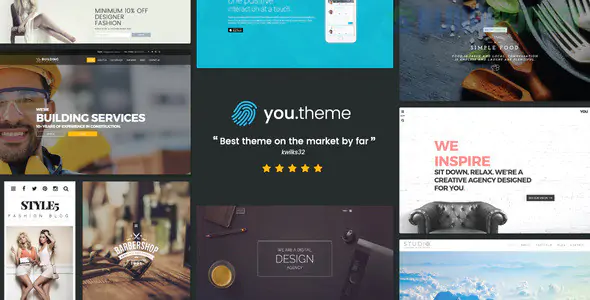
You is a versatile, high-performance Multi-Purpose Responsive WordPress Theme designed to adapt to almost any niche—from corporate portfolios and e-commerce stores to creative agencies and personal blogs. Its primary strength lies in its "flexibility without complexity," offering a massive library of pre-built demos and a powerful skin-builder.
The "You" theme is built on a foundation of speed and customization, making it a favorite for developers who need one theme to solve multiple problems.
3D Particles & Parallax: Includes unique visual effects like 3D particle backgrounds and smooth parallax scrolling that give sites a premium, high-tech feel.
Front-End Skin Builder: Allows you to modify colors, gradients, and typography in real-time, seeing changes as you make them.
Extreme Performance: Optimized for a high score on Google PageSpeed Insights, ensuring fast load times even with heavy content.
WooCommerce Engine: Fully integrated with custom shop layouts, "Quick View" modals, and high-conversion checkout pages.
Multiple Header/Footer Styles: Swap between dozens of navigation layouts (sticky, transparent, centered) with a single click.
Because You is a multi-purpose theme, your gallery needs will change depending on how you use it. Envira Gallery is the perfect companion because it is just as flexible as the theme itself.
If you are using the "Creative" demo of the You theme, you want your images to match the high-energy vibe.
The Setup: Use Envira’s Masonry Layout to create an asymmetrical, artistic grid.
The Pro Tip: Enable the Deeplinking Addon. Because multi-purpose sites are often large, Deeplinking allows you to send a direct link to a specific portfolio item within a massive gallery, which is great for client pitches.
For a business-focused setup, clean lines are essential.
Feature: Use the Justified Layout in Envira. This ensures that all your "Company Milestones" or "Project Photos" are perfectly aligned in a professional, edge-to-edge grid that matches the structured look of the You theme’s corporate skins.
If you’ve activated the WooCommerce features of You, use Envira to boost your sales.
Strategy: Create "Product in Action" galleries. Use the Video Addon to show customers how a product works, opening it in a smooth, high-definition lightbox.
Integration: Use the WooCommerce Addon for Envira to display your product galleries with "Add to Cart" buttons directly under the images.
For personal or magazine layouts, keep the content fresh.
Feature: Use the Instagram Addon to pull your social media feed directly into a footer or sidebar. The You theme’s responsive nature ensures these social images look great on everything from a 4K monitor to an iPhone.
Sync the Skins: Use the You skin builder to identify your primary "Accent Color." Then, go to Envira Gallery > Settings and set your Lightbox borders and button colors to match that hex code for a completely native look.
Optimize for Mobile: Since You is "Responsive-First," make sure to enable Envira's Mobile Addon. Set the mobile gallery columns to 1 or 2 to ensure images remain large enough to be clear on small screens.
Use the Slider for Banners: Instead of the theme's default slider, use the Envira Slider Addon. It is often lighter and faster, helping you maintain the high performance scores the You theme is known for.
Capability
Theme Default
Envira Gallery
Gallery Types
Basic Grid
Masonry, Justified, Slider, Polaroid
Speed Control
Standard
Advanced Lazy Loading & Compression
Image Protection
None
Watermarking & Right-Click Disable
Marketing
Basic View
Pinterest, Facebook & Twitter Sharing
Would you like me to show you how to set up a "Filtered Portfolio" in Envira that integrates perfectly with the "You" theme's one-page navigation?
Subscribe to access unlimited downloads of themes, videos, graphics, plugins, and more premium assets for your creative needs.
.jpg) Help Us to Buy More New Theme/Plugin
Help Us to Buy More New Theme/Plugin
Published:
Dec 29, 2025 12:33 PM
Version:
v1.8
Category:
Developer:
ThemeforestLicense:
GPL v2 or LaterTags: