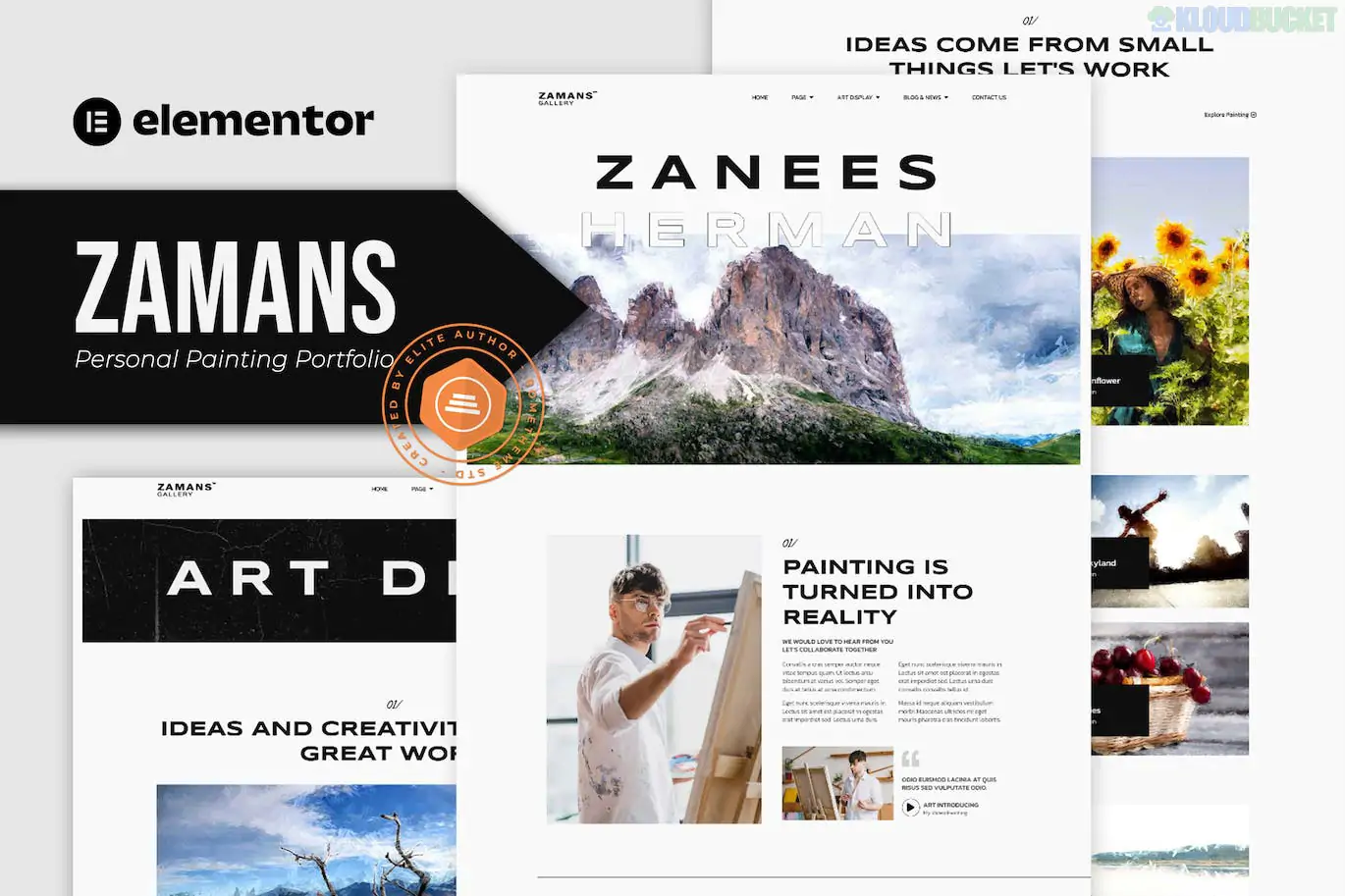
Zamans is a specialized Elementor Template Kit designed for professional painters, visual artists, and art galleries. It features a sophisticated, modern layout with a strong emphasis on whitespace and high-impact imagery to ensure that the artwork remains the focal point of the website.
Despite the "Pro" in some of its listing titles, this kit is specifically built to be accessible using free plugins, making it a cost-effective choice for independent creators.
Minimalist & Modern: Uses a clean grid system and elegant typography to create a "digital gallery" feel.
Portfolio-Centric: Includes specialized layouts for single art pieces and large-scale galleries.
Responsive: Fully optimized for mobile and tablet, ensuring your art looks great on any screen.
The kit provides a comprehensive set of layouts to build a full artist website:
Homepages: Professional main landing page.
About Me: A narrative-focused layout for your artist biography.
Galleries: Two distinct styles (Gallery Art 01 & 02) to showcase your collections.
Single Art: A detailed page for individual pieces, including descriptions and specs.
Events/Exhibitions: A dedicated layout for upcoming shows or workshops.
Services: For artists who offer commissions, murals, or teaching.
Standard Pages: FAQ, Contact Us, Archive, Single Post, and 404.
Site Parts: Custom Header and Footer templates.
One of the best things about Zamans is that it does not require the paid version of Elementor Pro. It achieves its professional features using these free tools:
Elementor (Free): The core builder.
Selection Lite: Adds specialized widgets for portfolios.
ElementsKit Lite: Handles the header, footer, and advanced layout blocks.
Hello Elementor Theme: The recommended lightweight base theme.
Install the Envato Elements plugin on your WordPress site.
Go to Elements > Installed Kits and upload your Zamans .zip file.
Click the orange "Install Requirements" banner to automatically set up the necessary plugins.
Import the Global Kit Styles first (this sets your fonts and colors).
Import individual page templates one at a time.
Since this kit uses demo images from Envato, they are often watermarked or intended as placeholders. For a painting portfolio, I recommend using high-resolution scans or professional photographs of your work. Ensure you optimize these images for the web (using tools like TinyJPG) so your site loads quickly without losing detail.
Would you like me to explain how to set up the "Single Art" page to link your portfolio items to their detailed descriptions?
.jpg) Help Us to Buy More New Theme/Plugin
Help Us to Buy More New Theme/Plugin
Published:
Jan 12, 2026 14:35 PM
Category:
Author:
OtherLicense:
GPL v2 or Later