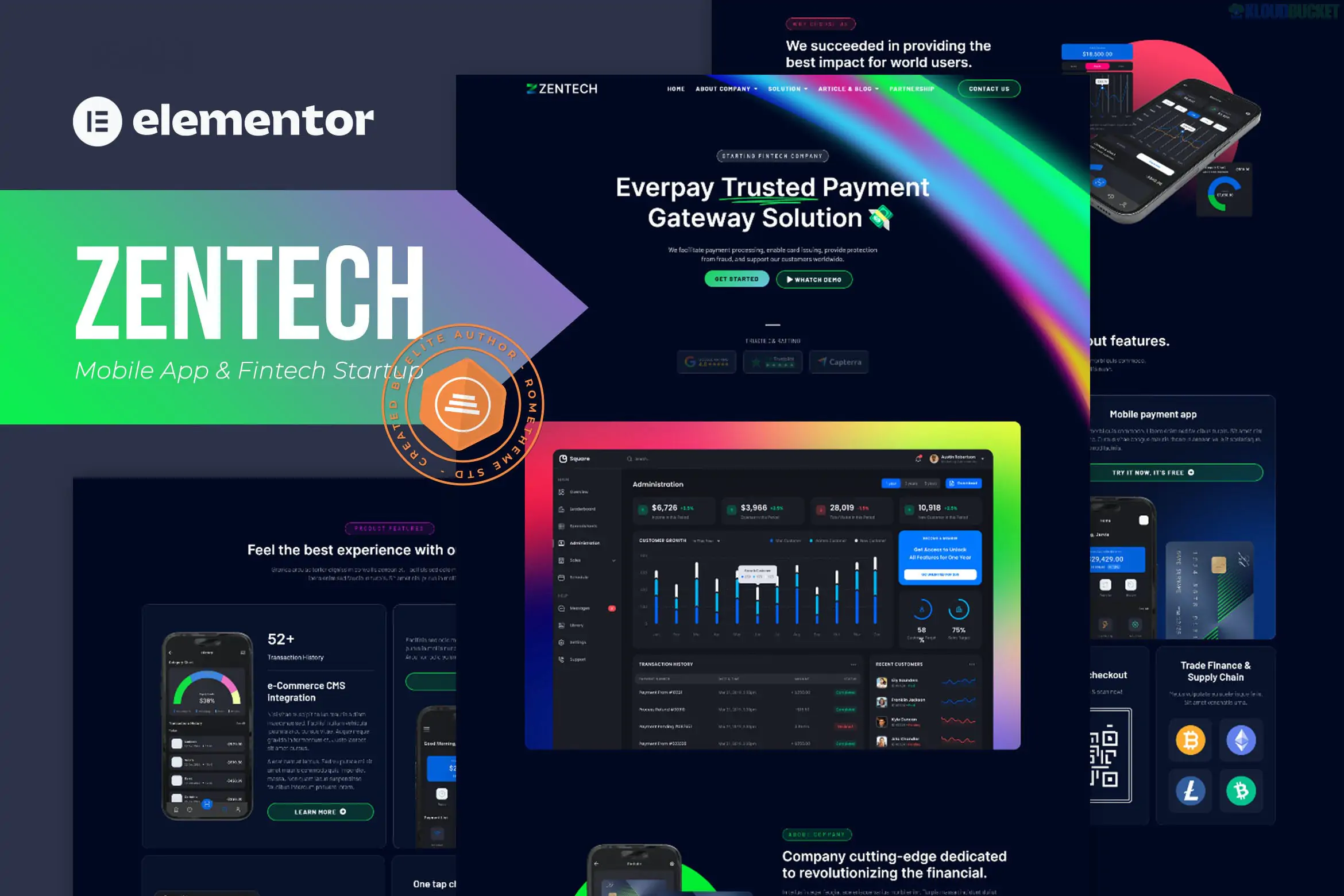
**Zentech** is a high-performance **Elementor Template Kit** specifically designed for fintech startups, mobile app showcases, and technology service providers. Developed by **Rometheme**, it features a clean, high-tech aesthetic with a focus on conversion and user trust.
A major advantage of Zentech is that it is a **"Free-Plugin Friendly"** kit, meaning it is designed to achieve a premium look without requiring an Elementor Pro subscription.
---
### Key Features
* **15+ Pre-designed Templates:** Includes layouts for Home, About Us, Features, Services, Team, Pricing, FAQ, Careers, and Contact.
* **Modern Fintech Aesthetic:** Uses a professional blue-and-white color palette with sharp typography and geometric elements.
* **Global Style Kit:** Allows you to manage your site’s entire color scheme and typography from one central dashboard.
* **Fully Responsive:** Specifically optimized for mobile screens, which is essential for app-focused startups.
* **Retina Ready:** Includes high-resolution graphics that look crisp on modern displays.
---
### Technical Requirements
To get your site looking exactly like the demo, you will need to install the following free plugins:
1. **Elementor (Free):** The core page builder.
2. **RomethemeKit:** Provides the "Theme Builder" functionality (Header/Footer) that usually requires Elementor Pro.
3. **RomethemeForm:** Handles the lead generation and contact forms.
4. **ElementsKit Lite:** Used for specialized widgets and nav menus.
5. **Qi Addons for Elementor:** Adds advanced creative widgets used in the design.
---
### How to Install Zentech
1. **Preparation:** Install the **Hello Elementor** theme and the **Envato Elements** plugin.
2. **Upload the Kit:** Navigate to **Elements > Installed Kits** and upload the `zentech.zip` file.
3. **Install Requirements:** Click the orange **"Install Requirements"** banner to automatically activate the 4-5 helper plugins listed above.
4. **Import Global Styles First:** This is critical. Import the **"Global Kit Styles"** first so your site settings are correctly configured.
5. **Import Pages:** Import your Home, About, and Contact templates. They will be saved to **Templates > Saved Templates**.
6. **Create Your Pages:**
* Create a new Page and click **Edit with Elementor**.
* Open the **Settings (gear icon)** and set the Page Layout to **Elementor Full Width**.
* Click the gray folder icon, go to **My Templates**, and insert the page you want.
### Setting Up the Header & Footer
Since Zentech uses **RomethemeKit** for global parts:
* Go to **RomethemeKit > Theme Builder**.
* Create a New Header, set the condition to **"Entire Site,"** and click Edit with Elementor.
* Insert the Zentech Header template from your library and save. Repeat for the Footer.
**Would you like me to guide you through setting up the custom forms with RomethemeForm, or do you need help troubleshooting the header and footer setup?**
Subscribe to access unlimited downloads of themes, videos, graphics, plugins, and more premium assets for your creative needs.
.jpg) Help Us to Buy More New Theme/Plugin
Help Us to Buy More New Theme/Plugin
Published:
Dec 29, 2025 16:20 PM
Category:
Author:
OtherLicense:
GPL v2 or Later