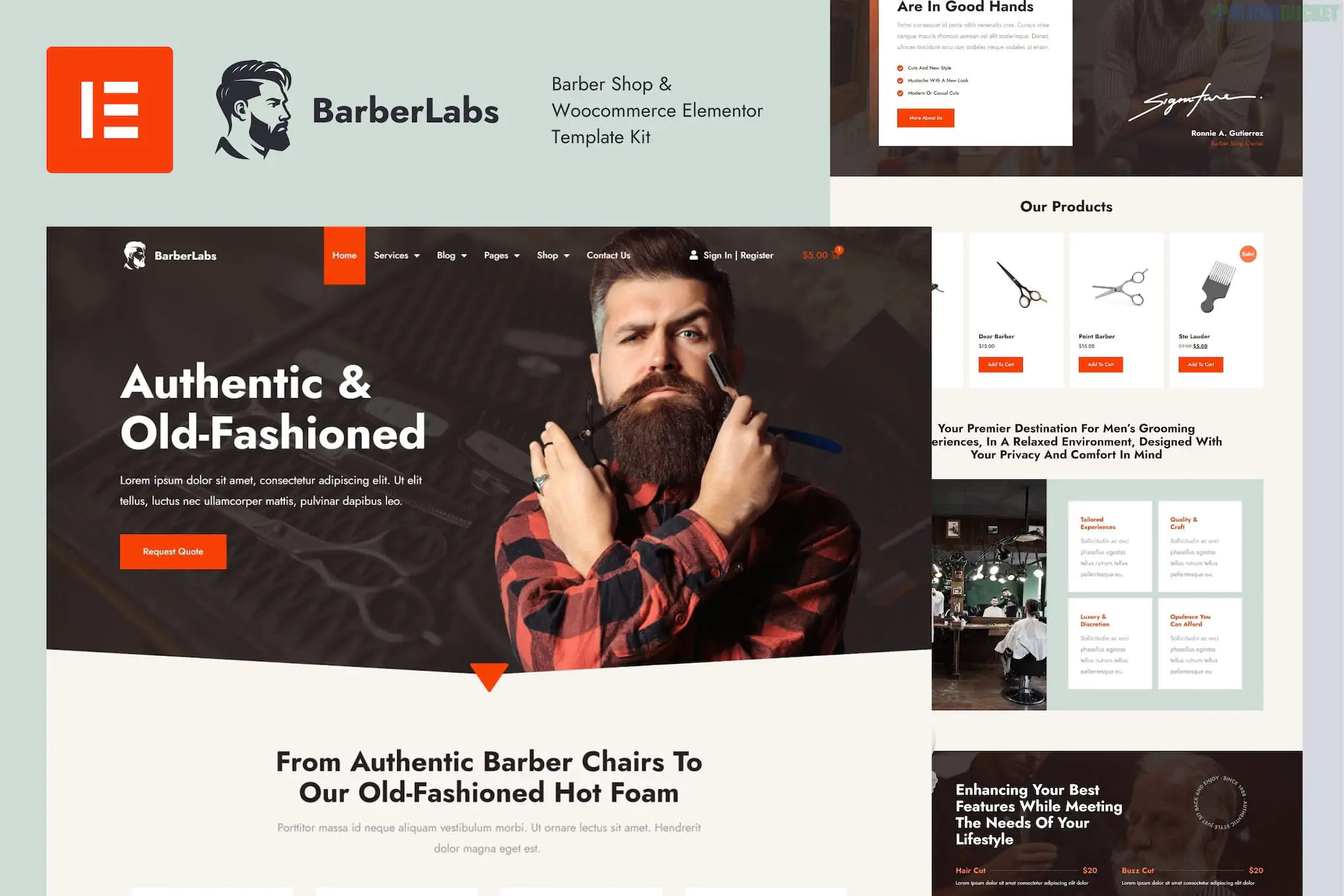
**BarberLabs** is a premium Elementor Pro Template Kit designed for barber shops, hair salons, and men’s grooming services. It features a bold, vintage-meets-modern aesthetic—often characterized by dark tones, wood textures, and high-contrast typography that reflects the classic "barber" brand.
This is a **Template Kit**, meaning it provides the page designs for Elementor but requires a separate WordPress installation and the Elementor plugin to function.
---
### ## Key Features
* **18+ Pre-built Templates:** A wide selection of pages covering everything from the main storefront to specialized "Meet the Barber" sections.
* **Service Price Lists:** Clean, easy-to-read pricing tables for haircuts, beard trims, and styling.
* **WooCommerce Compatible:** Includes layouts for a shop section, allowing you to sell pomades, oils, or grooming kits directly on your site.
* **Modern Animations:** Features smooth scroll reveals and hover effects to give the site a high-end, interactive feel.
* **Fully Responsive:** Optimized for mobile, ensuring customers can check your prices or find your location while on the go.
### ### Technical Requirements
To get BarberLabs running as shown in the demo, you will need:
* **Elementor (Free):** The core builder.
* **Elementor Pro:** **Required** for the Theme Builder (Header, Footer, and Archive pages).
* **The Plus Addon for Elementor:** Often used in this specific kit for enhanced carousel and grid layouts.
* **Hello Elementor Theme:** The recommended lightweight theme for the best foundation.
* **Envato Elements Plugin:** Used to import the kit ZIP file.
---
### ### Included Page Templates
| Template Category | Included Pages |
| --- | --- |
| **Main Pages** | Home, About Us, Contact, FAQ |
| **Services** | Service List, Single Service Detail |
| **Team/Staff** | Our Barbers, Single Barber Bio |
| **Portfolio/Gallery** | Style Showcase (to display your best cuts) |
| **Shop (WooCommerce)** | Shop Archive, Single Product, Cart, Checkout |
| **Theme Builder** | Custom Header, Footer, 404 Error, Search Results |
---
### ### Setup Tips for Your Shop
1. **Typography & Contrast:** BarberLabs relies on strong visual hierarchy. If you change the fonts, stick to a "Serif" for headings and "Sans-Serif" for body text to maintain that classic barber-pole aesthetic.
2. **Booking Integration:** While the kit provides the *design* for a contact or booking page, it doesn't include a backend booking calendar. Consider pairing this kit with **Bookly**, **Amelia**, or **LatePoint** to allow clients to schedule appointments online.
3. **Global Styles:** Upon import, prioritize the **Global Kit Styles**. This ensures that the specific dark/gold or black/white color palette is applied instantly across all pages.
4. **Google Maps:** On the contact page, use the Elementor Google Maps widget. Pro tip: Apply a "Grayscale" CSS filter to the map so it matches the cool, vintage vibe of the BarberLabs design.
Would you like me to help you set up an appointment booking button that links to your scheduling software, or do you need help customizing the pricing list?
Subscribe to access unlimited downloads of themes, videos, graphics, plugins, and more premium assets for your creative needs.
.jpg) Help Us to Buy More New Theme/Plugin
Help Us to Buy More New Theme/Plugin
Published:
Feb 01, 2026 11:29 AM
Category:
Author:
OtherLicense:
GPL v2 or Later