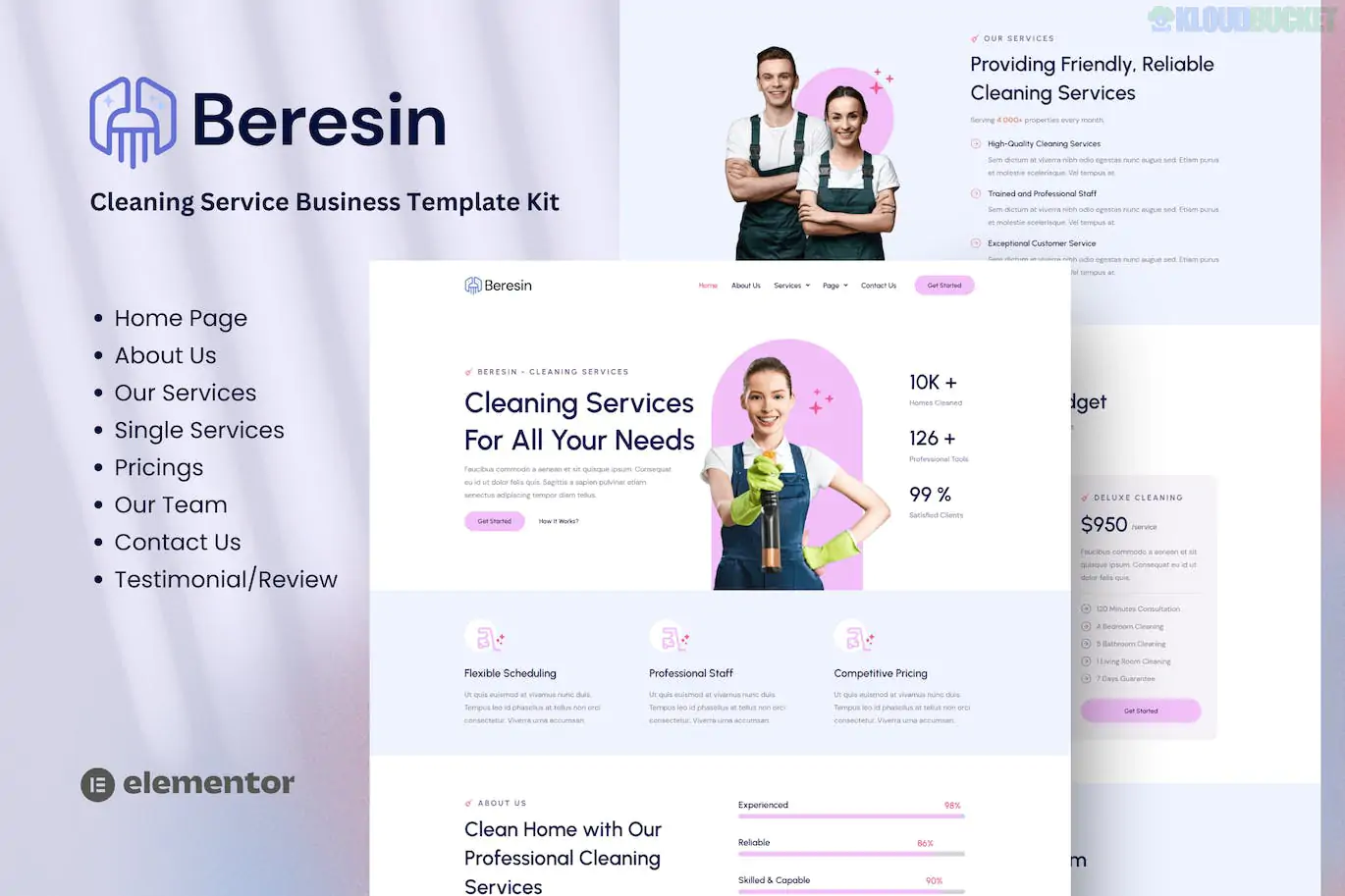
Beresin is a professional and high-energy Elementor Template Kit designed for modern cleaning service companies.1 Whether you focus on residential house cleaning, industrial janitorial services, or niche cleaning (like carpets or windows), this kit provides a polished "corporate" look with high-contrast elements that build trust immediately.2
One of the best aspects of Beresin is its efficiency—it is built to work with the Free version of Elementor, meaning you can launch a premium-looking site without the recurring cost of an Elementor Pro license.3
Modern & Sharp Design: Clean white spaces paired with bold, professional accents.4
Fully Responsive: The layout is pixel-perfect for mobile users, which is essential as many clients search for local cleaning on their phones.
Service-Specific Sections: Includes pre-designed blocks for "Before and After" showcases and detailed service lists.5
Global Style Kit: Manage your primary colors and typography from a single location to ensure brand consistency.6
The kit provides all the essential pages for a service-based business:7
Core Pages: Homepage, About Us, and Our Team.8
Service Tools: Services Archive, Service Detail (Single), and a transparent Pricing Table.9
Trust Building: Testimonial section and FAQ.
Functional: Contact Us and 404 Error Page.
Site Blocks: Custom Header and Footer templates (handled via Jeg Elementor Kit).10
To get the exact look of the demo, the kit will prompt you to install these free plugins:
Elementor (Free): The core drag-and-drop builder.11
Jeg Elementor Kit: Provides the advanced header/footer functionality and specific service widgets.12
MetForm: Powering the "Book a Service" and contact forms.13
Elementor Header & Footer Builder: For additional navigation control.
Hello Elementor Theme: The recommended lightweight base theme.
Beresin uses MetForm for its inquiry forms.14 If you import a page and the form is missing, follow these steps:
Import the separate MetForm Block template included in your kit.15
Edit your page with Elementor and click on the "MetForm" widget.16
Choose Edit Form, then New, and then click the grey folder icon to select your imported form template from "My Templates."17
This ensures your "Get a Quote" buttons actually lead to a functional submission box.
Would you like me to walk you through how to set up the Header and Footer templates specifically using the Jeg Elementor Kit menu?
Subscribe to access unlimited downloads of themes, videos, graphics, plugins, and more premium assets for your creative needs.
.jpg) Help Us to Buy More New Theme/Plugin
Help Us to Buy More New Theme/Plugin
Published:
Jan 12, 2026 15:05 PM
Category:
Author:
OtherLicense:
GPL v2 or Later