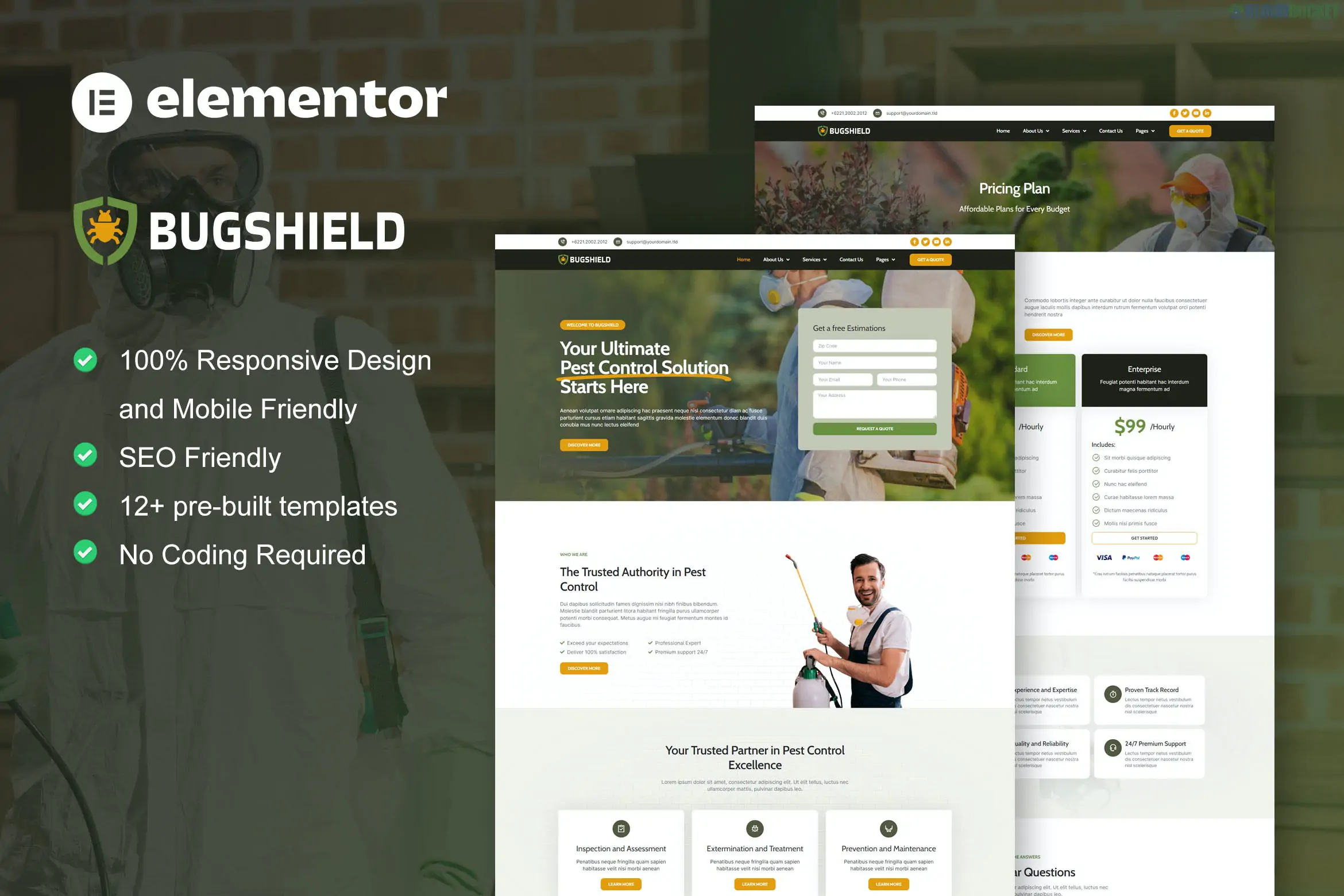
BugShield is a modern and professional Elementor Pro Template Kit specifically designed for pest control companies, exterminators, and fumigation services. It features a clean, trust-focused aesthetic that uses high-visibility call-to-action buttons, making it ideal for converting emergency service requests.
As an Elementor Pro kit, it utilizes the advanced Theme Builder, allowing for deep customization of headers, footers, and dynamic content that standard free kits cannot offer.
12+ Professional Templates: A complete set of layouts to cover residential and commercial pest control.
Elementor Pro Required: This kit leverages Pro-exclusive widgets like the Form Builder, Price Lists, and advanced Motion Effects.
Emergency-Ready Design: Highly visible phone numbers and "Get a Quote" buttons optimized for conversion.
Fully Responsive: Perfectly scaled for mobile users, who often search for exterminators while dealing with active pest issues.
Modern & Trustworthy UI: A color palette (typically blue/green/white) that communicates cleanliness and reliability.
The kit provides a comprehensive structure for a service-based business:
Template Type
Included Pages / Sections
Main Pages
Homepage, About Us, Contact, FAQ, 404 Error.
Service Focused
Services List and Single Service Details (e.g., Bed Bugs, Termites, Rodents).
Business Blocks
Pricing Plans, Client Testimonials, and "Why Choose Us" sections.
Project/Gallery
Showcase of past work or "Before & After" treatments.
System Templates
Custom Pro Header, Pro Footer, and Blog Archive/Single Post.
To get the exact look and functionality of the BugShield demo, you need:
WordPress: A self-hosted installation.
Elementor (Free) & Elementor Pro: You must have an active Pro license to use the Theme Builder and dynamic templates.
Hello Elementor Theme: The recommended lightweight "blank canvas" theme.
Envato Elements Plugin: Used for the initial import and setting up Global Styles.
Theme Setup: Install and activate the free Hello Elementor theme.
Plugin Setup: Ensure both Elementor and Elementor Pro are active.
Import Kit: Go to Elements > Installed Kits and upload the BugShield .zip file.
Install Requirements: Click the orange "Install Requirements" button to activate any necessary helper plugins.
Global Styles: Import the Global Kit Styles first. This ensures your site adopts the correct fonts and brand colors immediately.
Import Templates: Import your desired pages. Since this is a Pro kit, you will need to assign the Header and Footer to "Entire Site" using the Elementor Theme Builder settings.
The "BugShield" kit is particularly effective because it includes dedicated service icons and layouts for specific pests. This allows you to create SEO-friendly landing pages for individual services (like "Termite Control" or "Ant Extermination"), which is a proven way to rank higher in local search results.
Would you like me to help you set up the "Click-to-Call" buttons for mobile users, or do you need help assigning your Header and Footer in the Elementor Pro Theme Builder?
Subscribe to access unlimited downloads of themes, videos, graphics, plugins, and more premium assets for your creative needs.
.jpg) Help Us to Buy More New Theme/Plugin
Help Us to Buy More New Theme/Plugin
Published:
Dec 25, 2025 15:37 PM
Category:
Author:
OtherLicense:
GPL v2 or Later