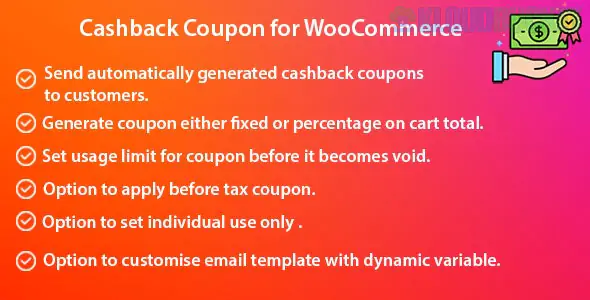
A Cashback Coupon for WooCommerce is a strategic marketing tool that rewards customers with store credit or coupons after they complete a purchase. Unlike a traditional discount that lowers the price upfront, cashback incentivizes the customer to return to your store to spend their reward.
In the WooCommerce ecosystem, this is usually achieved through one of three major plugins: Advanced Coupons, Smart Coupons, or dedicated Cashback for WooCommerce extensions.
The Trigger: A customer buys a specific product or spends over a certain amount (e.g., "Spend $100, get $10 back").
The Reward: Once the order status changes to "Completed," the system automatically generates a unique coupon or adds store credit to the user's account.
The Retention: The customer receives an email with their "Cashback Code," which they must use on a future order before it expires.
Plugin
Best For
Key Feature
Advanced Coupons (Premium)
Professional Marketing
Features a specific "Cashback" coupon type with a customizable waiting period.
Smart Coupons
High-Volume Stores
The "all-in-one" solution for gift cards and store credit; very reliable.
Cashback for WooCommerce
Pure Loyalty Focus
Allows cashback based on payment gateway or shipping method used.
WPLoyalty
Gamification
Converts points directly into "cash" rewards for a seamless loyalty loop.
Higher Profit Margins: You collect the full retail price on the first transaction.
Increased Lifetime Value (CLV): It virtually guarantees a second visit to your store.
Reduced "Breakage": Some customers never redeem their cashback, meaning the reward costs you $0 while still driving the initial sale.
Brand Prestige: Frequent discounts can make a brand look "cheap"; cashback feels like a premium reward program.
Create Coupon: Go to Marketing > Coupons > Add New.
Select Type: In the "Discount Type" dropdown, select Cashback Percentage or Fixed Cashback.
Set Amount: Enter the value (e.g., 10 for 10% back).
Waiting Period: Set the "Cashback Delay" (e.g., 2 days after order completion) to ensure the customer doesn't immediately return the original item after getting the credit.
Publish: The system will now handle the automated emailing and credit assignment.
Always set your cashback coupons to be issued only after the refund period has passed. If you have a 14-day return policy, configure your plugin to send the cashback coupon on the 15th day. This prevents "gaming" the system where a user gets the coupon, spends it, and then returns the original high-value item.
Would you like me to help you write the promotional email copy for your cashback offer, or do you need help configuring the "Waiting Period" settings in a specific plugin?
Subscribe to access unlimited downloads of themes, videos, graphics, plugins, and more premium assets for your creative needs.
.jpg) Help Us to Buy More New Theme/Plugin
Help Us to Buy More New Theme/Plugin
Published:
Jan 18, 2026 14:05 PM
Version:
v1.1.0
Category:
Author:
OtherLicense:
GPL v2 or LaterTags: