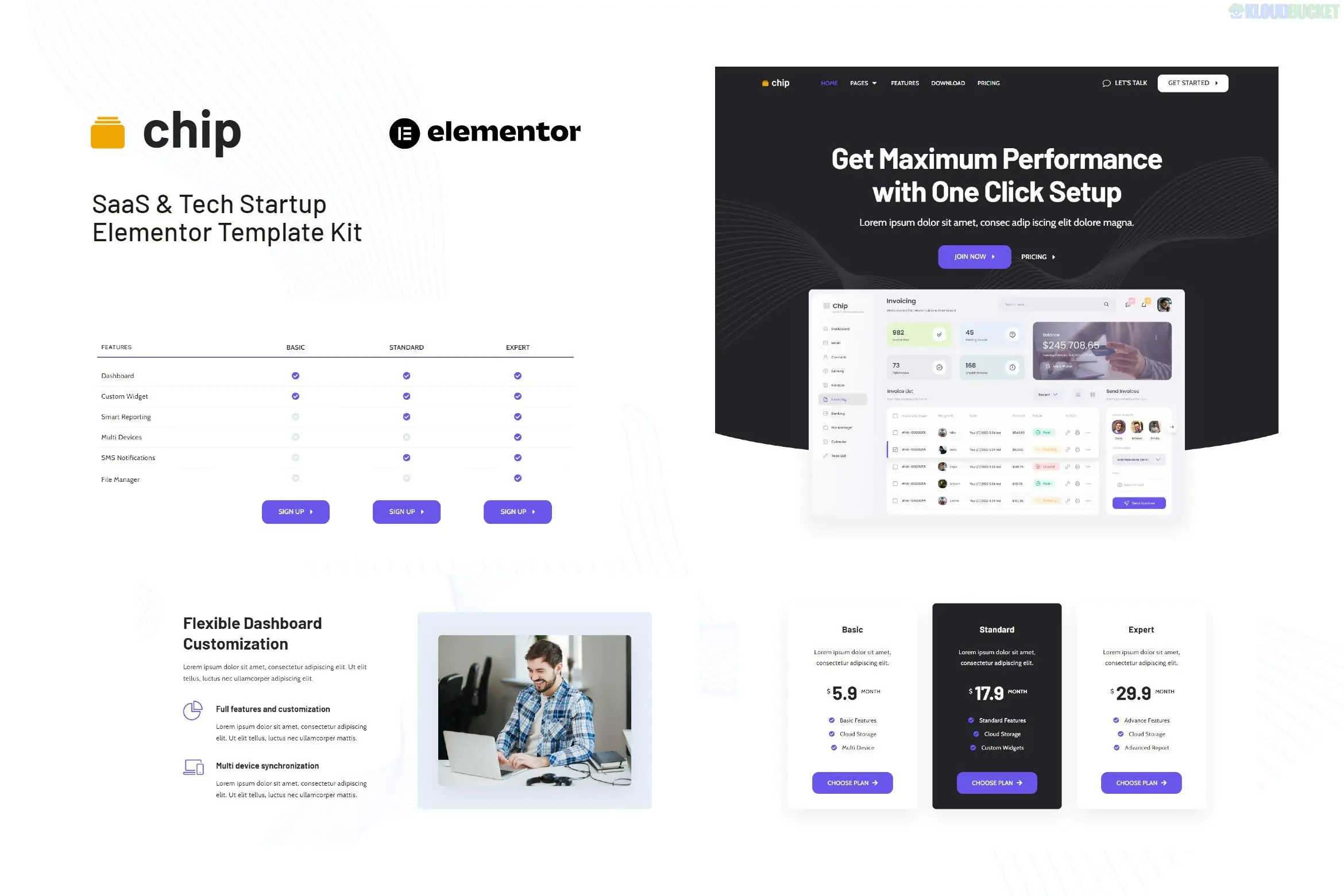
The Chip - SaaS & Tech Startup Elementor Template Kit is a modern, high-performance design collection specifically built for software companies, mobile app landing pages, and tech startups.
Created by sociolib, it features a "clean and minimal" aesthetic that prioritizes speed and user conversion, making it a strong choice for businesses that need to explain complex digital products simply.
No Elementor Pro Required: This kit is fully optimized for the free version of Elementor.
10+ Professional Templates: A complete set of layouts for a standard SaaS business site.
One-Click Color & Font Control: Uses Elementor’s Global Styles to let you change your branding across all pages instantly.
Lightweight & Fast: Minimal use of heavy animations ensures your site maintains high Core Web Vitals scores.
Retina Ready: Images and icons are sharp on high-resolution mobile and desktop screens.
Homepage: A conversion-focused landing page with product hero sections and CTA buttons.
About Us: For sharing the startup’s mission and team.
Services / Features: A page to break down the technical capabilities of your software.
Pricing Plan: Clear, tiered pricing tables for subscription-based services.
Blog & Archive: Layouts for tech news, updates, and content marketing.
Contact Us: Simple, integrated form layout for lead generation.
Header & Footer: Global templates to keep navigation consistent.
404 Error Page: A branded "page not found" layout.
To make the kit look exactly like the demo, you will need to install these free plugins:
Elementor: The core page builder.
Envato Elements: Used for importing the kit itself.
ElementsKit Lite: For advanced header/footer widgets and extra layout elements.
MetForm: For the contact and lead capture forms.
Preparation: Use the Hello Elementor theme for the best compatibility.
Import: Go to Elements > Installed Kits and upload the Zip file.
Global Styles: Import the Global Kit Styles first. This is crucial—skipping this will result in the templates having default colors and fonts.
Import Templates: Import the pages one by one.
Configure Header/Footer: Use the ElementsKit menu to set the imported Header and Footer templates as "Global" across your entire site.
Would you like me to help you draft a "Pricing Plan" comparison table for your SaaS product, or do you need a guide on setting up the sticky header in this kit?
Subscribe to access unlimited downloads of themes, videos, graphics, plugins, and more premium assets for your creative needs.
.jpg) Help Us to Buy More New Theme/Plugin
Help Us to Buy More New Theme/Plugin
Published:
Jan 23, 2026 14:07 PM
Category:
Author:
OtherLicense:
GPL v2 or LaterTags: