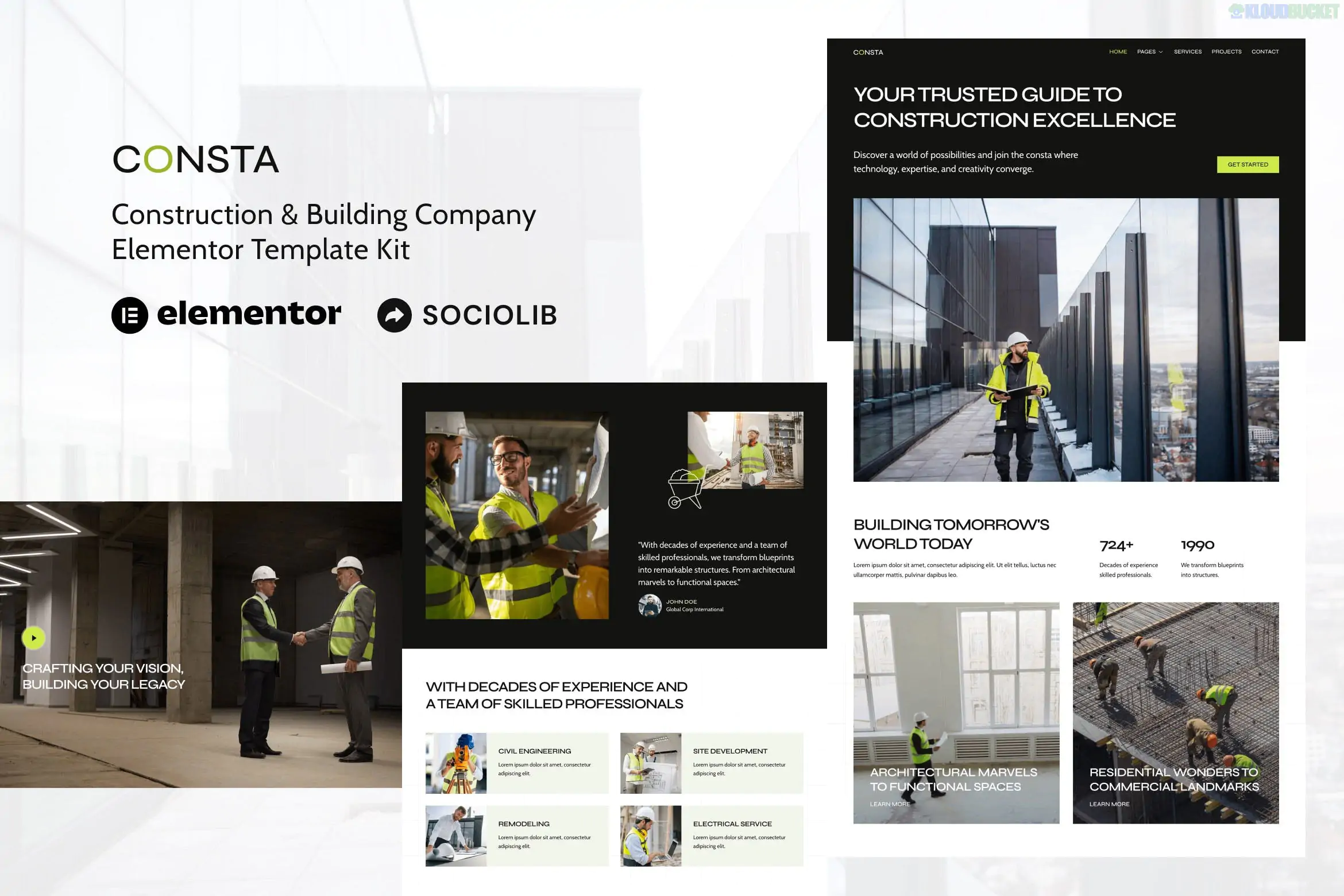
Consta is a professional Elementor Template Kit designed for construction companies, building contractors, architects, and engineering firms. Developed by sociolib, it offers a clean, industrial, and high-contrast design intended to showcase large-scale projects and technical services.
As of late 2025, it remains a highly efficient choice for the construction sector because it is optimized for Elementor Free, meaning you can achieve a premium look without the cost of a Pro subscription.
10+ Professional Templates: A focused collection of pages specifically mapped to the needs of the building industry.
No Elementor Pro Needed: This kit utilizes free extensions to provide advanced functionality like custom headers and footers.
Clean & Minimal Aesthetic: Uses a structured grid layout and bold typography that reflects the stability and precision of a construction brand.
Fast & Lightweight: Optimized for the Hello Elementor theme to ensure fast loading times, which is essential for mobile users on construction sites.
Project Showcase: Features specialized layouts for displaying high-resolution galleries of completed building projects.
The kit provides a complete site architecture for a service-based business:
Home: A high-impact landing page with hero sections and service overviews.
About Us: Sections for company history, safety values, and mission statements.
Services: Grid layouts to list offerings like renovation, civil engineering, and architecture.
Projects & Detail: A professional portfolio section with dedicated pages for individual case studies.
Contact & Inquiry: Integrated forms for requesting quotes or project consultations.
The Essentials: Pre-styled Team, FAQ, 404, and Blog layouts.
To use the Consta kit, you need the following free components installed on your WordPress site:
Component
Requirement
Page Builder
Elementor (Free version).
Required Addons
ElementsKit Lite (for Header/Footer) and MetForm (for forms).
Base Theme
Highly optimized for Hello Elementor.
Import Tool
Envato Elements plugin or Template Kit Import.
Performance
Fully responsive and cross-browser compatible (Chrome, Safari, Firefox).
Prepare: Install the Hello Elementor theme and the Envato Elements plugin.
Upload: Go to Elements > Installed Kits and upload your ZIP file (do not unzip it).
Requirements: Click the orange "Install Requirements" banner to automatically activate ElementsKit and MetForm.
Global Styles First: Always import the Global Kit Styles template first to establish the site’s visual identity (colors and fonts).
Page Creation: Create a new page, set the layout to Elementor Full Width, and use the Elementor library to insert your chosen Consta page template.
[!IMPORTANT]
MetForm Note: When importing pages with contact forms, you will need to import the MetForm block separately and then "Insert" it into the MetForm widget on your page to make the fields visible.
Header/Footer Setup: Would you like a guide on how to activate the Global Header using the ElementsKit settings?
Customization: Do you need the HEX codes for the default branding so you can match your company logo to the kit?
Booking Integration: Are you looking for a way to add an appointment calendar for client consultations within this template?
Would you like me to find the link to the live demo so you can see the "Project Gallery" hover effects in action?
Subscribe to access unlimited downloads of themes, videos, graphics, plugins, and more premium assets for your creative needs.
.jpg) Help Us to Buy More New Theme/Plugin
Help Us to Buy More New Theme/Plugin
Published:
Dec 22, 2025 18:04 PM
Category:
Author:
OtherLicense:
GPL v2 or Later