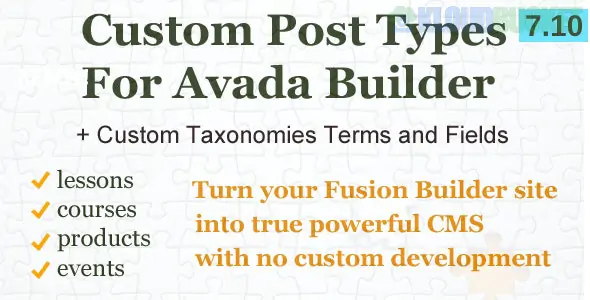
In the Avada Website Builder, managing Custom Post Types (CPTs), Taxonomies, and Custom Fields is handled through a combination of theme settings, the Avada Layout Builder, and integrated plugins like ACF Pro (which is bundled with Avada).
As of early 2026, Avada has fully transitioned to a "dynamic-first" workflow, meaning you can design a single template and have it automatically populate data for thousands of custom posts.
By default, the Avada Builder may only be active for Pages and Posts. To use it on your CPTs (like "Services," "Cars," or "Books"):
Navigate to Avada > Options > Builder Options.
Under the Post Types section, check the boxes for the custom post types where you want to use the builder.
Click Save Settings. This allows you to use the drag-and-drop interface within those specific content types.
To build a professional database-driven site, you typically need three components:
Custom Post Type (CPT): The "bucket" for your content (e.g., a "Property" post type).
Taxonomies: How you categorize them (e.g., "Property Type" or "Location").
Custom Fields: Specific data points (e.g., "Price," "Number of Bedrooms," or "Square Footage").
Tool Recommendation: Use the bundled ACF Pro (Advanced Custom Fields) plugin. It is the gold standard for creating custom fields and assigning them to specific CPTs or Taxonomies.
Once your data is set up, you don't edit each post individually. Instead, you create a Layout:
Go to Avada > Layouts.
Create a New Layout and set its Conditions to your CPT (e.g., "All Properties").
Build a Content Layout Section using the Avada Builder.
The Magic Step: Use Dynamic Content. Instead of typing "Price: $500,000," you click the Dynamic Data Icon (database icon) in a Text Element and select your ACF Field (e.g., property_price).
To show a list of your custom posts on a "Archive" or "Home" page:
Avada Post Cards: This is the modern way to display CPTs. You design one "card" (the look of a single item in the grid) and use the Post Card Archive Element to repeat it for all posts in that CPT.
Filtering: You can filter these grids by your Custom Taxonomies directly in the element options.
Feature
Details
Bundled Tool
ACF Pro (Includes Repeaters & Flexible Content)
Dynamic Source
Supports ACF, Toolset, Meta Box, and native WP Custom Fields
Conditional Logic
Hide/Show elements based on field values (e.g., hide "Sale" badge if price is not discounted)
Performance
Optimized query handling for large CPT databases
In 2026, many Avada "power users" create an ACF Options Page. This allows you to create a central admin menu for global site data (like "Company Phone" or "Holiday Message") that can be updated in one place and reflected across every Avada Layout via dynamic data.
Would you like me to walk you through the Conditional Rendering logic to hide empty fields, or do you need a comparison between using ACF vs. Meta Box with Avada?
Custom Post Types and Custom Search Forms in Avada
This video provides a practical guide on setting up custom content structures and search functionality within the Avada ecosystem to help you organize complex data effectively.
Subscribe to access unlimited downloads of themes, videos, graphics, plugins, and more premium assets for your creative needs.
.jpg) Help Us to Buy More New Theme/Plugin
Help Us to Buy More New Theme/Plugin
Published:
Jan 05, 2026 18:45 PM
Version:
v7.11.0
Category:
Author:
OtherLicense:
GPL v2 or LaterTags: