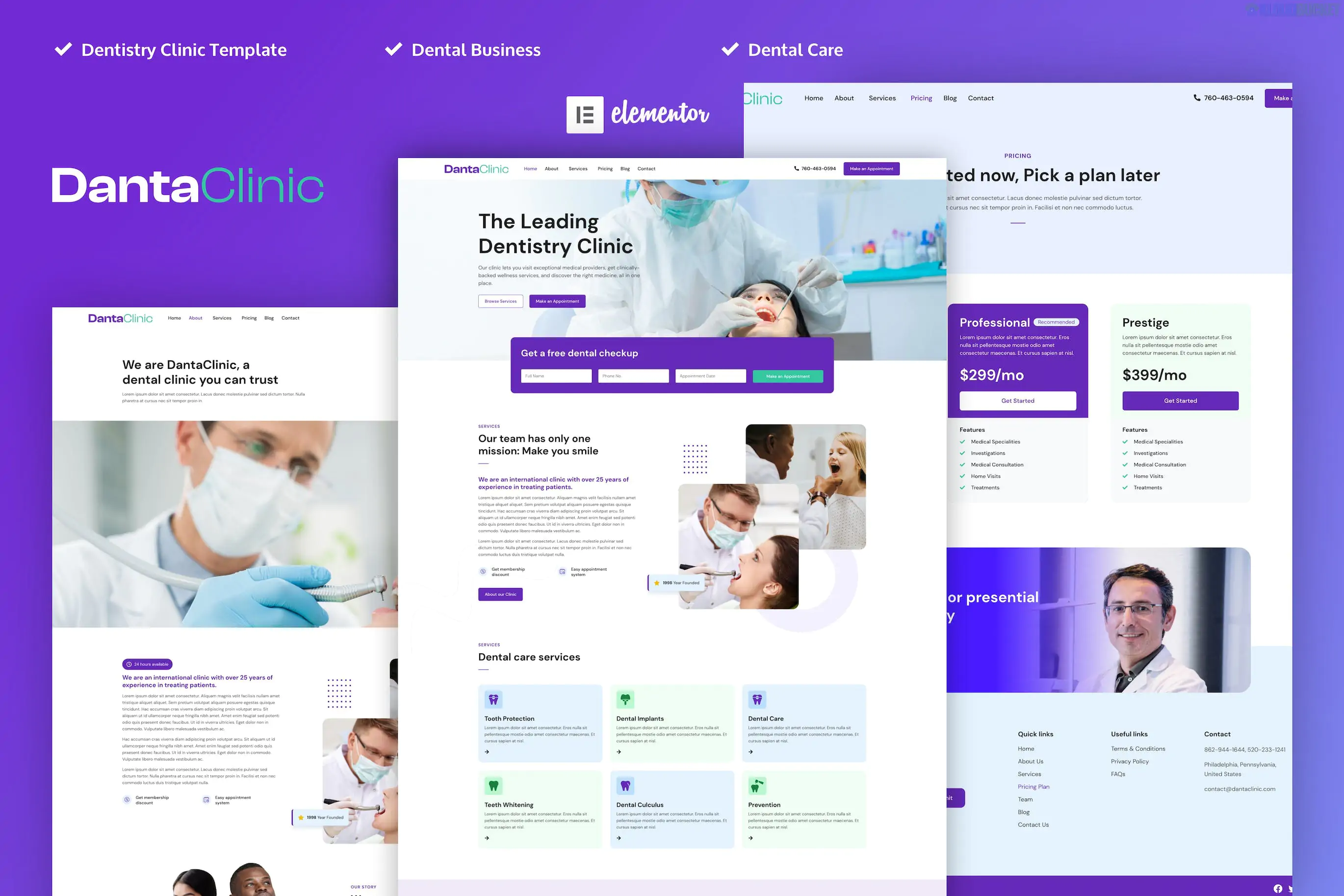
Danta Clinic is a professional Elementor Pro Template Kit specifically tailored for dentists, dental clinics, and oral healthcare providers.1 Developed by kath_theme, it features a clean, clinical aesthetic with a soft blue and white color palette that builds trust and conveys hygiene.
Because this is a Pro Kit, it utilizes Elementor’s Theme Builder for global site parts like headers, footers, and dynamic templates.2
Modern Healthcare Aesthetic: Designed with high-quality spacing and typography optimized for medical professionalism.
Elementor Pro Required: Uses Pro widgets (like the advanced Form widget for appointments) and the Pro Theme Builder.3
Service-Focused: Includes specific layouts for different dental treatments (e.g., Orthodontics, Implants, Whitening).
Fully Responsive: Tested across all devices to ensure patients can book appointments easily from their phones.
The kit offers a full suite of pages to launch a clinic website:
Core Pages: Home, About Us, Our Team (Dentist Profiles), FAQ, and Pricing.
Services: Service Overview and a Service Detail template for specific treatments.
Patient Resources: Contact Us (with integrated map/form) and a Blog/News section.4
Global Components: Header, Footer, 404 Page, and a Global Kit Style guide.
To function correctly, ensure the following are installed and activated:
Elementor (Free)
Elementor Pro (Required for the header, footer, and specialized widgets)
Envato Elements Plugin (For the initial import process)5
Global Styles First: Upon importing, apply the Global Kit Styles before any other page.6 This ensures that the primary "Clinic Blue" and specific font weights are applied sitewide.
Appointment Forms: The "Book Now" buttons are typically linked to an Elementor Pro Form. You can easily connect these forms to your email or even third-party booking tools via webhooks.
Team Profiles: Use the "Our Team" template to showcase your dentists' qualifications, which is a key factor in converting website visitors into patients.
Sticky Header: The included header is often pre-configured to be "sticky," keeping navigation and the "Emergency Contact" number visible as users scroll.
Pro Tip: Since dental sites rely heavily on local SEO, be sure to update the Contact Page with your specific Google Maps embed and ensure your NAP (Name, Address, Phone) matches your Google Business Profile exactly.
Would you like me to show you how to customize the "Appointment" form to send notifications directly to your clinic's email?
Subscribe to access unlimited downloads of themes, videos, graphics, plugins, and more premium assets for your creative needs.
.jpg) Help Us to Buy More New Theme/Plugin
Help Us to Buy More New Theme/Plugin
Published:
Jan 07, 2026 19:29 PM
Category:
Author:
OtherLicense:
GPL v2 or Later