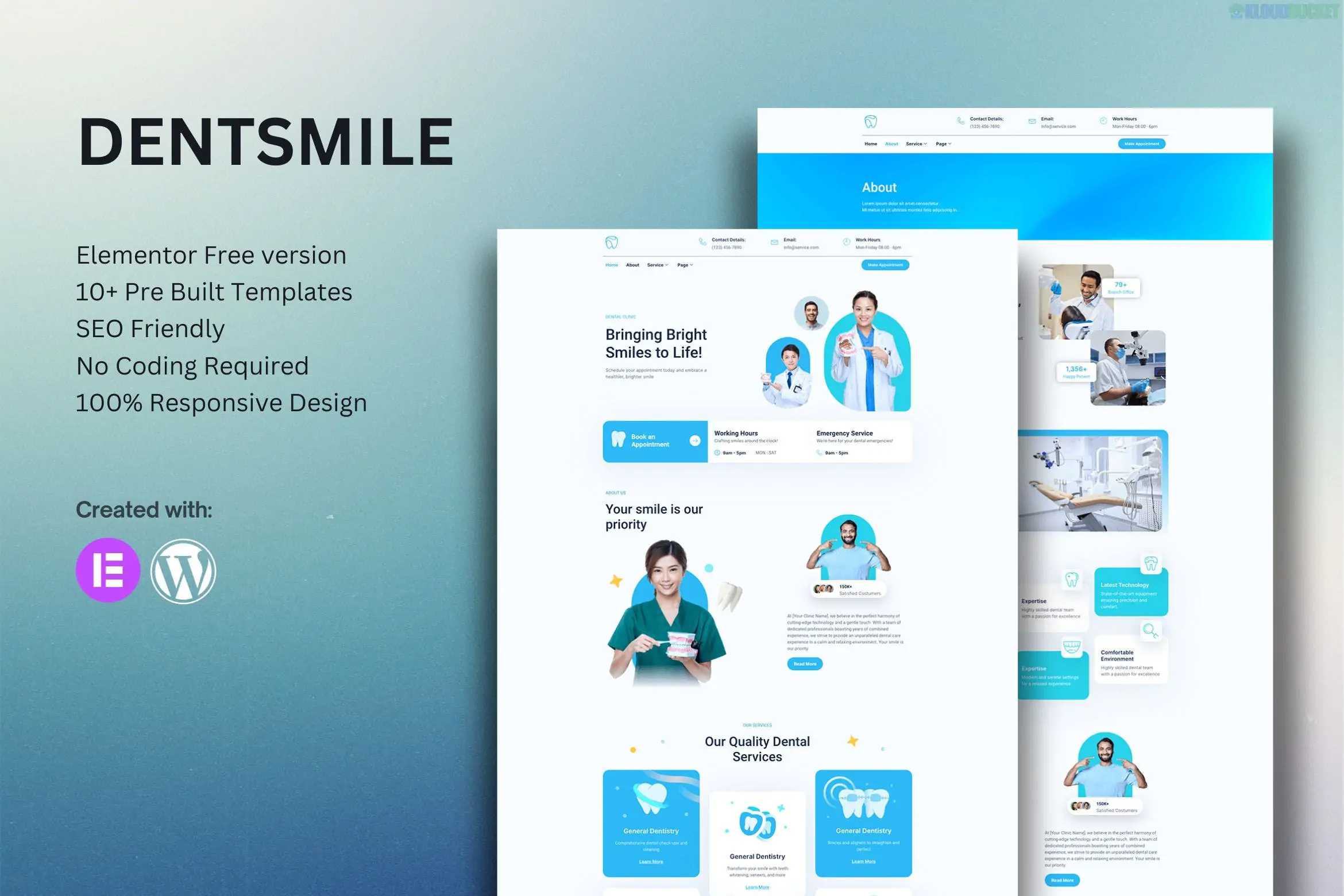
Dentsmile is a specialized Elementor Template Kit built for dentists, dental clinics, and oral healthcare professionals.1 It is designed to be lightweight and accessible, specifically optimized to work with the Free version of Elementor, meaning no Pro license is required to achieve the demo's professional look.2
10+ Ready-to-Use Templates: A comprehensive set of pages and blocks for a complete dental website.3
True No-Code Customization: Designed for beginners; every element can be edited via a visual drag-and-drop interface.4
Global Theme Styles: Manage your clinic's brand colors and typography from one central panel.5
Mobile-Responsive: Essential for patients booking appointments via smartphones; the layout adjusts perfectly to any screen size.6
Optimized for Hello Elementor: Works best with the free "Hello" theme for industry-leading load speeds.7
The kit provides all the essential pages for a modern medical practice:
Page/Template
Purpose
Home Page
High-impact hero section with clear "Book Appointment" calls-to-action.
About Us
Dedicated space for the clinic's history, mission, and technology.
Services & Details
Specialized layouts for treatments like cleaning, whitening, or orthodontics.
Our Team
Professional profiles for dentists and hygienists to build patient trust.
News/Blog
Modern layouts for dental health tips and clinic updates.
Header & Footer
Site-wide navigation blocks including contact info and office hours.
Contact & FAQ
Lead generation forms and answers to common patient questions.
To ensure the kit functions correctly, the following free plugins are automatically utilized:
Elementor (Free): The core page builder.8
ElementsKit Lite: Used for advanced header/footer builds and special UI widgets.
MetForm: Powering the appointment and contact forms.9
Themesflat Addons for Elementor: Provides additional creative widgets specific to this kit.10
Preparation: Install the free Hello Elementor theme.11
Install Helper Plugin: Add the Envato Elements plugin (or "Template Kit - Import") from the WordPress repository.12
Upload Kit: Go to Elements > Installed Kits and upload your Dentsmile .zip file.13
Install Requirements: Click the orange banner to activate the necessary helper plugins.14
Global Styles First: Always import the Global Kit Styles before any pages to set the base design.15
Import Templates: Import your pages one at a time.16 They will appear under Templates > Saved Templates.
Pro Tip: To create a new page with an imported template, set the Page Layout to "Elementor Full Width" in the page settings to ensure the design covers the entire screen.17
Would you like me to walk you through how to customize the MetForm for your appointment bookings, or do you need help setting up the site-wide Header?
Dental Clinic Website with Elementor Free
This video provides a practical walkthrough for building a dental clinic website from scratch using the free version of Elementor.
Subscribe to access unlimited downloads of themes, videos, graphics, plugins, and more premium assets for your creative needs.
.jpg) Help Us to Buy More New Theme/Plugin
Help Us to Buy More New Theme/Plugin
Published:
Dec 25, 2025 15:52 PM
Category:
Author:
OtherLicense:
GPL v2 or Later