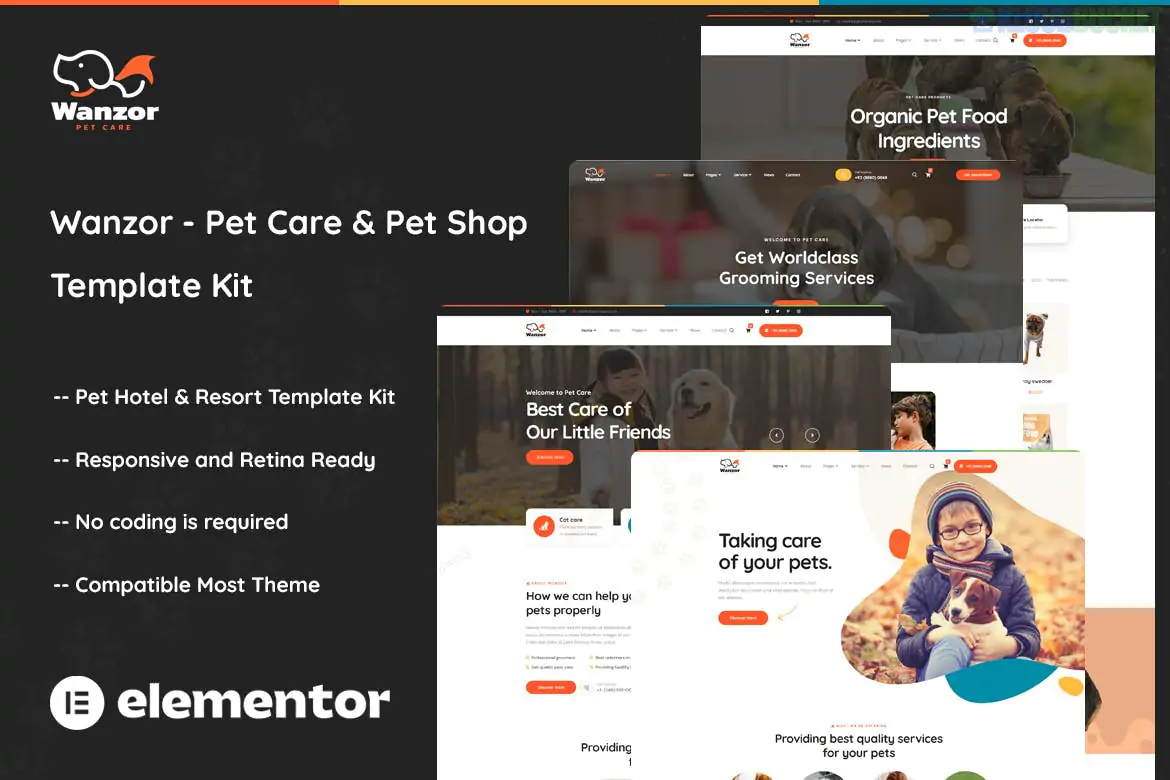
Wanzor is a sleek and modern Elementor Pro Template Kit designed for pet care businesses, including pet hotels, boarding houses, dog daycare centers, and pet shops.1 Developed by surisoft, it provides a playful yet professional aesthetic with clean layouts and bold design elements.2
As a Template Kit, it is not a standalone theme; it is a set of pre-designed page templates that you import into Elementor to build your entire site quickly.
The kit typically includes 10–15 pre-built templates to cover all sections of a pet care business:
Home: A high-energy landing page with clear service sections and calls to action.
About Us: Layouts for company history and team introductions.
Services: Overview of pet care offerings (grooming, boarding, etc.).
Pet Store: Integrated layouts for showcasing products (optimized for WooCommerce).
Pricing: Clean tables for service packages and membership tiers.
Testimonials: Pre-styled sections for client reviews.
Contact Us: Functional layout with integrated contact forms and maps.3
Site Parts: Custom Header, Footer, and 404 page templates.
To function correctly, the following plugins are required. Elementor Pro is essential for the global theme-building features (like headers and footers).
Elementor (Free): The core page builder.
Elementor Pro: Required for Theme Builder and advanced widgets.4
Themesflat Addons for Elementor: For extra creative widgets used in the kit.
ElementsKit Lite: Used for navigation menus and specific functional blocks.
WooCommerce: Required if you plan to use the "Pet Shop" features.5
Preparation: Ensure you have the Hello Elementor theme installed and activated.6
Install Importer: Search for and install the "Template Kit Import" plugin (by Envato).7
Upload Kit: Go to Tools > Template Kit, upload your wanzor.zip file, and click Install Requirements in the orange banner.8
Import Global Styles: Import the Global Kit Styles first to set your brand colors and fonts.9
Import Templates: Import the remaining pages one by one.
Theme Builder Setup: Navigate to Templates > Theme Builder to assign the imported Wanzor Header and Footer to the "Entire Site."10
Industry-Specific: Designed with vibrant colors and pet-focused layouts that build immediate trust with animal owners.
Retina Ready & Responsive: Every element is optimized to look crisp on high-resolution mobile screens.11
WooCommerce Ready: Unlike some service-only kits, Wanzor includes shop layouts, making it ideal if you sell pet food or toys alongside your services.
Would you like me to help you set up the WooCommerce product pages to match the Wanzor style, or do you need help customizing the "Pet Boarding" booking section?
Subscribe to access unlimited downloads of themes, videos, graphics, plugins, and more premium assets for your creative needs.
.jpg) Help Us to Buy More New Theme/Plugin
Help Us to Buy More New Theme/Plugin
Published:
Dec 27, 2025 15:58 PM
Category:
Author:
OtherLicense:
GPL v2 or Later