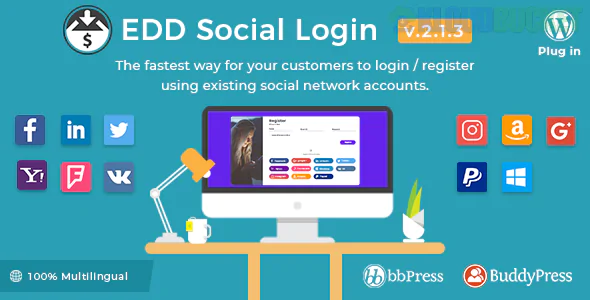
Easy Digital Downloads (EDD) Social Login is an extension that simplifies the checkout process by allowing customers to log in or register using their existing social media accounts. By removing the friction of manual form-filling, it significantly reduces cart abandonment and improves conversion rates for digital stores.
There are two primary ways to implement this: using the Official EDD Social Login Extension or using a third-party alternative like Nextend Social Login.
The official extension by WPWeb Elite (formerly a core EDD add-on) is built specifically for the EDD ecosystem.
Supported Platforms: Facebook, Twitter, Google, LinkedIn, Yahoo, Foursquare, Windows Live, VK.com, Amazon, Apple, and PayPal.
Seamless Integration: Adds social buttons directly to the EDD checkout page, login forms, and registration forms.
Account Linking: Returning customers can link their social profiles to their existing store accounts from the "My Account" page or the "Purchase Confirmation" (Thank You) page.
Reporting: Includes an admin dashboard with pie charts showing which social networks are driving the most sign-ups.
Pricing: Usually part of the higher-tier EDD passes (Extended or Professional) or available as a standalone purchase from WPWeb.
Many store owners use Nextend Social Login because it offers a robust free version and a very powerful Pro version that includes dedicated EDD integration.
EDD Compatibility: The Pro version includes specific "Compatibility" settings for Easy Digital Downloads.
Placement Control: You can choose exactly where buttons appear: before or after the login fields, or before/after the registration submit button.
Customization: Offers extensive styling options for buttons (icons vs. full bars) to match your site’s theme.
Ease of Setup: Provides a "Getting Started" wizard for each provider (Google, Facebook, etc.) to help you create the necessary API keys.
One-Click Registration: New users are automatically created as WordPress users and EDD customers simultaneously.
Reduced Friction: Customers don't have to remember another password, which is the #1 reason users drop off during digital checkouts.
Data Accuracy: Automatically pulls the user's verified email address from the social provider, ensuring your digital delivery emails reach the right inbox.
Install the Extension: Upload and activate your chosen social login plugin.
Create API Apps: You must visit the developer consoles (e.g., Google Cloud Console, Facebook for Developers) to create an "App" and get a Client ID and Secret Key.
Configure Redirects: Set the "Redirect URL" in the plugin settings to ensure users land back on the Checkout or Account page after logging in.
Test the Flow: Always test the login process in an Incognito/Private window to ensure new accounts are created correctly in your EDD "Customers" list.
Would you like a step-by-step guide on how to create a Google API Key for your social login, or do you need help choosing between the official extension and Nextend?
Subscribe to access unlimited downloads of themes, videos, graphics, plugins, and more premium assets for your creative needs.
.jpg) Help Us to Buy More New Theme/Plugin
Help Us to Buy More New Theme/Plugin
Published:
Jan 02, 2026 14:45 PM
Version:
v2.5.6
Category:
Author:
OtherLicense:
GPL v2 or Later