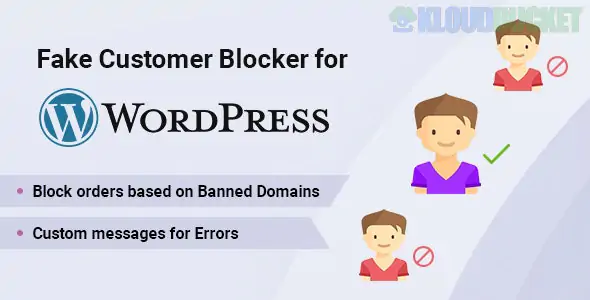
Fake Customer Blocker is a security and anti-fraud plugin for WordPress, specifically designed to protect e-commerce stores and membership sites from spam registrations and fraudulent transactions. Developed by techeshta, it acts as a proactive gatekeeper, stopping bad actors at the point of entry—whether that is the registration page or the checkout screen.
By filtering out "disposable" emails and known high-risk IP addresses, it helps maintain a clean customer database and reduces the risk of costly chargebacks.
The plugin offers a multi-layered defense system to identify and block suspicious users:
Email & Domain Filtering: Blacklist specific email addresses or entire domains (e.g., *@temp-mail.org) to prevent users from using temporary or disposable email services.
Geolocation Blocking: Restrict access or orders based on Country, State, or even specific Zip Codes to mitigate risk from high-fraud regions.
Registration Protection: Stops bots and fake users from creating accounts, saving you from a database full of "ghost" users.
Checkout Security: Prevents suspicious visitors from placing orders by validating their details against your custom blacklist in real-time.
Custom Error Messages: You can write tailored messages for blocked users (e.g., "Our system has flagged this email as high-risk. Please contact support.") to maintain a professional tone.
Use Case
How it Helps
Free Digital Downloads
Prevents "serial downloaders" from using multiple fake emails to grab freebies repeatedly.
Chargeback Prevention
Blocks users from countries or IP ranges known for credit card testing and high fraud rates.
Database Hygiene
Keeps your marketing lists clean by ensuring only users with valid, permanent email addresses can register.
Spam Reduction
Reduces manual work by automatically rejecting registrations that use "gibberish" usernames or known bot patterns.
WordPress: Version 5.3 or higher (fully compatible with 6.7.x).
WooCommerce: Required if you intend to use the checkout-blocking features.
PHP: 7.4 or higher (supports PHP 8.0).
Compatibility: Includes support for Contact Form 7, Easy Digital Downloads, and standard WordPress registration forms.
Installation: Upload the plugin .zip file via Plugins > Add New.
Access Settings: Navigate to the Fake Customer Blocker menu in your WordPress sidebar.
Define Rules: * Add "Suspicious Domains" to the list to block temp-mail providers.
Enter specific IP addresses of known bad actors.
Select Countries you wish to restrict from purchasing.
Enable Locations: Choose whether to enforce these rules on the Registration Page, Checkout Page, or both.
Test: Attempt a registration with a blacklisted email to ensure your custom error message displays correctly.
While a firewall (like Wordfence) blocks brute-force attacks at the server level, Fake Customer Blocker works at the application level. It understands the difference between a "hacker" and a "fake customer." It is specifically tuned to the behavior of people who want to abuse your store's logic rather than break your site's code.
Would you like me to help you set up a wildcard rule to block all disposable email providers, or do you need assistance configuring the specific Zip Code blocks for your store?
Subscribe to access unlimited downloads of themes, videos, graphics, plugins, and more premium assets for your creative needs.
.jpg) Help Us to Buy More New Theme/Plugin
Help Us to Buy More New Theme/Plugin
Published:
Dec 25, 2025 17:08 PM
Category:
Author:
OtherLicense:
GPL v2 or LaterTags: