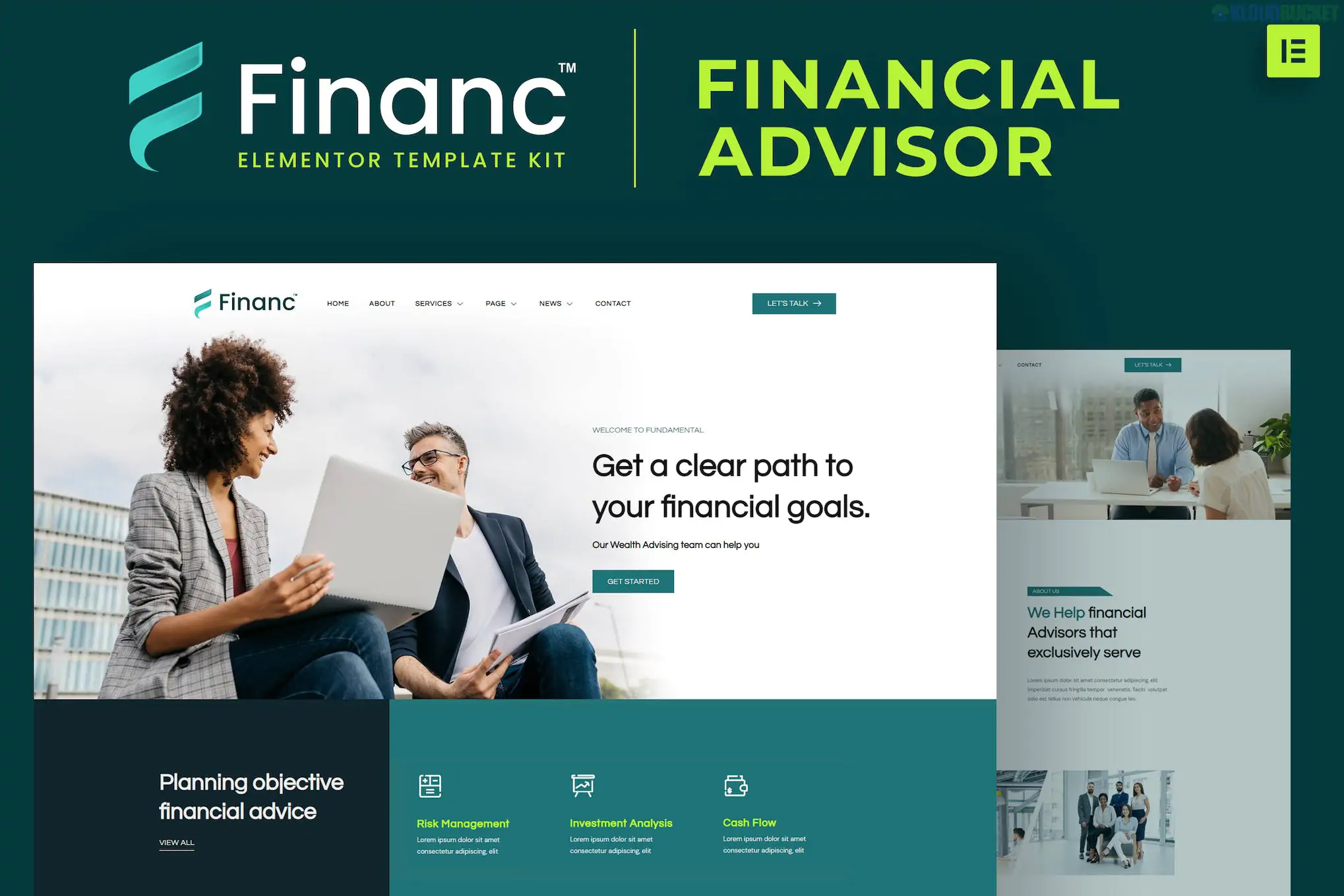
Financ (developed by onecontributor) is a professional Elementor Template Kit designed for financial advisors, investment firms, wealth managers, and tax consultants. It stands out for its clean, corporate aesthetic that prioritizes readability and trust.
Notably, Financ is designed as a "Pro-Free" kit, meaning you can achieve the high-end demo look without a paid Elementor Pro subscription by using a specific set of free plugins.
The kit offers a full suite of pages required to run a professional financial service website:
Homepage: A high-impact hero section with clear trust signals and service summaries.
About Us: A structured layout to showcase company history, values, and mission.
Services & Service Detail: Dedicated pages to explain specific offerings like Investment Planning, Retirement, and Tax Advisory.
Our Team: Professional profile blocks to introduce your certified advisors.
Pricing: Modern, clear tables for consultation packages or flat-fee services.
FAQ: Accordion-style sections to address client concerns and regulatory questions.
Contact: Optimized lead-capture forms for inquiries.
Blog & Blog Single: Clean layouts for sharing market insights and financial news.
Header & Footer: Global templates for consistent site-wide branding.
Financ is built to be lightweight and fast. To get it running exactly like the demo, you will need:
Base Theme: Hello Elementor (Highly recommended).
Required Plugins (Free):
Elementor: The core page builder.
ElementsKit Lite: Used for building the header, footer, and advanced menus.
MetForm: Handles the customized contact and quote request forms.
Elementor Header & Footer Builder: For managing site-wide theme parts.
Preparation: In your WordPress dashboard, navigate to Elementor > Settings > Features and ensure Flexbox Container is set to Active before importing.
Import via Envato Elements:
Install the Envato Elements plugin.
Upload the Kit ZIP through Elements > Installed Kits.
Step 1: Click "Import Global Kit Styles" first. This applies the site's typography and professional color palette (usually deep blues and grays).
Step 2: Import individual page templates one by one.
MetForm Integration: When you edit the Contact page, you must click the MetForm widget, select "Edit Form," and "Insert" the specific Financ form template from your saved templates to make it functional.
Header & Footer: Go to Appearance > Header Footer Builder to assign your imported header and footer templates to the "Entire Site."
Trust-Focused UI: Minimalist design with plenty of white space ensures that complex financial information remains easy to digest.
Retina Ready: All icons and graphics are optimized for high-resolution displays.
Fully Responsive: Specifically tested to look professional on mobile devices, which is where many clients first discover financial services.
Would you like me to help you set up a custom "Financial Discovery" form using MetForm, or do you need assistance configuring the Header and Footer for the entire site?
Subscribe to access unlimited downloads of themes, videos, graphics, plugins, and more premium assets for your creative needs.
.jpg) Help Us to Buy More New Theme/Plugin
Help Us to Buy More New Theme/Plugin
Published:
Jan 30, 2026 15:03 PM
Category:
Author:
OtherLicense:
GPL v2 or Later