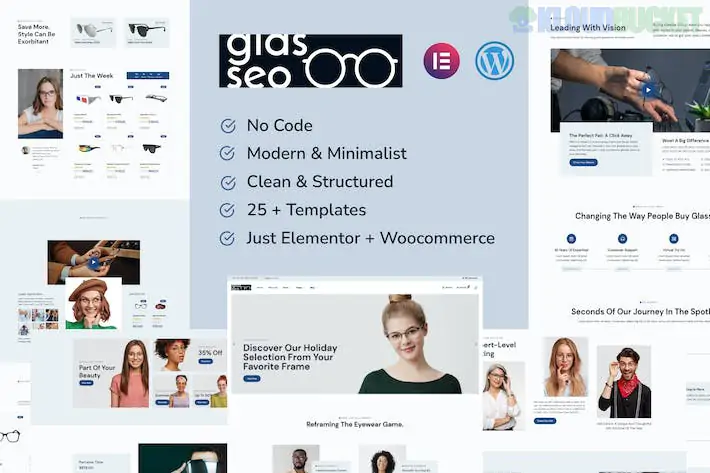
**Glasseo** is a sophisticated, clean Elementor Template Kit designed specifically for eyewear brands, opticians, and boutique sunglass shops. It strikes a balance between a high-end fashion magazine and a functional e-commerce store, making it perfect for brands that want to look "luxury" while staying conversion-focused.
Because this is a **WooCommerce** kit, it includes specialized templates for product loops and shop pages that standard kits don't have.
---
## 👓 What’s Inside the Glasseo Kit?
Glasseo provides a full retail experience with **15+ high-conversion templates**:
* **Fashion-Forward Homepage:** Large, clear hero sections designed for "lifestyle" photography of models wearing your frames.
* **Shop Layouts:** Custom **Shop Page**, **Product Category**, and **Search Results** templates that make browsing glasses intuitive.
* **Single Product Template:** Optimized for eyewear, with clear sections for "Frame Specifications" (size, material, lens type).
* **Booking & Services:** Ideal if you offer in-store eye exams or "Virtual Try-ons."
* **Essential Retail Pages:** About Us, Contact, FAQ (perfect for shipping/returns info), and 404.
---
## 🛠️ Technical Requirements
Glasseo is a "Free Version Friendly" kit, but because it handles e-commerce, it relies on a few extra specialized tools:
* **Elementor (Free Version):** The primary builder.
* **WooCommerce:** The engine that handles your products, cart, and checkout.
* **Jeg Elementor Kit:** Provides the "Product Grid" and "Filter" widgets.
* **MetForm:** Handles "Appointment Bookings" for eye exams.
* **Hello Elementor Theme:** The recommended lightweight foundation.
---
## 🚀 The Glasseo Setup Blueprint
Since this kit involves WooCommerce, the setup is slightly different from a standard brochure site:
1. **Preparation:** Install **Hello Elementor**, **WooCommerce**, and the **Envato Elements** plugin.
2. **Add Products:** **Crucial Step!** Add at least 4–6 "dummy" products to WooCommerce before importing. If you don't, your Shop and Product templates will look empty and broken during the preview.
3. **Upload Kit:** Go to `Elements > Installed Kits` and upload your `glasseo-kit.zip`.
4. **Install Requirements:** Click the **orange "Install Requirements"** button to activate Jeg and MetForm.
5. **Global Styles & Templates:**
* Import **Global Kit Styles** first.
* Import the **Header** and **Footer** and set their display conditions to "Entire Site."
* Import the **Shop** and **Single Product** templates.
---
## 💡 Retail Strategy for Eyewear
* **Focus on Macro Photography:** Eyewear is all about the details—the hinge, the grain of the acetate, the lens tint. Use high-resolution, close-up shots in your product galleries.
* **The "Fit Guide":** Use a simple text block or an image on the Single Product page to explain the frame dimensions (e.g., 52-18-145). This reduces returns significantly.
* **Style Filtering:** Use the **Jeg Elementor Kit** filters to let users shop by "Face Shape" (Round, Square, Oval) or "Material" (Titanium, Acetate, Metal).
* **Trust Elements:** Eyewear is a medical/style hybrid. Place your "Quality Guarantee" or "Prescription Accuracy" badges right below the "Add to Cart" button.
---
**Would you like me to help you set up the "Frame Dimensions" table for your product pages, or are you having trouble getting the WooCommerce Shop page to display your glasses?**
Subscribe to access unlimited downloads of themes, videos, graphics, plugins, and more premium assets for your creative needs.
.jpg) Help Us to Buy More New Theme/Plugin
Help Us to Buy More New Theme/Plugin
Published:
Feb 02, 2026 10:30 AM
Category:
Author:
OtherLicense:
GPL v2 or Later