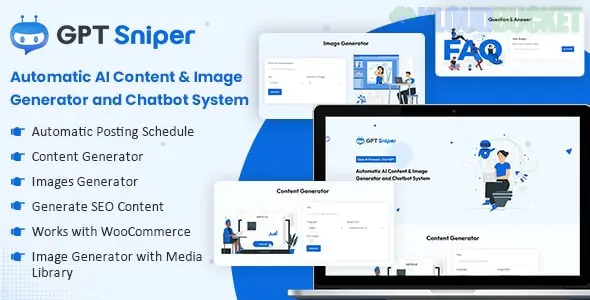
GPT Sniper is a high-utility WordPress plugin designed to automate the process of content creation and customer interaction by connecting your website directly to OpenAI’s models (like GPT-4 and GPT-3.5).
It acts as an "All-in-One" AI powerhouse, allowing you to generate bulk SEO-optimized articles and provide a 24/7 AI chatbot for your visitors without manual writing or intervention.
Bulk Content Generator: Generate hundreds of articles at once based on a list of keywords or topics. It handles titles, headings, and body text automatically.
Auto-Content Pilot: You can set a schedule (e.g., "Post one article every 6 hours") to keep your site active and improve your SEO rankings consistently.
Integrated AI Chatbot: Add a customizable floating chatbot to your site. You can "train" it with your own data or use it as a general assistant to help users navigate your site.
Image Generation: Often integrates with DALL-E to generate featured images for your posts, making the entire blogging process 100% automated.
Multi-Language Support: Can generate content in dozens of languages, allowing you to scale international "niche" sites quickly.
Integrating GPT Sniper into the kits we've discussed can significantly reduce your workload:
Kit
Implementation Strategy
Onatrix (Finance)
Automate "Daily Market Updates" or financial tip articles to build topical authority.
Goro (Coaching)
Use the AI Chatbot as a "Pre-Coaching Assistant" to answer common FAQs about your programs.
Lambe (Marketing)
Generate "SEO Strategy" blog posts automatically to prove the agency's industry knowledge.
Otoklin (Car Care)
Create a series of "How to Maintain Your Ceramic Coating" posts to rank for local service keywords.
SEO Optimization: The plugin can be configured to include specific keywords, meta descriptions, and structured headings to ensure the AI content is "Google-friendly."
Cost Efficiency: By using your own OpenAI API key, you pay only for what you generate, which is often much cheaper than hiring freelance writers for bulk niche sites.
Custom Persona: You can set the "Tone of Voice" (e.g., Professional, Witty, Academic) to match the specific branding of your template kit.
Human Touch: While GPT Sniper is powerful, Google's algorithms prioritize "Helpful Content." Always spend 5 minutes skimming and adding a personal touch to AI-generated posts to ensure high quality.
API Costs: Monitor your OpenAI usage. High-volume bulk generation can consume credits quickly, especially when using the more advanced GPT-4 model.
Training the Chatbot: For the best results, provide the chatbot with a "System Prompt" that defines its role (e.g., "You are an expert assistant for Milos Glass & Aluminum. You help users get quotes.").
Install & Activate: Upload the plugin to your WordPress site.
OpenAI API Key: Go to the OpenAI dashboard, generate a key, and paste it into the GPT Sniper settings.
Set Your Templates: Define your post structure (Post Type, Category, Status).
Launch the Sniper: Enter your keywords and let the plugin start "sniping" content for your blog.
Would you like me to help you write a "System Prompt" for your chatbot or a list of SEO keywords to feed into the Bulk Generator for one of your niche sites?
Subscribe to access unlimited downloads of themes, videos, graphics, plugins, and more premium assets for your creative needs.
.jpg) Help Us to Buy More New Theme/Plugin
Help Us to Buy More New Theme/Plugin
Published:
Jan 14, 2026 13:01 PM
Version:
v1.0.1
Category:
Author:
OtherLicense:
GPL v2 or Later