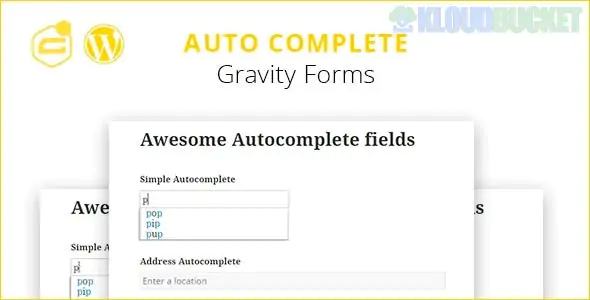
Gravity Forms Autocomplete is a powerful enhancement that brings the speed and accuracy of Google Maps to your WordPress forms. By integrating the Google Places API, it allows users to start typing their address and select the correct one from a dropdown list, which then automatically populates the rest of the address fields (City, State, Zip, Country).
Reduced Friction: Users complete forms up to 30% faster when they don't have to type every line of their address.
Data Accuracy: It eliminates typos in street names or zip codes, ensuring your shipping or contact data is 100% valid.
Global Support: It works with international addresses, formatted correctly for each specific country.
Google Places Integration: Uses real-time data from Google to suggest addresses.
Automatic Mapping: Once an address is selected, the plugin "maps" the data into the standard Gravity Forms Address field (Street, Line 2, City, State, Zip).
Location Restrict: You can restrict suggestions to a specific country (e.g., only show US addresses) to prevent irrelevant results.
Map Display: Some versions allow you to display a small map pin next to the field to confirm the location visually.
Get a Google API Key: * You must go to the Google Cloud Console.
Enable the Places API and Maps JavaScript API.
Create an API Key and (highly recommended) restrict it to your website URL to prevent unauthorized use.
Install the Add-on: Upload the plugin (such as the one by GravityWiz or Bits & Bricks) and activate it.
Enter the Key: Go to Forms > Settings > Autocomplete (or the specific plugin tab) and paste your Google API Key.
Enable on Form: * Open your form editor.
Select your Address Field.
In the "Field Settings" (usually under an 'Advanced' or 'Perks' tab), check the box for "Enable Address Autocomplete".
Since Gravity Forms does not have this built-in natively, you typically use one of these high-quality add-ons:
Add-on Name
Developer
Best For
GP Address Autocomplete
GravityWiz (Perks)
Enterprise-grade, highly reliable, part of the "Perks" suite.
Address Autocomplete for GF
Bits & Bricks
A dedicated, lightweight solution specifically for this task.
Address Autocomplete
various (CodeCanyon)
Budget-friendly one-time purchase options.
As of 2026, Google requires a linked credit card for the Google Cloud Platform. However, they provide a $200 monthly free credit, which covers thousands of address lookups per month—meaning for most small-to-medium businesses, the service remains effectively free.
Would you like me to help you generate the Google API Key with the correct restrictions, or do you need help mapping the autocomplete fields to a custom form?
Subscribe to access unlimited downloads of themes, videos, graphics, plugins, and more premium assets for your creative needs.
.jpg) Help Us to Buy More New Theme/Plugin
Help Us to Buy More New Theme/Plugin
Published:
Jan 09, 2026 19:12 PM
Version:
v1.8.8
Category:
Author:
OtherLicense:
GPL v2 or LaterTags: