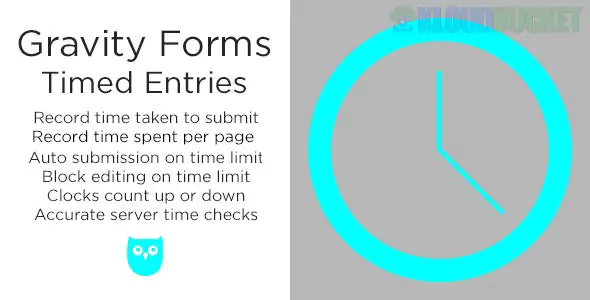
Gravity Forms Timed Entries is a specialized third-party add-on (developed by Plugin Owl) designed to add time-based constraints and tracking to your Gravity Forms.1
It is particularly popular for educators, HR professionals, and contest organizers who need to turn a standard form into a timed quiz or a time-sensitive application.
Time Limits: Set a specific duration (e.g., 30 minutes) for a user to complete the form.2
Auto-Submit & Block Editing: When the timer runs out, you can configure the form to automatically submit whatever the user has typed or block further editing with a custom message.3
Entry Recording: It records the total time spent by the user on the form, which is visible in the entry details in your WordPress dashboard—perfect for auditing how long an exam or survey takes.4
Dynamic Timers:
Countdown: Shows users how much time is left.5
Count-up: Shows users how long they’ve been working.6
Visual Styles: Floating bars, inline timers, or sticky bars at the top of the page.7
Multi-page Support: The timer persists across multiple pages of a form and can even be configured to start/pause based on specific pages.8
Anti-Cheating: Uses server-validated timing to prevent users from manipulating the timer by changing their computer’s system clock.9
Add the Field: Once installed, a new Entry Timer field will appear under the "Advanced Fields" section in the Gravity Forms editor.10
Configure Settings: Click on the field to set your time limit, choose between count-up or countdown, and decide if the timer should be visible to the user.
Timed Actions: In the field settings, define what happens when time expires:11
Display a message.12
Redirect to a different URL.13
Auto-submit the form.14
View Results: After a user submits, go to Forms > Entries. You will see a new column or field showing the exact "Time Spent" for that specific entry.
Official Source: It is primarily sold on CodeCanyon (Envato Market) for approximately $25–$30 for a regular license.15
Bundles: It is sometimes included in third-party "GPL" or "All Access" plugin clubs, but purchasing the official license is recommended for security updates and support.
While Gravity Perks is a popular choice for extending Gravity Forms, they do not have a single "Timed Entries" perk that matches this exact functionality.
Timed Entries (Plugin Owl): Best for Hard Time Limits and auto-submission.
Gravity Perks (Limit Dates/Inventory): Best for Scheduling when a form opens or closes (e.g., "This form is only available on Fridays").16
Would you like me to show you how to set up a specific "Auto-Submit" rule for a quiz, or do you need help with the CSS to make the timer bar match your website's branding?
Subscribe to access unlimited downloads of themes, videos, graphics, plugins, and more premium assets for your creative needs.
.jpg) Help Us to Buy More New Theme/Plugin
Help Us to Buy More New Theme/Plugin
Published:
Dec 27, 2025 16:10 PM
Version:
v2.7.7
Category:
Author:
OtherLicense:
GPL v2 or LaterTags: