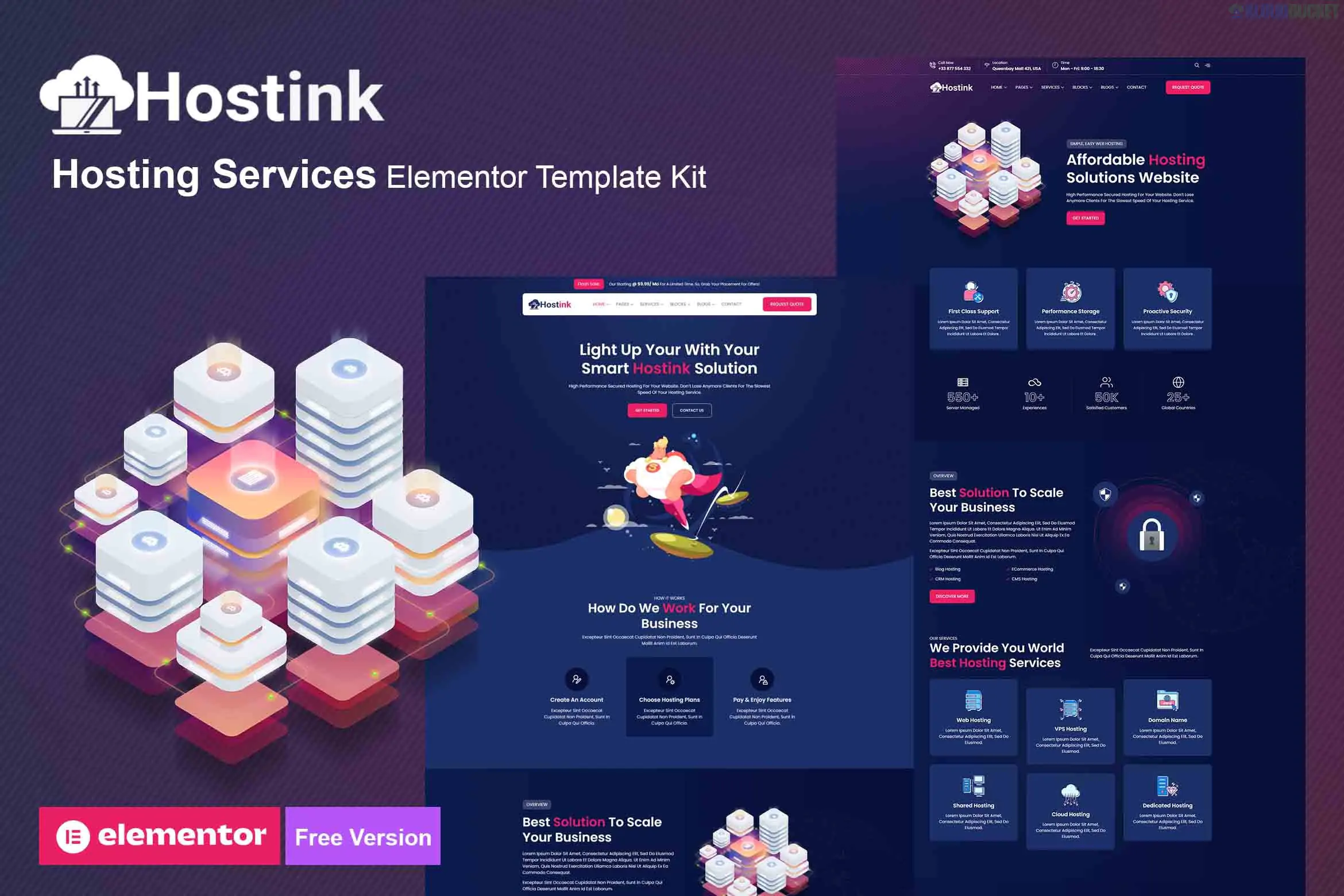
Hostink is a modern and professional Elementor Template Kit designed for companies providing web hosting, reseller hosting, cloud hosting, domain registration, and VPN services. It features a clean, high-tech aesthetic that focuses on conversion and user trust.
A key advantage of Hostink is that it is built to work with the Free version of Elementor, meaning you do not necessarily need a Pro subscription to get the core design up and running.
20+ Ready-to-Use Templates: A massive library of pages and sections to build a complete hosting platform.
No Elementor Pro Required: Optimized to work with free plugins, saving you additional licensing costs.
Fully Responsive & Retina Ready: Specifically tested to ensure pricing tables and feature grids look sharp on mobile and high-resolution screens.
Modern Technology UI: Uses a sleek design language (often available in both light and dark variations) tailored for the tech and SaaS industry.
Optimized for Speed: Lightweight structure ensures fast loading times, which is critical for hosting providers' SEO.
To ensure all widgets and sections appear correctly, you will need to install these free plugins:
Elementor: The primary page builder.
ElementsKit Lite: Used for advanced widgets like pricing switchers and mega menus.
Header & Footer Builder for Elementor: Manages the site-wide navigation and footer area.
Jeg Elementor Kit: Often used for additional styling and functional components.
MetForm: Required for custom contact forms and support request sections.
Category
Templates Included
Main Pages
Home, About Us, Services, Case Studies
Hosting Specific
Shared Hosting, VPS Hosting, Cloud Hosting, Domain Search
Conversion
Pricing Plans (often with Monthly/Yearly switchers), FAQ
Communication
Blog, Single Post, Contact Us
System
Header, Footer, 404 Page, Global Kit Styles
WHMCS Integration: While this is an Elementor Template Kit (design only), most hosting companies use WHMCS for billing. You will need to style your WHMCS portal separately to match the Hostink design for a seamless user experience.
Pricing Switcher: Use the ElementsKit "Pricing Table" or "Toggle" widget included in the kit to show the difference between monthly and annual savings, a standard practice in the hosting industry.
Global Styles First: Always import the Global Kit Styles before any other page. This sets the primary "Tech Blue" or "Cyber Dark" colors and the professional typography across the whole site.
Would you like me to find a guide on how to integrate a WHMCS bridge or a Domain Search bar into this Elementor layout?
Subscribe to access unlimited downloads of themes, videos, graphics, plugins, and more premium assets for your creative needs.
.jpg) Help Us to Buy More New Theme/Plugin
Help Us to Buy More New Theme/Plugin
Published:
Jan 14, 2026 11:34 AM
Category:
Author:
OtherLicense:
GPL v2 or Later