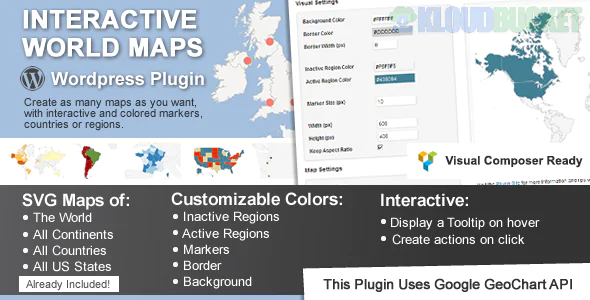
The request for Interactive World Maps typically points towards solutions that allow you to display geographic data, highlight specific regions (like countries or states), and add interactive elements (like popups or links) when a user hovers over or clicks a location.
This functionality is usually achieved through specialized WordPress plugins or standalone web mapping libraries.
Here are the most common and powerful ways to achieve an interactive world map on a website:
These plugins use SVG (Scalable Vector Graphics) to render the map, making every country or region a distinct, clickable element.
Mapplic (Premium): Highly popular and versatile. It comes with over 15 built-in geographic maps (World, Continents, USA, etc.).
Core Feature: You can color-code countries based on data, add custom pins/landmarks, and display rich content in a lightbox or tooltip when a region is clicked.
Versatility: Can also be used to turn any custom image (like a fantasy map or floorplan) into an interactive map.
Interactive Geo Maps / MapGeo: Focuses on creating responsive vector maps.
Core Feature: Allows you to create maps of the world, continents, countries, and even specific regions (like US counties) with advanced customization and filtering.
Data Driven: Excellent for creating choropleth maps (where regions are colored based on statistical data, like sales territories or population density).
MapSVG: Another powerful plugin that allows you to turn any vector image into an interactive map. It can pull data from external sources like WordPress Custom Posts, WooCommerce Products, or Google Sheets to dynamically populate map regions.
These plugins utilize tile-based services (like Google Maps or OpenStreetMap) to create standard navigation maps with custom markers.
WP Google Maps / WP Maps - Store Locator: While they can show the whole world, their strength is in placing numerous, highly functional markers (pins) for specific addresses.
Core Feature: Ideal for Store Locators, showing multiple office locations, or providing directions and distance calculations.
Customization: You can customize the marker icons, cluster markers, and apply custom styling to the map background.
Open User Map: An interactive plugin that allows front-end users to contribute by adding their own markers, creating a collaborative community map.
If you only need a beautiful, non-dynamic map image that responds to hovers (but doesn't interact with your website data), tools like MapChart can quickly generate color-coded maps of the world or any country which you can then download and embed.
To recommend the best solution, it helps to know what you want the map to do:
Visualize Data: (e.g., Show all 50 states where you have customers) $\rightarrow$ Vector Map Plugin (Mapplic/Interactive Geo Maps)
Show Physical Locations: (e.g., Display markers for all your global offices) $\rightarrow$ Google Maps Plugin (WP Google Maps)
Create a Community Resource: (e.g., Let users add their own pins to the map) $\rightarrow$ Open User Map
Would you like to focus on creating a map that highlights specific countries?
Subscribe to access unlimited downloads of themes, videos, graphics, plugins, and more premium assets for your creative needs.
.jpg) Help Us to Buy More New Theme/Plugin
Help Us to Buy More New Theme/Plugin
Published:
Dec 09, 2025 13:11 PM
Version:
v2.5
Category:
Author:
OtherLicense:
GPL v2 or LaterTags: