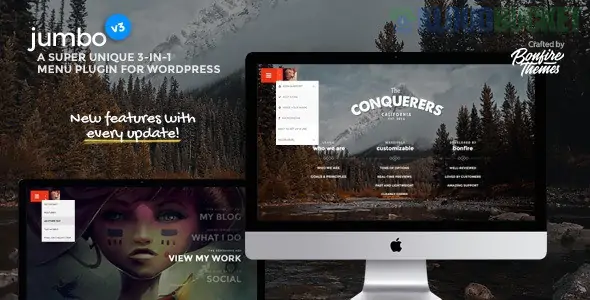
The Jumbo: A 3-in-1 Full-Screen Menu for WordPress plugin is a premium extension designed to replace or supplement your theme's default navigation with a modern, highly customizable menu that offers three main layout options.
It is particularly popular because it creates an immersive, focused user experience that is ideal for mobile devices and modern website designs.
The "3-in-1" typically refers to the main display formats the plugin offers, allowing you to choose the best style for your site:
Full Screen Overlay Menu: When the user clicks the menu icon (often a hamburger), the navigation expands to cover the entire screen. This eliminates distractions and focuses the user entirely on the navigation links.
Lateral/Off-Canvas Menu: The menu slides in from the side (left or right) of the screen, similar to a flyout or sidebar menu. This is a common and highly effective design pattern for mobile responsiveness.
Column-Based Design (Mega Menu Style): Within the full-screen or lateral view, you can structure your links into multi-level, multi-column layouts, effectively creating a stylized mega menu for better content organization.
The plugin provides extensive options to control every aspect of the menu's appearance and behavior:
Feature Category
Description
Benefit
Styling & Visuals
Unlimited color options, Google Fonts integration (PRO feature), text shadow, font sizing, and the ability to set a background image or video for the opened menu.
High Impact Aesthetic: Allows the menu to serve as a high-design element of the site.
Responsiveness & Control
Fully responsive design with the option to hide the menu on specific pages or restrict it to mobile-only display, preserving your desktop header.
Flexibility: Ensures the menu is only displayed where it provides the best user experience.
Custom Menu Button
Customize the "hamburger" menu icon with custom images, different animations, and set its precise position (fixed or relative to the header).
Branding: Ensures the trigger button matches the site's design.
E-commerce Integration
WooCommerce Compatibility: Automatically adds useful e-commerce elements like the My Account, Cart, and Checkout buttons directly into the full-screen menu.
Conversion Focus: Keeps key purchasing links easily accessible.
Utility Elements
Includes an integrated Animated Search Bar, Social Media Icons, and support for Multi-level Submenus that can open automatically.
Completeness: Provides all necessary navigational tools in one package.
SEO Optimization
Includes Schema.org (SiteNavigationElement) structure support to help search engines understand the content and structure of your main navigation.
Better SEO: Clearly defines the menu to search engine crawlers.
The Jumbo plugin is highly recommended for users who want to implement a sleek, mobile-first navigation that focuses the user's attention, particularly on sites with a large number of menu items or an e-commerce component.
You can learn more about creating a modern full screen menu in this video: MODERN & FREE Full Screen Menu WordPress Tutorial.
Subscribe to access unlimited downloads of themes, videos, graphics, plugins, and more premium assets for your creative needs.
.jpg) Help Us to Buy More New Theme/Plugin
Help Us to Buy More New Theme/Plugin