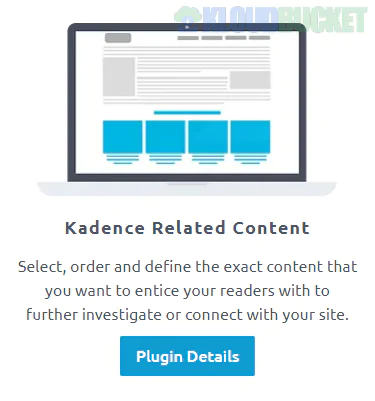
The Kadence Related Content plugin is an advanced marketing tool designed to help you interlink different parts of your website—such as blog posts, pages, and WooCommerce products—using customizable carousels.
While the standard Kadence Theme includes a basic "Related Posts" feature, this standalone plugin provides significantly more control, allowing you to manually "hand-pick" exactly which content appears on specific pages.
Cross-Post Type Connections: You can link a blog post to specific products, or a product to a relevant case study.
Manual Selection: Unlike automatic "related" sections that rely on categories/tags, this plugin allows you to select the exact posts or products you want to promote for each individual page.
Carousel Display: Items are displayed in a clean, responsive carousel that can include images, titles, excerpts, post dates, and prices.
Global & Local Settings: You can set a "default" related content carousel for your whole site or override it on a per-post basis.
Conversion Focused: It is primarily used as an upsell tool (e.g., showing a "Buy this gear" carousel at the end of a gear review blog post).
Install & Activate: Once installed, go to the bottom of the WordPress side menu to the Related Content menu.
Set Global Defaults: Configure the default look (colors, columns, and mobile behavior) in the plugin settings.
Customize per Post:
Open any Post or Product in the WordPress editor.
Look for the Related Content meta box (usually at the bottom of the page).
Search for and select the specific items you want to display.
Update the page to see the carousel appear at the bottom of your content.
It is important to distinguish between this plugin and the built-in theme options:
Feature
Kadence Theme (Free/Pro)
Kadence Related Content Plugin
Logic
Automatic (Tags/Categories)
Manual (Hand-picked)
Content Types
Posts only (to other Posts)
Any (Post to Product, Page to Post, etc.)
Placement
Fixed at the bottom
Carousel at bottom (Customizable)
Purpose
SEO / Internal Linking
Direct Marketing / Upselling
The Kadence Related Content plugin is a premium tool. It is typically not sold separately anymore but is included in the:
Kadence Full Bundle
Kadence Ultimate Bundle
Note: If you are looking for a way to display related posts automatically using the free theme, you don't need this plugin. Just go to Appearance > Customize > Posts/Pages Layout > Single Post Layout and toggle on Show Related Posts.
Would you like me to show you how to style the carousel using custom CSS, or do you need help setting up a specific cross-promotion between your blog and shop?
Subscribe to access unlimited downloads of themes, videos, graphics, plugins, and more premium assets for your creative needs.
.jpg) Help Us to Buy More New Theme/Plugin
Help Us to Buy More New Theme/Plugin
Published:
Dec 27, 2025 16:24 PM
Version:
v1.0.11
Category:
Author:
OtherLicense:
GPL v2 or Later