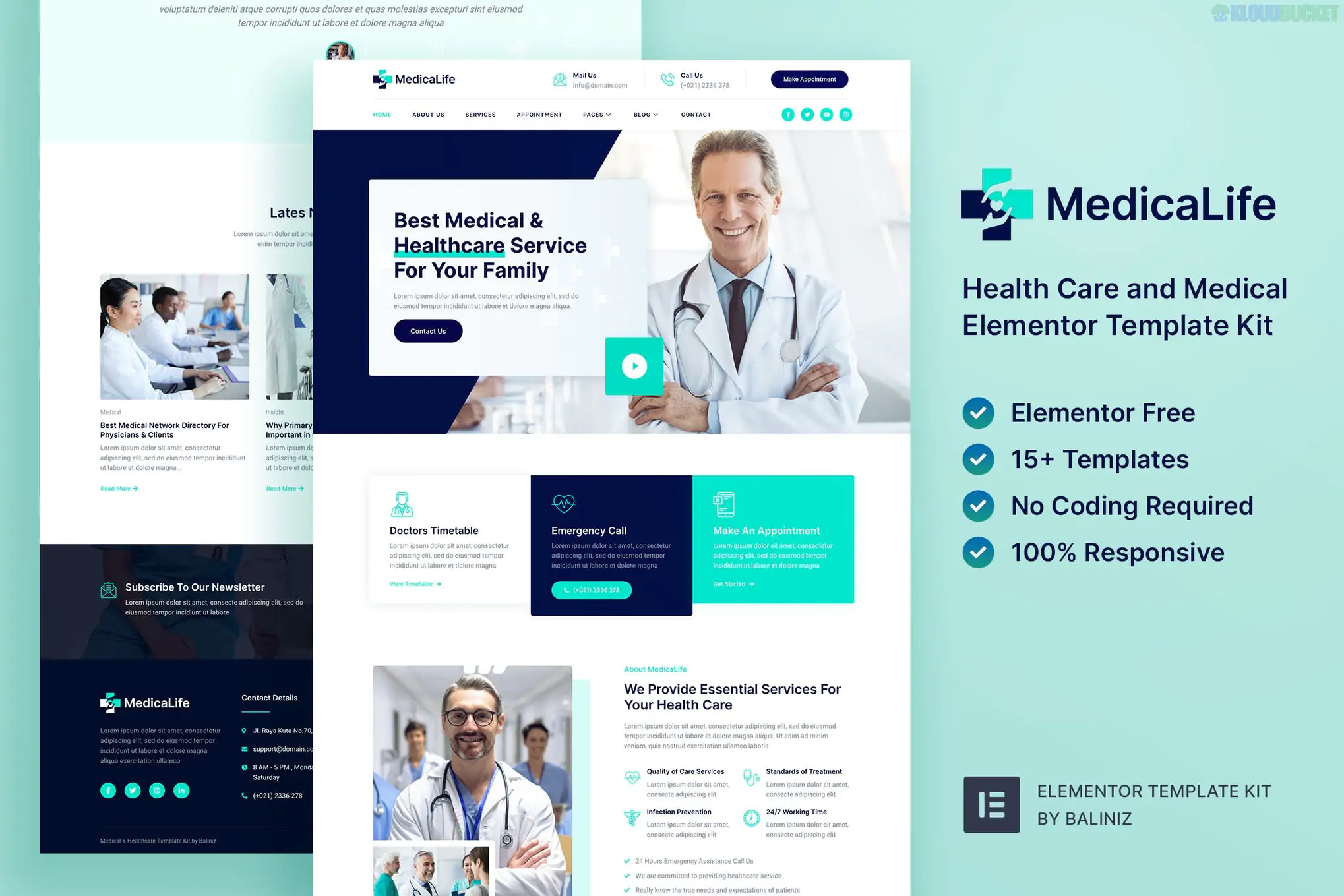
**MedicaLife** is a clean, professional, and trust-oriented Elementor Template Kit designed for hospitals, dental clinics, pediatricians, and general healthcare providers. In the medical field, the goal of a website is to provide immediate clarity and build patient confidence, and MedicaLife achieves this through a sterile yet welcoming color palette (typically whites, soft blues, and teals).
Like the other kits in your collection, it is **"Free Version Friendly,"** allowing for a high-end medical portal without the expense of Elementor Pro.
---
## 🏥 What’s Inside the MedicaLife Kit?
MedicaLife includes **15+ pre-designed templates** that focus on patient services and clinical authority:
* **Trust-Focused Homepage:** Features prominent "Emergency Call" buttons and "Book Appointment" call-to-actions.
* **Department & Service Pages:** Individual layouts for "Cardiology," "Dental Care," "Neurology," etc.
* **Doctor Profiles:** Dedicated "Meet the Team" pages to showcase physician credentials and specialties.
* **Appointment Booking:** Integrated forms for patients to request a time slot or consultation.
* **Health Blog:** A clean, readable layout for sharing wellness tips or medical news.
* **Functional Pages:** About Us, Pricing Plans (for check-up packages), FAQ, and Contact.
---
## 🛠️ Technical Requirements
To get the clinical precision of MedicaLife, you’ll need these free plugins:
* **Elementor (Free Version):** The core page builder.
* **ElementsKit Lite:** Used for the advanced headers, footers, and "Mega Menu" capabilities.
* **Jeg Elementor Kit:** Provides the specialized "Service Boxes" and "Team Carousels."
* **MetForm:** The engine for the patient intake and appointment forms.
* **Hello Elementor Theme:** The lightest foundation for fast page speeds (critical for mobile patients).
---
## 🚀 The MedicaLife Setup Roadmap
Medical sites require a very "ordered" look. Follow this sequence to maintain the professional alignment:
1. **Preparation:** Install **Hello Elementor** and the **Envato Elements** plugin.
2. **Upload:** Go to `Elements > Installed Kits` and upload your `medicalife-kit.zip`.
3. **Requirements:** Click the **orange "Install Requirements"** banner to automatically install ElementsKit, Jeg, and MetForm.
4. **Global Styles First:** **Import the Global Kit Styles first.** This ensures your headings use the professional "Source Sans" or "Montserrat" fonts and that the blue "trust" colors apply to all buttons.
5. **Build Your Pages:** Import the Home, Services, and Doctors templates.
---
## 💡 Healthcare Conversion Strategy
* **The "Emergency" Bar:** Use the ElementsKit header builder to add a top bar with your emergency phone number in a high-contrast color (like red or bright orange).
* **Credential Transparency:** In the "Doctor Profile" section, don't just list names. Add icons for their certifications or years of experience to instantly build trust.
* **Patient Testimonials:** Use the testimonial slider to feature patient success stories. In 2026, social proof is the #1 factor in a patient choosing a new clinic.
* **MetForm Integration:** Ensure your appointment form asks for the "Preferred Department" using a dropdown menu. This helps route inquiries to the right medical staff.
---
## ⚠️ Important: Accessibility & HIPAA
While MedicaLife handles the *design*, remember that in 2026:
* **Accessibility:** Ensure your font sizes are legible (16px+) for elderly patients.
* **Privacy:** If you are collecting sensitive medical data through MetForm, ensure your site has an **SSL Certificate** (HTTPS) and follows local data privacy laws (like HIPAA or GDPR).
**Would you like me to help you customize the "Appointment Form" fields for a specific medical specialty, or are you having trouble getting the service icons to align correctly?**
Subscribe to access unlimited downloads of themes, videos, graphics, plugins, and more premium assets for your creative needs.
.jpg) Help Us to Buy More New Theme/Plugin
Help Us to Buy More New Theme/Plugin
Published:
Feb 02, 2026 10:32 AM
Category:
Author:
OtherLicense:
GPL v2 or Later