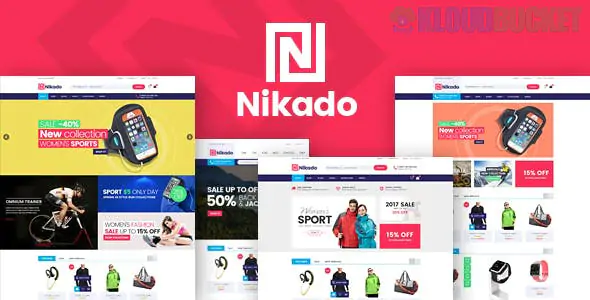
Nikado is a clean, versatile, and high-energy WooCommerce theme designed for retailers who want a "modern marketplace" feel. While Dilima is built for massive department stores, Nikado is often the preferred choice for specialized retail—such as high-tech electronics, organic food markets, or modern furniture stores.
It balances the power of a "Mega Store" with a much faster, sharper, and more minimalist design language.
Multiple Homepage Demos: Comes with 4+ pre-built layouts tailored for specific industries (Digital, Auto Parts, Furniture, and Organic Food).
Vertical & Horizontal Mega Menus: Unique among eCommerce themes, Nikado offers a Vertical Mega Menu (often used on the left sidebar), which is a "gold standard" for electronics and hardware stores.
Product Image Swatches: Allows customers to see different colors or textures of a product directly on the shop page without clicking into the product details.
Ajax Layered Navigation: Enables users to filter products by price, color, or size with instant results—no page reloads required.
Quick View & Wishlist: Includes built-in "Quick View" popups and a "Compare" feature, which are essential for technical products where customers need to weigh specs side-by-side.
Visual Composer / WPBakery: Built to be easily edited using drag-and-drop elements.
Mobile-First Responsive: Optimized to ensure that the complex "Vertical Menus" translate perfectly into a "Slide-out" menu on smartphones.
SEO Optimized: Structured data (Schema.org) is built-in, helping your product prices and star ratings appear directly in Google search results.
Since you have looked at several retail themes (Gem, Dilima, Nikado), here is how to choose the right one for your project:
Theme
Best For...
Visual Vibe
Gem
Boutique/Luxury (Jewelry, Watches)
Minimal, High-End, Slow-paced
Dilima
Massive Marketplaces (Amazon-style)
Content-dense, Multi-category
Nikado
Specialized Retail (Tech, Auto, Food)
Fast, Organized, High-Utility
If you are deploying Nikado for a tech or specialty store, focus on Category Breadth:
Utilize the Vertical Menu: Use the left-hand vertical menu for your main categories. This layout is statistically proven to help users find specific technical parts or categories faster than a top-bar menu.
Highlight "New Arrivals": Use the built-in product sliders on the homepage to rotate "Deal of the Week" items. Nikado’s layout is excellent at drawing the eye to specific promotions.
Cross-Selling: Use the "Related Products" and "Upsell" widgets at the bottom of product pages to increase your Average Order Value (AOV).
Are you setting up a store for electronics, furniture, or another niche? I can help you decide which Nikado demo is the best starting point for your brand identity.
Subscribe to access unlimited downloads of themes, videos, graphics, plugins, and more premium assets for your creative needs.
.jpg) Help Us to Buy More New Theme/Plugin
Help Us to Buy More New Theme/Plugin
Published:
Jan 02, 2026 11:05 AM
Version:
v1.1.9
Category:
Developer:
ThemeforestLicense:
GPL v2 or LaterTags: