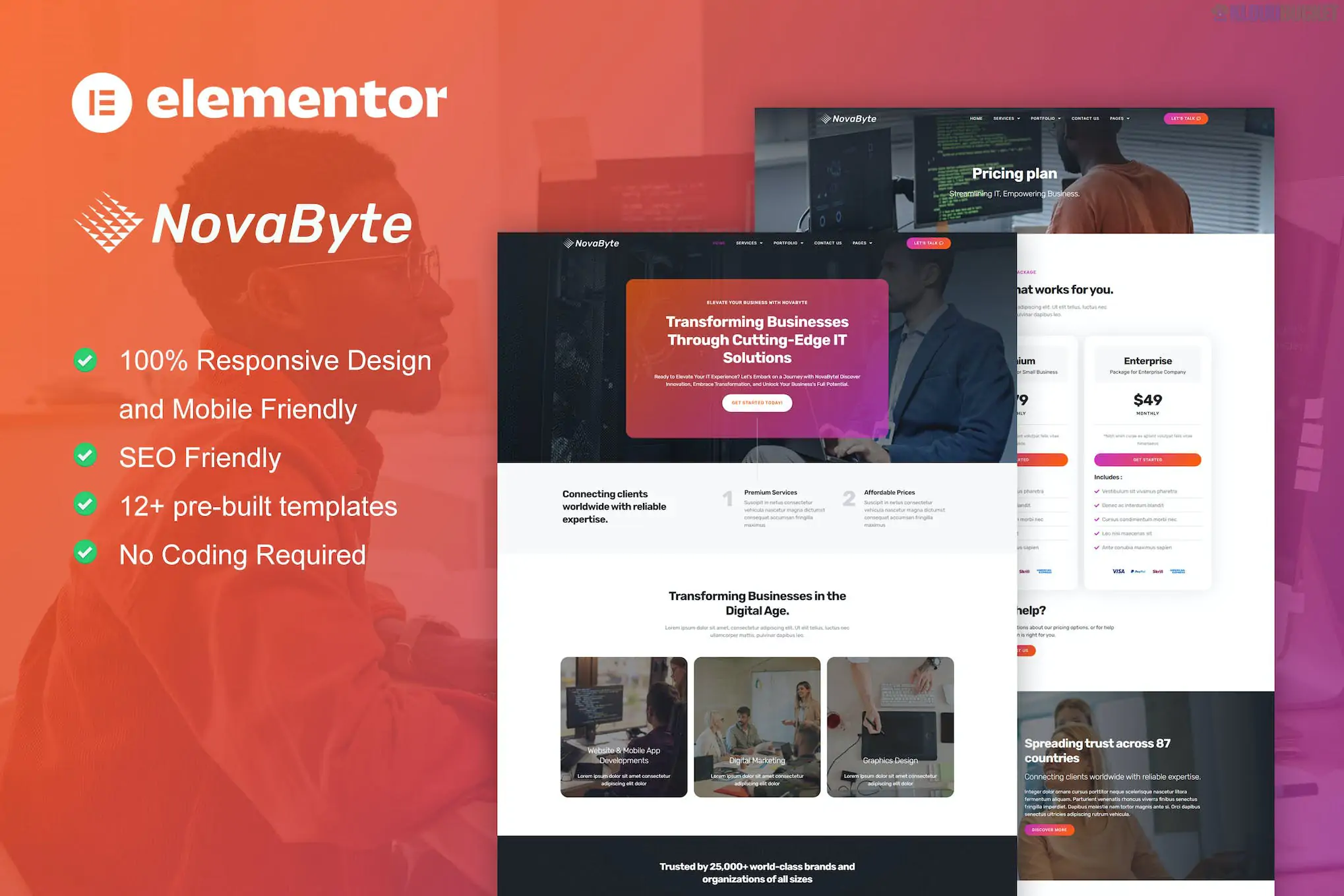
**Novabyte** is a high-end, futuristic **Elementor Pro Template Kit** specifically designed for IT solutions providers, software houses, cybersecurity firms, and tech startups.
Unlike many other kits, Novabyte is built using **Elementor Pro** features, which allows for more complex functionality like dynamic theme building, advanced motion effects, and integrated popups without needing third-party addons.
---
### ## 1. Core Features
* **Elementor Pro Native:** Uses the official Pro **Theme Builder**, meaning your Header, Footer, and Single Post templates are all handled natively within Elementor.
* **Modern Tech Aesthetic:** Features a clean, "High-Tech" look with deep blues, neon accents, and plenty of whitespace.
* **Motion Effects:** Includes advanced parallax scrolling and entrance animations that give the site a premium, "SaaS-style" feel.
* **Dynamic Templates:** Includes pre-designed layouts for **Single Services** and **Single Projects** that automatically pull content from your WordPress data.
* **Fast & Optimized:** Since it relies heavily on native Elementor Pro features, it reduces the "plugin bloat" often found in kits that require 5+ extra addons.
### ## 2. Included Page Templates
The kit typically offers **15+ professional layouts**:
* **Home (2 Versions):** Options for a corporate IT look or a more agile startup/SaaS landing page.
* **About Us:** Dedicated to company culture, vision, and core values.
* **Services & Service Detail:** Structured layouts to explain complex offerings like Cloud Computing, AI, or Managed IT.
* **Portfolio & Case Studies:** A professional grid to showcase technical projects and client success stories.
* **Pricing Plans:** Modern tables for tiered service packages or subscription models.
* **Team & Careers:** To introduce your experts and attract new tech talent.
* **Contact & FAQ:** Conversion-optimized forms and accordion sections for technical queries.
* **Popup Template:** Often includes a "Get a Quote" or "Newsletter" popup design.
---
### ## 3. Technical Requirements
To use the Novabyte kit effectively, you **must** have:
1. **Elementor Pro (Paid License):** The kit will not function correctly without an active Pro license because it uses the Pro Theme Builder.
2. **Hello Elementor Theme:** The recommended lightweight theme for maximum performance.
3. **No extra addons (usually):** One of the benefits of this kit is that it avoids extra plugins, though some versions may suggest **MetForm** for advanced contact form styling.
---
### ## 4. Pro Implementation Tip: Global Styles
Because Novabyte is a Pro kit, it utilizes **Global Colors** and **Global Fonts** very effectively.
* **Brand Customization:** Instead of editing every button, go to **Site Settings > Global Colors**. Changing the "Primary" color here will instantly update the entire tech theme to match your specific brand.
* **Dynamic Tags:** Use the "Archive" templates included in the kit to ensure that when you add a new "Service" post, it automatically adopts the Novabyte design without you having to build a new page.
### ### How to Import
1. Ensure **Elementor Pro** is active.
2. Go to **Elementor > Tools > Import/Export Kit**.
3. Click **Start Import** and upload the Novabyte ZIP file.
4. Choose the templates you want to import (recommend importing "All").
5. Wait for the process to finish; your Header, Footer, and Global Styles will be applied automatically.
**Would you like me to show you how to set up the "Single Service" dynamic template so it automatically pulls your custom icons and text?**
Subscribe to access unlimited downloads of themes, videos, graphics, plugins, and more premium assets for your creative needs.
.jpg) Help Us to Buy More New Theme/Plugin
Help Us to Buy More New Theme/Plugin
Published:
Dec 28, 2025 17:30 PM
Category:
Author:
OtherLicense:
GPL v2 or LaterTags: