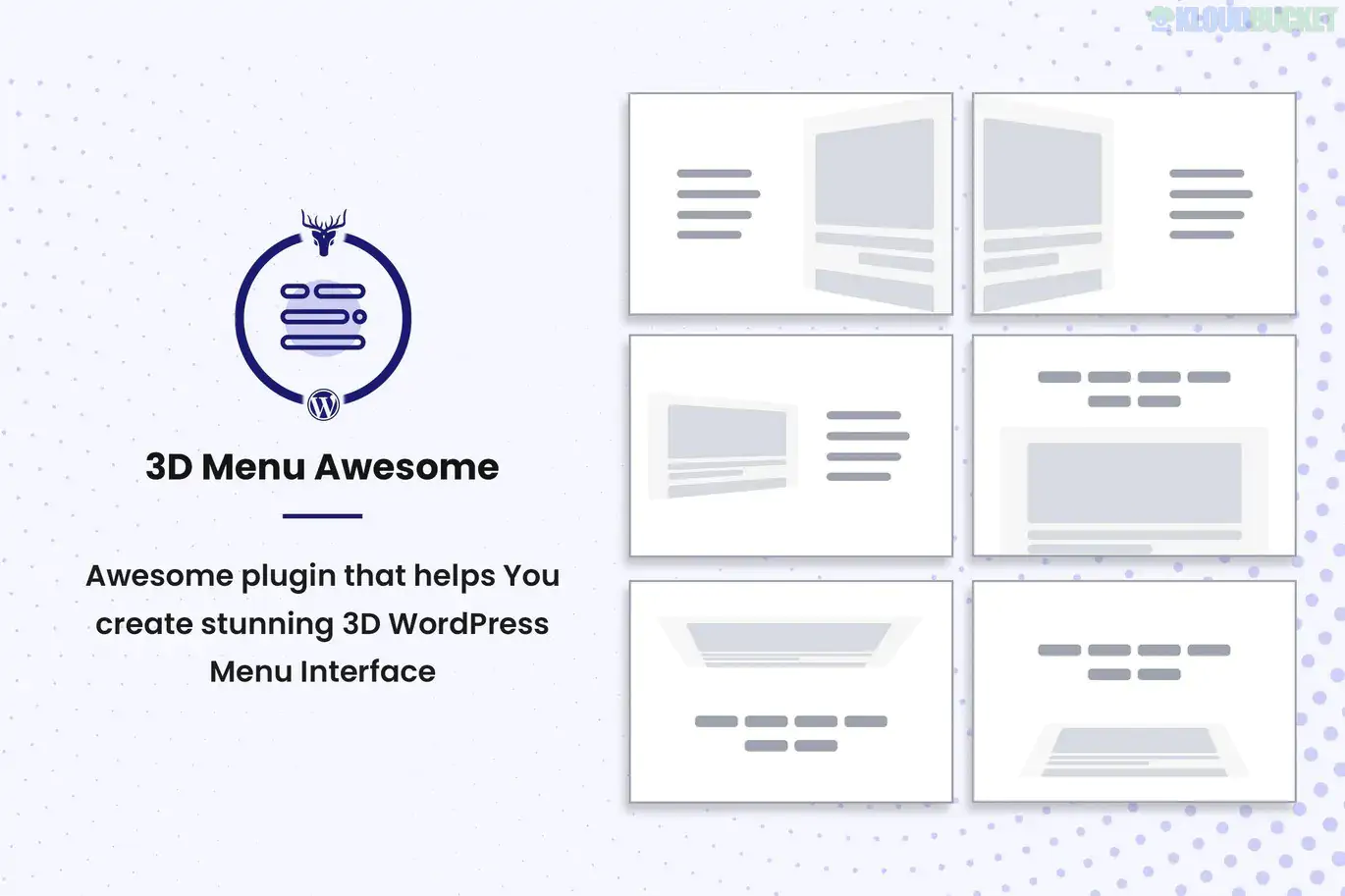
**Stunning 3D Off Canvas Menu** (often labeled as **3D Menu Awesome** or **3D Rotate**) is a specialized WordPress plugin that goes beyond standard "sliding" menus. It uses CSS3 3D transforms to create a cinematic navigation experience where the main content of your website physically tilts or rotates in a 3D space to reveal the menu behind it.
This plugin is ideal for creative agencies, portfolios, and high-end landing pages that want to make a bold visual statement.
---
### 🌀 3D Animation Styles
The "Stunning" part of the name comes from its unique transition effects. Unlike basic drawers, this plugin offers:
* **3D Rotate:** The entire website page tilts away at an angle (like a swinging door) to show the menu.
* **3D Push:** The page "pushes" back into the distance (Z-axis) while the menu slides in.
* **Corner Spin:** The page rotates from a specific corner, creating a fan-like effect.
* **Scale Down:** The main content shrinks into a smaller window, revealing the menu in the background.
---
### ✨ Key Features
* **Native WordPress Menu Support:** You don't need to rebuild your links; it pulls directly from your existing `Appearance > Menus` configurations.
* **Fully Responsive:** Designed to handle 3D transitions smoothly on mobile touchscreens and high-res desktops.
* **Custom Triggers:** You can use the built-in hamburger icon or trigger the 3D effect from any custom button or link using a specific CSS ID/Class.
* **Overlay & Blur Effects:** Add professional touches like blurring the background content or adding a color overlay when the menu is active.
* **Google Fonts Integration:** Full control over typography to ensure the menu matches your brand's aesthetic.
---
### 📄 Included Components
| Feature | Description |
| --- | --- |
| **Animation Engine** | Powered by modern CSS3 hardware acceleration for smooth 60fps transitions. |
| **Positioning** | Can be set to appear from the Left, Right, Top, or Bottom. |
| **Content Support** | In addition to menus, some versions allow you to insert custom HTML or shortcodes. |
| **Styling Panel** | Control colors, widths, tilt angles, and shadow depths without touching code. |
---
### 🛠 How to Set It Up
1. **Plugin Activation:** After installing, look for the **"3D Menu"** or **"Off Canvas"** tab in your WordPress sidebar.
2. **Select Menu:** Choose which WordPress menu you want to display in the 3D panel.
3. **Choose Your Effect:** Navigate to the "Animations" tab and select a 3D effect (e.g., *Rotate Out* or *Slide Along*).
4. **Configure Trigger:** Enable the default "Hamburger Icon" or assign the trigger to a specific element on your site.
5. **Live Preview:** Most modern versions include a live previewer so you can see the 3D tilt in action before saving.
### ⚠️ Technical Note
Because this plugin manipulates the "Wrapper" of your entire website to achieve the 3D tilt, it works best with themes that follow standard WordPress coding practices (like **Hello Elementor**, **Astra**, or **GeneratePress**). If your theme has "Fixed" elements (like a sticky header), you may need to apply a small CSS fix provided in the plugin documentation to ensure those elements tilt along with the rest of the page.
---
**Would you like me to help you troubleshoot a fixed header that isn't moving with the 3D transition, or do you need the specific CSS class to trigger the menu from a custom button?**
Subscribe to access unlimited downloads of themes, videos, graphics, plugins, and more premium assets for your creative needs.
.jpg) Help Us to Buy More New Theme/Plugin
Help Us to Buy More New Theme/Plugin
Published:
Jan 17, 2026 13:43 PM
Version:
v1.0.5
Category:
Author:
OtherLicense:
GPL v2 or Later