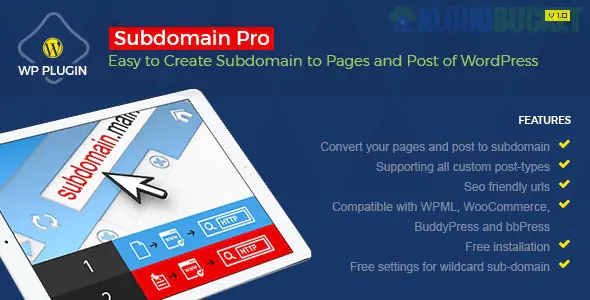
Subdomain Pro (often referred to as WordPress Post as Subdomain Pro) is a specialized WordPress plugin designed to automatically convert specific website content—such as posts, pages, or categories—into individual subdomains.
Developed by adroittechnosoft and available on CodeCanyon, it is primarily used for SEO and organizational purposes without the complexity of setting up a "WordPress Multisite" network.
The plugin bridges the gap between a single-site installation and a network-like structure by rewriting URLs.
Automatic Conversion: Converts single posts, static pages, and even custom post types into subdomains (e.g., yoursite.com/my-post becomes my-post.yoursite.com).
Category Subdomains: Allows you to map entire categories to subdomains, making your site look like a collection of niche mini-sites.
WooCommerce Support: Compatible with online stores, allowing products or product categories to act as subdomains.
SEO Management: Includes options for SEO-friendly URLs and meta tags to ensure search engines recognize each subdomain correctly.
Feature
Subdomain Pro (Plugin)
WordPress Multisite (Native)
Setup
Single WP installation.
Complex network installation.
Content
Shares the same database and dashboard.
Separate site tables; one Super Admin.
Themes
One theme for the whole site.
Different themes for different sites.
Best For
SEO and content organization.
Multi-user or distinct site networks.
Before using Subdomain Pro, you must configure your hosting environment:
Wildcard Subdomain: You must enable a Wildcard Subdomain (usually represented as *) in your hosting panel (cPanel, DirectAdmin, etc.). This tells your server to send traffic from any subdomain prefix to your main WordPress folder.
A-Record: You must add an A-Record in your DNS settings that points * to your server's IP address.
Affiliate Marketers: Creating "micro-sites" for different products under one authoritative domain.
Review Sites: Assigning a unique subdomain to major categories (e.g., tech.reviews.com, gaming.reviews.com).
SEO Specialists: Attempting to build niche authority through separate URL structures without the overhead of multiple WordPress installs.
Configuration: Do you need help setting up the Wildcard Subdomain in your cPanel or hosting dashboard?
SEO Strategy: Are you wondering how this plugin might affect your backlink profile or domain authority compared to using subdirectories?
Troubleshooting: Are you experiencing "404 Not Found" errors when clicking on your newly created subdomains?
Would you like me to find the developer's guide on how to exclude specific post types from being converted into subdomains?
Subscribe to access unlimited downloads of themes, videos, graphics, plugins, and more premium assets for your creative needs.
.jpg) Help Us to Buy More New Theme/Plugin
Help Us to Buy More New Theme/Plugin
Published:
Dec 22, 2025 17:05 PM
Version:
v3.0.0
Category:
Author:
OtherLicense:
GPL v2 or LaterTags: