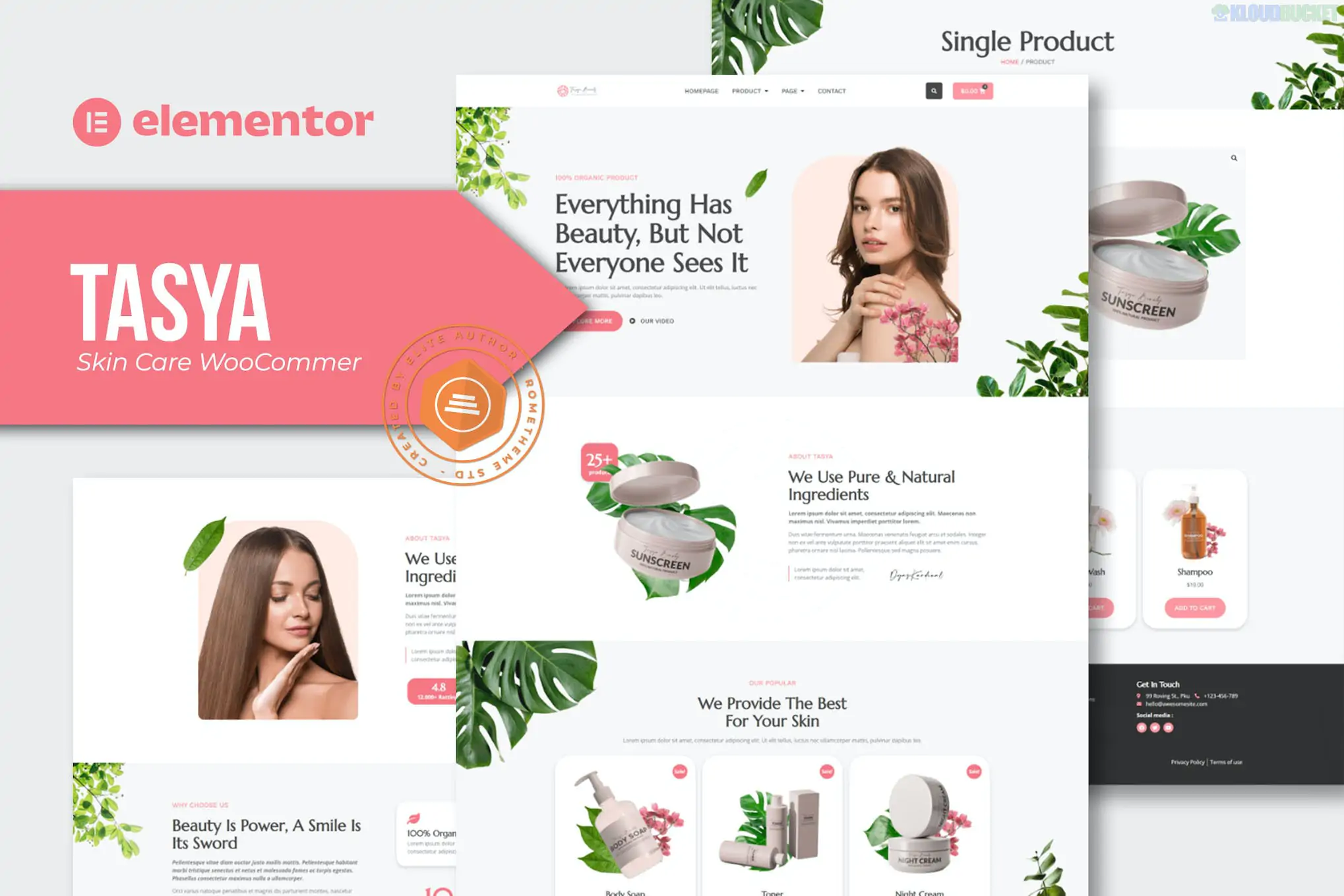
Tasya, developed by Rometheme, is a clean and modern Elementor Template Kit specifically designed for skin care brands, cosmetic shops, and beauty boutiques.
Unlike many other retail kits, Tasya is built to be accessible—it allows you to create a high-end, functional e-commerce store using free plugins, making it an excellent choice for startups and independent makers.
Clean & Minimalist: Uses plenty of whitespace and high-resolution imagery to highlight product textures and packaging.
11+ Pre-built Templates: Includes essentials like Home, About, Product Archives, Single Product, FAQ, Contact, Blog, and the 404 page.
No-Code Customization: Fully editable via Elementor’s drag-and-drop interface. You can change the global color palette and typography in one central location to match your brand.
Retina Ready: Optimized for high-definition displays to ensure your products look sharp and professional.
Tasya is optimized for the Hello Elementor theme. One of its standout features is that it does not strictly require the paid version of Elementor for its basic layouts.
Component
Requirement
Base Theme
Hello Elementor (Free).
Primary Builder
Elementor (Free).
Required Add-ons
ElementsKit Lite, MetForm, and Jeg Elementor Kit.
E-commerce
WooCommerce (Must be installed for product templates to work).
Import Tool
Envato Elements plugin (Free).
Tasya is designed specifically to work with WooCommerce, providing a cohesive journey from discovery to checkout:
Product Discovery: The "Product Archive" template uses clean grids and hover effects to show off your collection.
Product Details: The "Single Product" template focuses on clarity, with dedicated space for ingredients, usage instructions, and customer reviews.
Customer Support: Includes pre-designed FAQ and Contact layouts to help answer skincare-specific questions before a purchase is made.
Install Base First: Install WordPress, the Hello Elementor theme, and WooCommerce before importing the kit.
Add Products: You should add at least 3–4 dummy products in WooCommerce first; otherwise, the "Product Archive" and "Single Product" templates will appear empty after import.
Global Styles: Always import the Global Kit Styles within the Envato Elements plugin first to set the correct background colors and font weights.
Forms: Since it uses MetForm, you will need to import the form templates and select them within the MetForm widget on your Contact page.
Peformance Tip: Because Tasya uses a "light" approach with free plugins, it is exceptionally fast. However, ensure you use an image optimization plugin (like Smush or ShortPixel) because skincare sites are typically very image-heavy.
Tutorial on importing and setting up Elementor Template Kits
This live tutorial guides you through the process of using the Envato Elements plugin to import kits like Tasya, ensuring your styles and templates are applied correctly.
Would you like me to help you find a "Product Filter" plugin that works well with Tasya, or are you interested in a guide for setting up a "Skin Type Quiz" to help your customers choose the right products?
Subscribe to access unlimited downloads of themes, videos, graphics, plugins, and more premium assets for your creative needs.
.jpg) Help Us to Buy More New Theme/Plugin
Help Us to Buy More New Theme/Plugin
Published:
Jan 29, 2026 10:18 AM
Category:
Author:
OtherLicense:
GPL v2 or Later