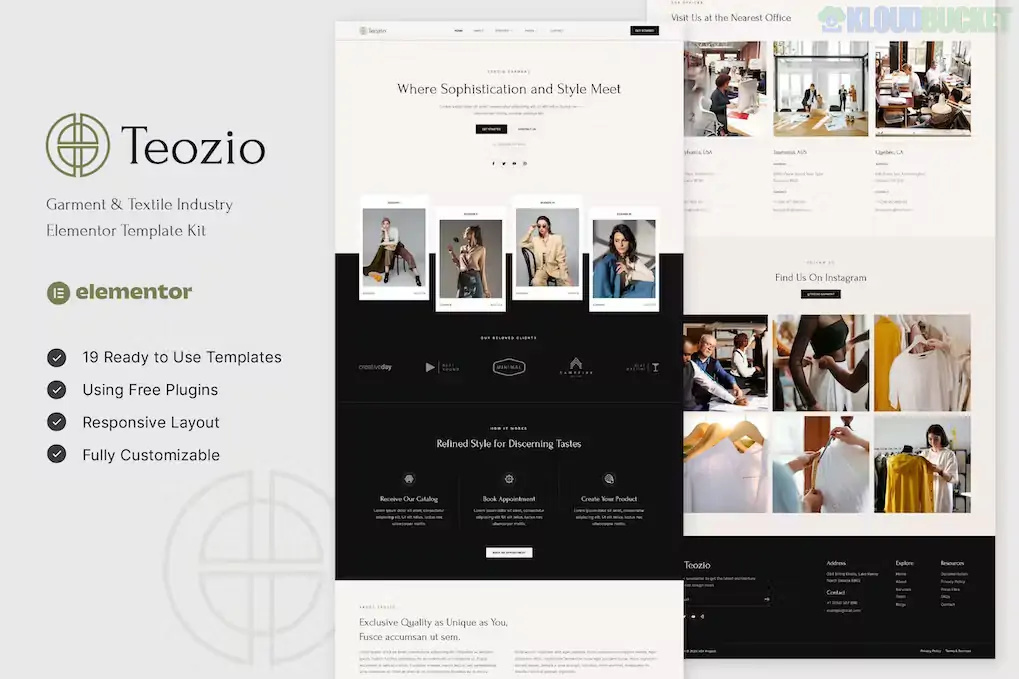
Teozio is a clean, modern, and highly professional Elementor Template Kit designed specifically for the textile and garment industry.1 Created by askproject, it is tailored for textile manufacturing companies, clothing factories, fabric suppliers, and industrial businesses looking for a sleek digital presence.2
As of late 2025, Teozio is recognized for its high-performance design and its reliance on free plugins, making it a cost-effective solution for industrial enterprises that don't necessarily need Elementor Pro.3
19+ Ready-to-Use Templates: A comprehensive collection including:
Homepage: A professional landing page with industrial-strength hero sections.
Service & Service Detail: Dedicated pages to explain textile processes (spinning, weaving, dyeing).4
Project & Project Detail: Clean masonry and grid layouts to showcase completed fabric collections or industrial partnerships.
FAQ & Contact: Essential pages for handling B2B inquiries and technical support.
No Elementor Pro Required:5 Built using the free version of Elementor along with a few free add-ons, saving you the cost of a Pro license.6
100% Responsive & Retina Ready: Manually optimized to ensure your factory photos and technical specifications look sharp on mobile, tablet, and high-resolution monitors.7
Global Theme Style: Manage your brand colors and typography from a single central location to maintain industrial consistency across the entire site.8
Flexbox Container Ready: Fully updated to use Elementor’s latest Flexbox Container architecture for faster loading and better layout control.
Feature
Details
Developer
askproject
Type
Elementor Template Kit (Not a Standalone Theme)
Required Plugins
Elementor (Free), ElementsKit Lite, MetForm, Gum Elementor Addon
Base Theme
Hello Elementor (Highly Recommended)
Compatibility
WordPress 6.7+ and Elementor 3.25+
Browser Support
Chrome, Firefox, Safari, Opera
Since Teozio is a Template Kit, do not upload it through the "Themes" menu. Follow this specific import order to ensure the layout remains intact:
Preparation: Install and activate the free Hello Elementor theme. Set your permalinks to "Post Name" in Settings.9
Plugin Installation: Install the Envato Elements plugin, along with the required free add-ons (ElementsKit Lite, MetForm, and Gum Elementor Addon).10
The Import Process:
Go to Elements > Installed Kits and upload the Teozio zip file.11
Import Global Kit Styles first.12 This is crucial for setting up your primary colors and industrial fonts.13
Import individual page templates one by one in the order shown in the kit.14
Header & Footer: Use ElementsKit to create a new header/footer, and then insert the Teozio header/footer templates from your saved templates.15
Garment Factories: Showcasing mass production capabilities and ethical manufacturing certifications.
Textile Mills: Highlighting specialized fabric technologies like organic cotton or high-performance synthetics.
Fashion Sourcing Agencies: Creating a professional portal for international brands to view production portfolios.
Boutique Fabric Suppliers: Using the "Project Detail" templates to act as a digital catalog for new seasonal arrivals.
Pro Tip: For a 2026 industrial site, B2B Lead Generation is vital. Use Teozio’s MetForm templates to create a detailed "Request a Quote" form.16 Include a "File Upload" field so potential clients can send you their technical garment specs (Tech Packs) directly through your website.
Would you like me to help you configure the MetForm widget so you can start receiving garment production inquiries directly in your inbox?
How To Install Elementor Template Kit In Wordpress 2025
This tutorial provides a clear, step-by-step guide on how to correctly import template kits into WordPress, which is the most important part of setting up Teozio.
Subscribe to access unlimited downloads of themes, videos, graphics, plugins, and more premium assets for your creative needs.
.jpg) Help Us to Buy More New Theme/Plugin
Help Us to Buy More New Theme/Plugin
Published:
Dec 17, 2025 16:11 PM
Category:
Author:
OtherLicense:
GPL v2 or Later