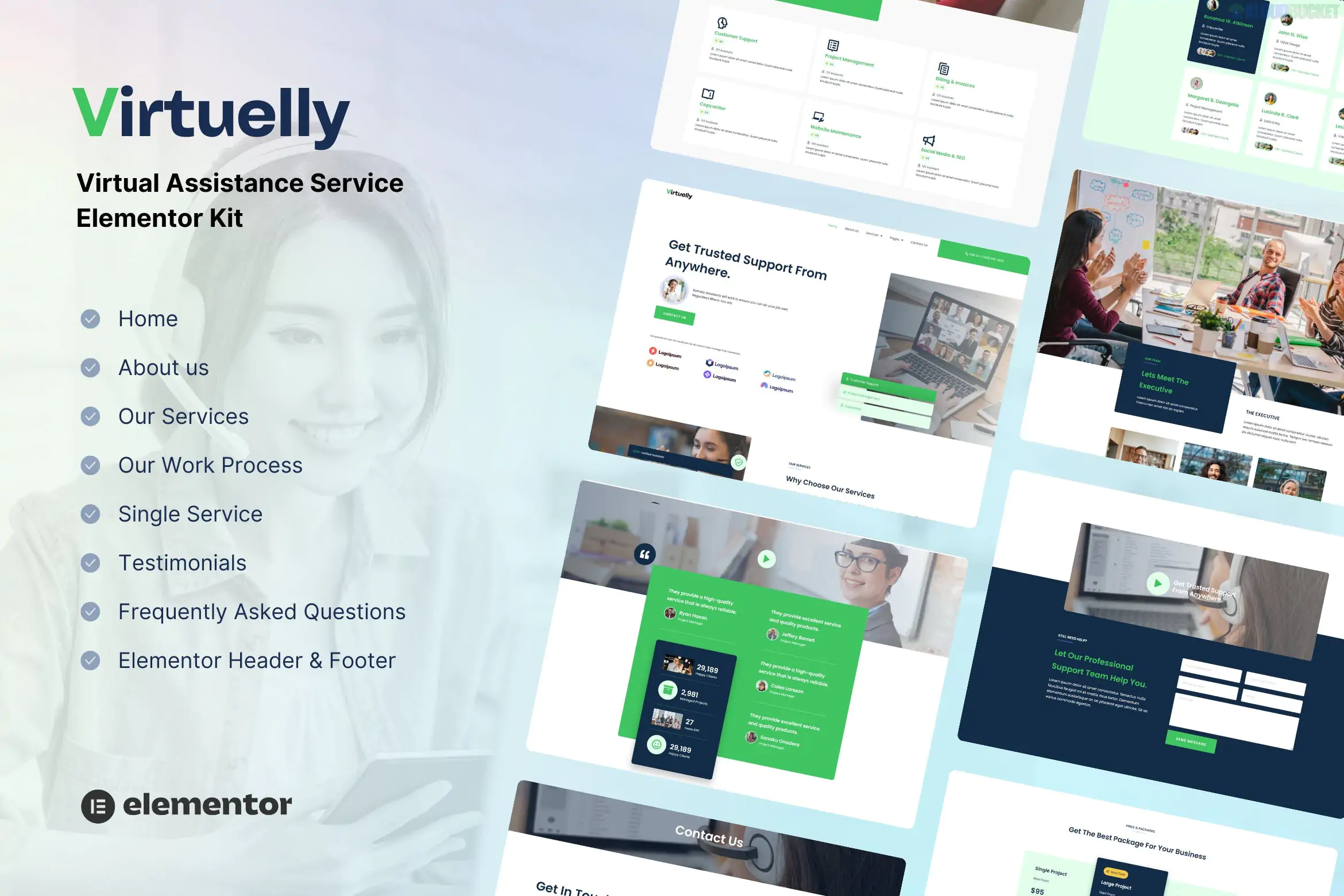
Virtuelly is a premium, high-converting Elementor Template Kit designed specifically for Virtual Assistants, Executive Admins, and Online Business Managers.
Created by the designers at Tokotema, it features a refined, soft-professional color palette and clean typography aimed at building trust with high-level clients. Since it is a "Template Kit," it is modular and faster to load than traditional heavy WordPress themes.
14+ Professional Templates: Includes a full range of pages to handle every part of a service-based business, from lead generation to service breakdowns.
Soft & Clean Aesthetic: Uses a modern "Minimalist Professional" style that appeals to corporate clients and small business owners alike.
No Code Required: Fully customizable via Elementor’s visual editor. You can swap colors, fonts, and images globally.
Optimized for "Hello Elementor": Works best with the free Hello theme, ensuring your site remains fast and passes Google’s Core Web Vitals.
Virtuelly provides a complete site architecture in one kit:
| Page Category | Included Templates |
| :--- | :--- |
| Main Pages | Home, About Us, Our Team, Contact. |
| Service Focused | Our Services, Service Detail (Single Service), Pricing Plan. |
| Conversion & Trust | Testimonials, FAQ, Success Story / Portfolio. |
| Content & Admin | Blog, Single Post, 404 Error, Header & Footer. |
To get the kit to look exactly like the demo, you will need to install these plugins (usually prompted automatically during import):
Elementor (Free version): The core builder.
Jeg Elementor Kit: Handles the Header, Footer, and advanced layout features.
MetForm: Powering the "Request a Quote" and "Contact" forms.
Elementor Pro (Optional but Recommended): While the kit is built to be compatible with free tools, some advanced animations or features may require Pro for full functionality.
Install Envato Elements Plugin: Search for and install this from the WordPress plugin repository.
Upload the Zip: Go to Elements > Installed Kits and upload your Virtuelly kit file.
Install Requirements: Click the orange "Install Requirements" banner to get all the necessary free plugins.
Import Global Styles: Crucial step. Import the "Global Kit Styles" first so that the design system (colors/fonts) is applied to the blank pages.
Import Pages: Import the Homepage and other subpages. They will appear in your Templates > Saved Templates folder.
Virtuelly stands out from other VA kits because of its focus on Service Clarity. It includes a "Single Service" template, which is vital for SEO; it allows you to create separate pages for "Calendar Management," "Email Marketing," and "Bookkeeping" rather than cramming them all onto one page.
Would you like me to show you how to link the MetForm contact form to your email, or do you need help setting up the sticky Header template for this kit?
Subscribe to access unlimited downloads of themes, videos, graphics, plugins, and more premium assets for your creative needs.
.jpg) Help Us to Buy More New Theme/Plugin
Help Us to Buy More New Theme/Plugin
Published:
Jan 22, 2026 10:56 AM
Category:
Author:
OtherLicense:
GPL v2 or Later
![Email Verification / SMS Verification / Mobile Verification [Custom Gateway Plan] MiniOrange 15.2.5](https://pub-9527534656ad43fc89ba1fea2f73e52a.r2.dev/files/items/mNzlAlvqu1OjfSw_1762833536.webp)