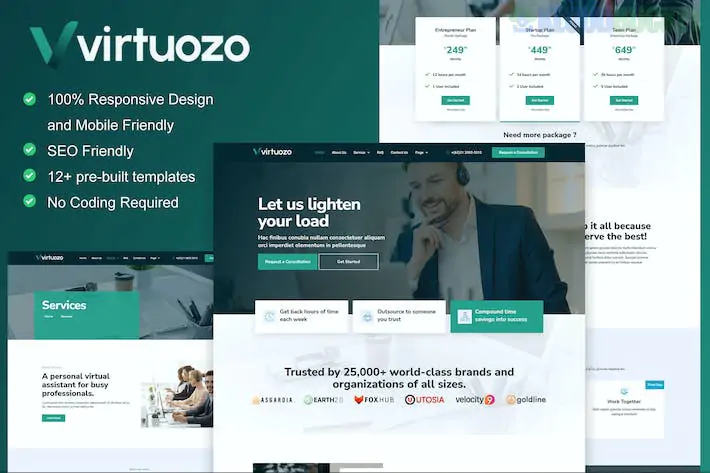
Virtuozo is a modern and creative Elementor Template Kit designed for virtual assistants, digital agencies, and remote service providers. Developed by moxcreative, it features a professional design that emphasizes clarity and ease of navigation, helping freelancers and small agencies build a credible online presence.
Like the other kits we've discussed, Virtuozo is a set of page layouts for Elementor and not a standalone WordPress theme.
12+ Professional Templates: A complete set of layouts including a high-converting homepage, service details, and success stories.
Modern & Creative Aesthetic: Uses a clean, professional style that is easily adaptable to various branding requirements.
Fully Responsive: Optimized for mobile, tablet, and desktop viewing to ensure a seamless experience for potential clients.
No Coding Required: Built for the Elementor drag-and-drop builder, allowing for easy visual customization.
Optimized for Hello Elementor: Specifically designed to work best with the lightweight "Hello Elementor" theme.
To use Virtuozo, your WordPress site should have:
Elementor (Free): For general page building.
Elementor Pro: Required for some features, specifically the Theme Builder (Header/Footer) and advanced widgets.
ElementsKit Lite: Used for extended header, footer, and navigation capabilities.
Skyboot Icons: Often included/required for the specific iconography used in the demo.
Envato Elements Plugin: For the import process.
Category
Page Layouts
Core Pages
Home, About Us, Contact Us, FAQ
Services
Services Overview, Service Details (Deep dive into specific tasks)
Social Proof
Success Stories, Team Members
Content
Blog Archive, Single Post Layout
Utility
Header, Footer, 404 Error Page, Global Kit Styles
Plugin Setup: Install and activate Elementor, Elementor Pro, and the Envato Elements plugin.
Importing the Kit: Go to Elements > Installed Kits, upload the .zip file, and click "Install Requirements" to catch any missing dependencies.
Global Styles First: Import the Global Kit Styles before any specific pages to ensure consistent typography and color palettes.
Header & Footer: After importing, use the Elementor Theme Builder (or ElementsKit, depending on the specific build) to assign the header and footer to the "Entire Site."
Strategy Tip: Since virtual assistance is a personal service, use the "Success Stories" and "Team" templates to humanize your brand. High-quality headshots and specific client testimonials will do more to convert visitors than generic service descriptions.
Would you like me to help you draft some "Service Detail" copy for a specific VA niche (like Inbox Management or Social Media Scheduling), or do you need help setting up the contact form?
Subscribe to access unlimited downloads of themes, videos, graphics, plugins, and more premium assets for your creative needs.
.jpg) Help Us to Buy More New Theme/Plugin
Help Us to Buy More New Theme/Plugin
Published:
Feb 01, 2026 10:41 AM
Category:
Author:
OtherLicense:
GPL v2 or Later