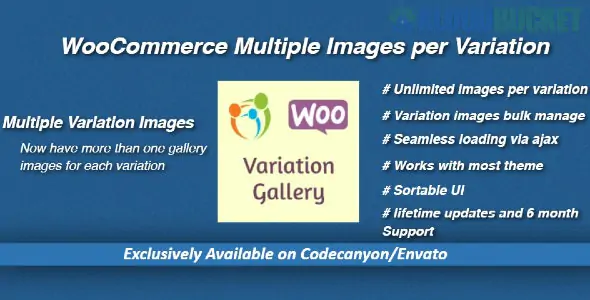
By default, WooCommerce only allows you to attach one image to each product variation. When a customer selects a different color or size, only that single "featured" image changes.To show a full gallery (front, side, back views) for each specific variation, you need a Multiple Images per Variation plugin. In 2026, these are the top-rated tools for this specific task:🏆 Top Plugin Recommendations1. Additional Variation Images Gallery (by Emran Ahmed)This is the most popular choice on the WordPress repository. It is lightweight and integrates seamlessly into the standard WooCommerce "Product Data" tab.Free Version: Allows you to add two extra images per variation.Pro Version: Unlock unlimited images per variation and the ability to add video (YouTube/Vimeo/Self-hosted) to individual variations.Best For: Most store owners who want a reliable, widely-supported solution that works with almost any theme.2. WooCommerce Additional Variation Images (Official)Developed by the core WooCommerce team, this is the "gold standard" for stability and long-term compatibility.Key Feature: It adds an "Add Additional Images" link directly inside the variation settings. It’s built to be high-performance, ensuring your product pages don't slow down with heavy image loads.Price: Usually $49–$59/year.Best For: High-volume stores that prioritize official support and zero-conflict code.3. Smart Variations Images & SwatchesThis plugin is unique because it combines "Multiple Images" with "Variation Swatches" (replacing dropdowns with clickable color circles or thumbnails).Key Feature: It allows you to hide thumbnails until a variation is selected, keeping your product page clean and focused.Pro Benefit: Includes advanced features like adding different images to the Cart page based on the specific variation selected.Best For: Fashion and apparel brands that want a "Luxury Boutique" feel where the gallery completely resets for every color.📊 Feature ComparisonFeatureAdditional Variation GalleryOfficial WC ImagesSmart VariationsUnlimited Images✅ (Pro)✅✅Video Support✅ (Pro)❌✅ (Pro)Swatches Included❌ (Separate plugin)❌✅Drag & Drop Reorder✅✅✅Performance LevelHighHighestMedium🛠️ How to Set It Up (General Steps)Once you install your chosen plugin, the workflow is almost identical across all versions:Go to Products > All Products and edit a Variable Product.Navigate to the Variations tab in the Product Data box.Expand a specific variation (e.g., "Blue / Large").You will now see a new section labeled "Variation Gallery" or "Add Additional Images."Click to upload your extra views and Save Changes.⚖️ Pro Tip: Performance MattersSince adding multiple images per variation can easily double or triple the number of files loading on a single page, ensure you use a WebP conversion plugin (like ShortPixel or Imagify) to keep your site speed high.Would you like me to find the specific "Shortcode" for displaying these variation galleries in an Elementor or Divi layout, or help you compare the pricing for 2026
Subscribe to access unlimited downloads of themes, videos, graphics, plugins, and more premium assets for your creative needs.
.jpg) Help Us to Buy More New Theme/Plugin
Help Us to Buy More New Theme/Plugin
Published:
Jan 28, 2026 17:27 PM
Version:
v1.3.2
Category:
Author:
OtherLicense:
GPL v2 or Later