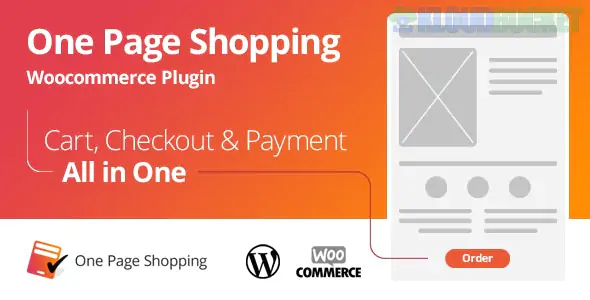
The WooCommerce One Page Shopping concept refers to a crucial conversion optimization strategy where the entire purchasing process is streamlined onto a single page, minimizing clicks and reducing the friction that leads to cart abandonment.
While there are many third-party plugins that offer this feature, the most authoritative and well-known tool for this functionality is the WooCommerce One Page Checkout extension, which is developed and sold by WooCommerce (formerly WooThemes).
The fundamental principle is combining the separate steps of browsing, adding to cart, reviewing the order, and entering payment details into one unified page.
Product Selection on Checkout: The page displays the product information (or a list of curated products) at the top.
Instant Cart Update: As the customer adds or removes products (or adjusts quantities) from this section, the cart review and the final checkout form are updated instantly via AJAX (without a page reload).
Checkout & Payment: The billing/shipping details, order review, and payment fields are all displayed below the product selection, allowing the customer to complete the entire transaction without leaving the page.
The official WooCommerce One Page Checkout plugin provides powerful features to facilitate this streamlined experience:
Turn Any Page into a Checkout: The plugin uses a shortcode (or a graphical interface in the Classic Editor) to easily insert product selection and checkout forms onto any page, post, or custom landing page.
Curated Products: You can choose specific products to feature on a unique checkout page. This is ideal for:
Promotions: Creating dedicated, focused landing pages for special sales.
Events: Selling tickets or merchandise for a single event.
Upsells/Bundles: Showcasing a small, related set of products.
Product Selection Templates: The plugin offers built-in layouts to display the products on the page, such as:
Product List (simple text list)
Product Table (with thumbnail, title, and price)
Single Product (mimicking the look of a standard product page)
Pricing Table (ideal for comparing different membership tiers)
Per-Product Configuration: You can enable the One Page Checkout feature on a per-product basis with a simple checkbox in the Product Data settings, turning the single product page itself into a checkout page.
Reduced Cart Abandonment: Eliminating multiple steps removes friction and keeps the customer focused on completing the purchase.
Faster Checkout: It saves time for both new and returning customers, significantly improving the overall user experience.
Targeted Conversions: Allows you to create highly optimized, single-purpose landing pages that maximize conversions for specific products or campaigns.
Would you like to search for a third-party One Page Checkout plugin that offers specific design customizations using a page builder like Elementor?
Subscribe to access unlimited downloads of themes, videos, graphics, plugins, and more premium assets for your creative needs.
.jpg) Help Us to Buy More New Theme/Plugin
Help Us to Buy More New Theme/Plugin
Published:
Dec 11, 2025 14:53 PM
Version:
v2.5.34
Category:
Author:
All In One PluginLicense:
GPL v2 or Later