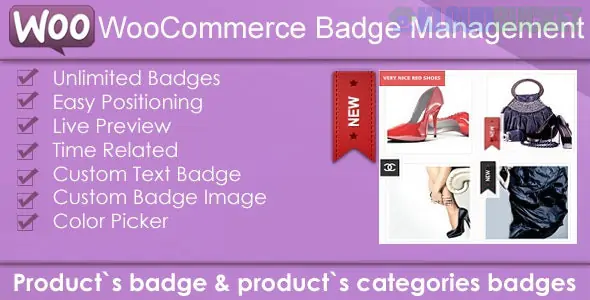
WooCommerce Products Badge Management refers to the system used to create and display visual labels (like "Sale," "New," "Best Seller," or "Low Stock") on your store's product images.1 While WooCommerce has a basic "Sale" badge by default, professional badge management plugins allow you to automate these labels based on complex rules.2
As of late 2025, these tools have evolved to include dynamic data—such as badges that automatically calculate the percentage saved or countdown timers that tick down to a sale's end.3
Plugin
Best For
Key Standout Feature
Better Badge Pro
Speed & Design
100+ ready-made templates and a very clean UI for quick setup.
YITH WooCommerce Badge Management
Advanced Automation
Deep integration with other YITH plugins (e.g., specific badges for Members or Vendors).
WPC Badge Management
Visual Flexibility
Support for custom shapes, icons (FontAwesome), and shortcodes inside badges.
Conditional Rules: Automatically apply badges based on stock level (e.g., "Only 2 Left!"), product age ("New Arrival"), or specific categories and tags.4
Dynamic Variables: Use placeholders like [percentage] or [value] so the badge automatically displays "20% OFF" or "Save $15" based on the product's price.5
Scheduling: Set badges to appear and disappear at specific dates and times—perfect for Black Friday or weekend flash sales.
Multi-Badge Support: Display more than one badge at a time (e.g., a "Free Shipping" badge next to a "Best Seller" badge) without them overlapping awkwardly.
Positioning Control: Choose from standard positions (Top Left, Bottom Right) or set custom offsets to ensure the badge doesn't cover important product details.6
Define the Logic: Don't manually add badges to every product. Use Global Rules. For example, create a "New" badge that automatically applies to any product created in the last 30 days.
Visual Consistency: Choose a shape and color palette that matches your brand.7 In 2026, minimalist pill-shaped badges with subtle shadows are the trending design standard.
Test for Mobile: Check your shop page on a smartphone. Large badges can sometimes block the entire product thumbnail on smaller screens.
Hide Defaults: Most management plugins have a "Hide default WooCommerce Sale badge" toggle.8 Enable this to prevent the theme's basic "Sale" text from appearing alongside your new custom design.
Pro Tip: Use Psychological Triggers. Instead of just saying "Sale," use a badge that says "Trending Now" or "Customer Favorite." Data from 2025 shows these social proof labels often have a higher click-through rate than standard discount labels.
Would you like me to help you write a custom CSS snippet to style your existing WooCommerce sale badge into a modern "ribbon" or "pill" shape?
Subscribe to access unlimited downloads of themes, videos, graphics, plugins, and more premium assets for your creative needs.
.jpg) Help Us to Buy More New Theme/Plugin
Help Us to Buy More New Theme/Plugin
Published:
Dec 17, 2025 16:37 PM
Version:
v5.1
Category:
Author:
OtherLicense:
GPL v2 or Later