The term "WooCommerce Quick View CodeCanyon" refers to the range of premium plugins available on the CodeCanyon marketplace that enable the "Quick View" feature for WooCommerce shops.
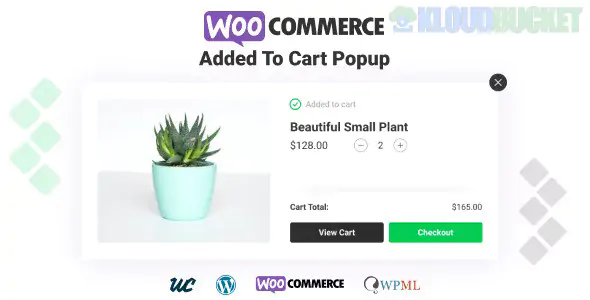
A Quick View feature allows customers to see essential product details (images, price, short description, and add-to-cart form) in a lightbox or modal popup without leaving the current shop or catalog page. This is a crucial feature for improving the shopping experience and boosting conversions.
Since CodeCanyon is a marketplace, there isn't one single plugin, but several strong contenders. These premium options typically offer advanced customization and features beyond basic free versions.
Plugins offering Quick View on CodeCanyon generally share these advanced features:
Feature
Description
Benefit
AJAX Loading
The Quick View content loads instantly using AJAX, ensuring the customer doesn't have to wait for a full page reload.
Speeds up browsing and prevents frustration, leading to higher conversion rates.
Next/Previous Navigation
Includes navigational arrows (or buttons) inside the Quick View modal, allowing customers to browse through the product list without closing the popup.
Seamless product exploration encourages users to view more items.
Full Customization
Extensive settings for customizing the button style, button position (over image, before/after product title), modal size, colors, and content displayed.
Ensures the feature matches your brand and theme perfectly.
Variation Support
Fully supports variable products, allowing customers to select attributes (size, color, etc.) and see the correct price/image switch directly within the modal.
Essential for selling clothing, accessories, and other variable goods.
Add-to-Cart Action Control
Options to automatically close the modal after a successful add-to-cart, or to redirect the customer straight to the cart or checkout page.
Streamlines the purchase path for different conversion strategies.
Mobile Optimization
Ensures the Quick View modal is fully responsive and often switches to a full-screen view on mobile devices for better usability.
Provides a smooth experience for mobile shoppers.
While specific names change, you will often find successful plugins on CodeCanyon offering this feature, sometimes bundled with other tools:
Dedicated Quick View Plugins: Focus solely on the quick view modal with maximum customization.
Essential Kits/Bundles: Some plugins bundle Quick View alongside other must-have e-commerce features like Product Wishlist, Product Compare, and Advanced Product Tabs.
If you are looking on CodeCanyon, make sure to check the plugin's last update date and customer ratings/support response to ensure compatibility with the latest versions of WordPress and WooCommerce.
Would you like me to focus on the setup process for adding a Quick View button to your WooCommerce shop page?
Subscribe to access unlimited downloads of themes, videos, graphics, plugins, and more premium assets for your creative needs.
.jpg) Help Us to Buy More New Theme/Plugin
Help Us to Buy More New Theme/Plugin
Published:
Dec 09, 2025 13:15 PM
Version:
v1.2.11
Category:
Author:
OtherLicense:
GPL v2 or LaterTags: