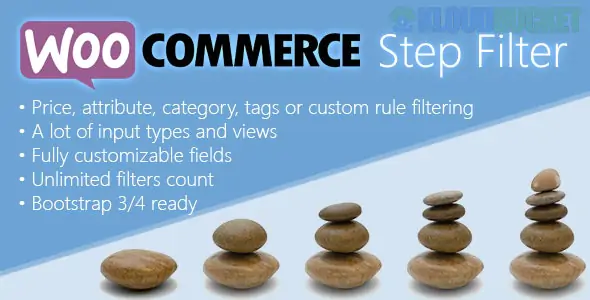
WooCommerce Step Filter is a specialized navigation tool designed for stores with large catalogs where traditional sidebars are too overwhelming. Instead of showing all filters at once, it guides customers through a "cascading" or "step-by-step" process—for example: Select Year → Select Make → Select Model.1
This approach is widely used in automotive, electronics, and hardware industries to prevent "filter fatigue" and ensure customers only see relevant options.
Unlike standard filters, a Step Filter plugin usually offers different logic modes:2
Step-by-Step (Strict): Users must complete Step 1 before Step 2 even appears.3 This is perfect for "Part Finders."
Dependent Filters (Cascading): All filters are visible, but choosing "BMW" in the first dropdown instantly filters the second dropdown to only show BMW models (e.g., 3-Series, 5-Series).4
Quiz Mode: Transforms the filter into a "Product Finder Quiz" where customers answer questions to be directed to a specific product recommendation.5
AJAX Performance: Results update instantly without the page refreshing, keeping the experience smooth.6
Adaptability: Can filter by any product data: Categories, Attributes (size, color, brand), Tags, Price, or even Custom Taxonomies.7
Breadcrumb Navigation: Shows the user exactly which filters they have applied at each step, allowing them to jump back and change a previous selection easily.
Shortcode & Widget Support: You can place the filter in the sidebar, above the product grid, or even on a dedicated "Search" landing page.8
Plugin
Best For...
Key Advantage
Barn2 Product Filters
Clean, Modern UI
Best "Step-by-Step" dropdown logic for professional stores.
WooCommerce Step Filter (Troll-Winner)
Technical/Part Finders
Offers "Strict" vs "Free-walk" step modes.
Filter Everything PRO
SEO & Performance
Generates "Pretty URLs" for your filtered results (great for Google rankings).
JetSmartFilters
Elementor Users
Provides 17+ different filter widgets that integrate perfectly with Elementor Pro.
Use Dropdowns for Steps: While checkboxes are great for single filters, Dropdowns are much more space-efficient for multi-step processes.
Hide "Empty" Terms: Ensure the plugin is set to hide options that have zero products.9 Nothing frustrates a customer more than following 4 steps only to find "No products match your criteria."
Mobile Positioning: On mobile, move your step filter to the top of the page or into a "Slide-out" menu so it doesn't push your actual products too far down the screen.10
If you are using the Hostink (Hosting) or Milos (Glass/Aluminum) kits we discussed:
Hostink: Create a step filter for Server Type → CPU → RAM → Storage to help users find the exact server plan they need.
Milos: Use steps for Glass Type (Tempered/Frosted) → Frame Color → Size Range for custom window inquiries.
Would you like me to help you map out the specific "Steps" (Attributes) you should create for your product catalog so the filter logic works perfectly?
Subscribe to access unlimited downloads of themes, videos, graphics, plugins, and more premium assets for your creative needs.
.jpg) Help Us to Buy More New Theme/Plugin
Help Us to Buy More New Theme/Plugin
Published:
Jan 14, 2026 13:02 PM
Version:
v10.0.1
Category:
Author:
OtherLicense:
GPL v2 or LaterTags: