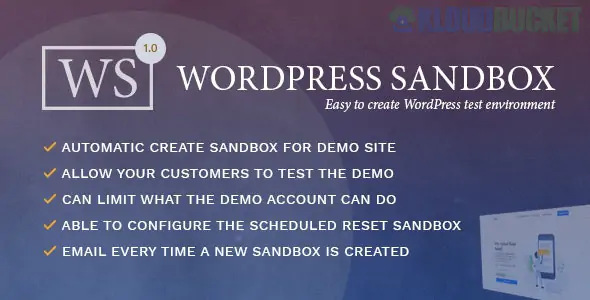
A WordPress Sandbox is a safe, completely isolated environment where you can build, test, and experiment with changes to your website without any risk of affecting your live, publicly accessible website (the production site).1
Think of it as a virtual, disposable digital playground for your WordPress site.
While the terms are often used interchangeably, in modern development workflows, they serve slightly different purposes:
Feature
WordPress Sandbox
WordPress Staging Site
Purpose
Experimentation and rapid prototyping.
Pre-launch Validation and final testing.
Connection to Live
Completely Isolated: Often a fresh, clean install.
Clone of Live: An exact copy of your current site, content, and database.
State
Disposable; designed to be created and discarded quickly.
Preparatory; intended to mirror real-world conditions.
Best For
Testing a new plugin combination, trying new theme ideas, debugging a conflict.
Testing major core/theme/plugin updates, client approval cycles, final QA before deployment.2
A sandbox-first approach is considered a best practice for safe and efficient WordPress development.3
Risk-Free Testing: You can update core files, install buggy plugins, or edit PHP code without ever risking the White Screen of Death or downtime on your live site.4
Catch Bugs Early: Resolve compatibility issues (e.g., plugin conflicts) in isolation before they affect real users or sales.5
Seamless QA & Approvals: Share a secure link to the sandbox with clients or team members for feedback and approval without needing to grant them access to your live backend.6
Rapid Prototyping: Quickly spin up a site to test a concept (like a new checkout flow or a specific landing page design) and discard it if the idea doesn't work.7
You don't need a deep technical background to create a testing environment anymore. Modern tools offer several easy methods:
These tools create a fully hosted, temporary, and disposable WordPress site in seconds from your web browser.8
InstaWP: Highly popular for instant, disposable sandboxes, reusable templates, and easy sharing.9
WP Sandbox / WPSandbox.net: Provides quick, temporary WordPress sites for testing plugins and themes for free.10
Many Managed WordPress hosts include built-in one-click staging/sandbox features accessible directly from your hosting control panel.11
Kinsta, WP Engine, SiteGround, Liquid Web: All major managed hosts offer one-click creation of a staging site (a cloned sandbox).12
Plugins are installed on your live site and copy it to a new location (often a subdomain or a temporary cloud host).
WP Staging: Allows you to create a secure, hidden copy of your site for testing.13
BlogVault: A backup plugin that includes a one-click staging/sandbox feature hosted on its own server.14
Duplicator: Primarily a migration tool, but excellent for cloning your live site to a local or staging environment.15
These install a web server stack directly on your computer (offline).
LocalWP (by Flywheel): A free desktop application that makes setting up a local WordPress environment incredibly simple.16
MAMP/WAMP/XAMPP: More traditional tools for setting up a local server stack manually.17
Would you like to search for the pricing tiers for one of the popular cloud-based sandbox tools, like InstaWP?
Subscribe to access unlimited downloads of themes, videos, graphics, plugins, and more premium assets for your creative needs.
.jpg) Help Us to Buy More New Theme/Plugin
Help Us to Buy More New Theme/Plugin
Published:
Dec 11, 2025 12:31 PM
Version:
v1.0.4
Category:
Author:
OtherLicense:
GPL v2 or Later