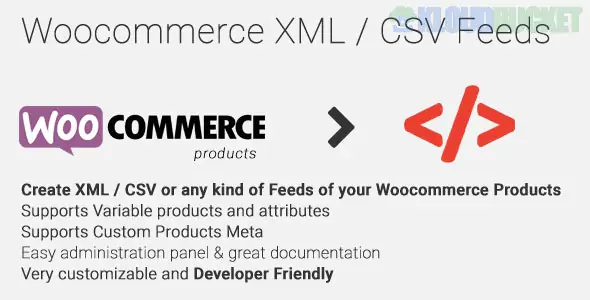
WooCommerce XML - CSV Feeds (by Nitroweb, often found on CodeCanyon) is a high-performance plugin used to generate custom data feeds. While "Product Feeds" are often used for marketing, this specific plugin is a favorite for developers and technical store owners who need to export their catalog into a precise, custom structure for third-party systems or dropshipping partners.
Unlike basic exporters that just dump your database into a spreadsheet, this plugin allows you to build a structured feed from scratch.
Custom Templates: You can create your own XML or CSV structure. This is crucial if a specific marketplace or partner requires your data to follow their exact naming conventions (e.g., they need <product_name> instead of <title>).
On-the-Fly Generation: Feeds can be generated in real-time. When a partner hits your feed URL, the plugin pulls the latest stock and price data, ensuring they never see outdated information.
Caching Engine: For stores with thousands of products, it includes a robust caching system to prevent the server from crashing while generating large files.
Filtering & Logic: You can exclude certain categories, products out of stock, or items below a specific price point.
Dropshipping & Wholesale: Provide your resellers with a live XML link they can use to import your products into their own stores.
Price Comparison Sites: Send your data to niche comparison engines that don't have a standard "Google Shopping" format.
Internal Syncing: Moving data between a WooCommerce store and an external ERP or inventory management system.
Marketplace Integration: Creating custom CSVs for platforms like Amazon, eBay, or regional marketplaces that require specific column headers.
Feature
Description
Output Formats
XML, CSV, and TXT.
Field Mapping
Map any WooCommerce field (including custom attributes and ACF) to your feed.
Cron Jobs
Schedule the feed to refresh every hour, day, or week automatically.
Category Mapping
Rename your WooCommerce categories to match the "Global" categories of the destination site.
Performance
Optimized for large catalogs; uses batch processing to handle 50,000+ products.
Most "Product Feed" plugins (like CTX Feed or AdTribes) are built for marketing platforms (Google, Facebook, TikTok). They are very easy to use but offer less flexibility for custom data structures.
WooCommerce XML - CSV Feeds is better if you have a non-standard requirement. If your partner says, "I need an XML file where the price is multiplied by 1.2 and the product ID is prefixed with 'SKU-'," this is the tool you use.
If you are generating XML feeds, remember that XML is sensitive to special characters (like & or <). This plugin typically handles "character encoding" automatically, but always use the Preview function to ensure your XML is valid before sending the link to a partner.
Would you like me to help you draft a custom XML structure for a specific partner, or show you how to map an ACF custom field to your feed?
Subscribe to access unlimited downloads of themes, videos, graphics, plugins, and more premium assets for your creative needs.
.jpg) Help Us to Buy More New Theme/Plugin
Help Us to Buy More New Theme/Plugin
Published:
Jan 16, 2026 15:13 PM
Version:
v1.1.14
Category:
Author:
OtherLicense:
GPL v2 or LaterTags: