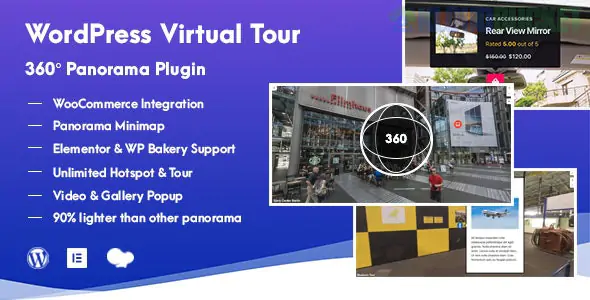
To add a 360° Virtual Tour or Panorama to your WordPress site, you generally need a plugin that can render "equirectangular" images (the flat, wide 360° photos) into an interactive spherical viewer.
Since you have been looking at Elementor Template Kits, it's worth noting that many of these plugins integrate directly with Elementor as custom widgets.
Plugin
Best For
Price
Elementor Support
WPVR
Real Estate & Walkthroughs
Free (Pro available)
Excellent (Native Widget)
iPanorama 360
Advanced Customization
Free / $39 Pro
Great (Shortcode/Widget)
Panorama Viewer
Simple 360° Images/Video
Free
Good (Block/Shortcode)
WPVR is widely considered the best choice for beginners and professionals alike. It allows you to create multi-room tours where users can click a "door" (hotspot) to move to the next room.
Key Feature: Supports Gyroscope (mobile users can move their phone to look around).
Hotspots: Add clickable icons that show text, images, or YouTube videos.
Elementor Integration: It adds a "WPVR" widget to your Elementor panel; you just select the tour you created from a dropdown.
If you need deep technical control, iPanorama is a powerhouse. It uses a scene-based system that is very robust for complex tours.
Key Feature: Excellent Tooltip and Popover system for explaining specific items in the 360° view.
Markers: You can use custom SVG icons or images as navigation markers.
If you aren't using Elementor for a specific page and just want to drop a single 360° photo into a blog post, Algori 360 is the lightest and fastest way to do it via the WordPress Block Editor.
Capture the Image: You need an equirectangular image (usually 2:1 ratio). You can take these with a 360 camera (like a Ricoh Theta) or even a modern smartphone using "Panorama" or "Photo Sphere" mode.
Install Plugin: Go to Plugins > Add New and search for WPVR.
Create the Tour: * Go to WPVR > Add New Tour.
Upload your image under the Scenes tab.
Add Hotspots if you want interactive points.
Display: * Elementor: Drag the "WPVR" widget onto your page.
Shortcode: Copy the provided shortcode (e.g., [wpvr id="123"]) and paste it anywhere.
360° images are often very large files. To keep your site fast, always compress your 360° JPEGs before uploading, or use a plugin that supports CDN delivery to ensure the viewer loads smoothly for your visitors.
Would you like me to find a specific tutorial on how to link multiple rooms together in a virtual tour?
Subscribe to access unlimited downloads of themes, videos, graphics, plugins, and more premium assets for your creative needs.
.jpg) Help Us to Buy More New Theme/Plugin
Help Us to Buy More New Theme/Plugin
Published:
Jan 07, 2026 19:28 PM
Version:
v1.2.1
Category:
Author:
OtherLicense:
GPL v2 or Later