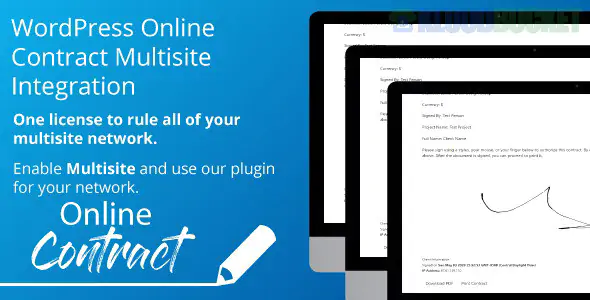
To round out your contract management suite, the PDF Print Integration for WP Online Contract is the "closing" piece of the puzzle. It takes the digitally signed document and transforms it into a professional, unalterable PDF file.
This is essential for legal compliance, as it provides both you and your client with a hard copy of the executed agreement.
Automatic Generation: The moment a client signs the contract, the plugin generates a PDF version on the fly.
Email Attachments: You can configure the system to automatically attach the signed PDF to the "Contract Completed" notification email sent to the client.
Branded Layouts: You can add your company logo, custom headers, and footers to the PDF so it matches the professional look of your Darmali or Duha website.
Audit Trail: Most versions include a "Signature Certificate" page at the end of the PDF, detailing the IP address, timestamp, and email verification of the signer.
The PDF functionality is an Extension (Add-on) for the core WP Online Contract plugin.
Install the Extension: Upload and activate the WP Online Contract - Automated PDF zip file.
Configure PDF Settings: * Navigate to Contracts > Settings > PDF.
Upload your Logo: Ensure it’s a high-quality PNG for a sharp print look.
Set Paper Size: Choose between A4 (standard in Europe/Asia) or Letter (standard in US/Canada).
Enable Email Attachments: Go to the Emails tab in settings and toggle the switch for "Attach PDF to Completed Email."
Bulk Export: From your "All Contracts" dashboard, you can now see a "Download PDF" icon next to every signed contract for quick filing.
The "Blank PDF" Issue: If your generated PDFs are coming out blank or with missing images, it’s usually a server memory issue. Ensure your memory_limit is set to 512M in your php.ini file.
Font Support: If you use special characters or non-English languages, make sure to select a "Unicode" compatible font in the PDF settings so the text renders correctly.
Server Library: This plugin typically uses the mPDF or TCPDF library. Your server must have the mbstring and gd PHP extensions enabled (most modern hosts have these by default).
While the digital signature on your website is legally binding, having the PDF Print Integration ensures you meet the "accessible copy" requirements of the ESIGN Act and UETA, which state that consumers must be able to retain a copy of the agreement for their records.
Would you like me to help you format the "Header/Footer" text for your PDF to ensure it looks professional, or are you having trouble with the PDF download link not showing up on your site?
Subscribe to access unlimited downloads of themes, videos, graphics, plugins, and more premium assets for your creative needs.
.jpg) Help Us to Buy More New Theme/Plugin
Help Us to Buy More New Theme/Plugin
Published:
Feb 02, 2026 10:03 AM
Version:
v1.0.3
Category:
Author:
OtherLicense:
GPL v2 or Later