It sounds like you're exploring wProject, which is a popular choice for teams that want to keep their project management "in-house" within their existing WordPress ecosystem.
Unlike SaaS tools (like Monday.com or Asana), wProject is self-hosted, meaning you have total control over your data and don't have to worry about per-user monthly fees.
If you are considering implementing it, here are the highlights of what it offers:
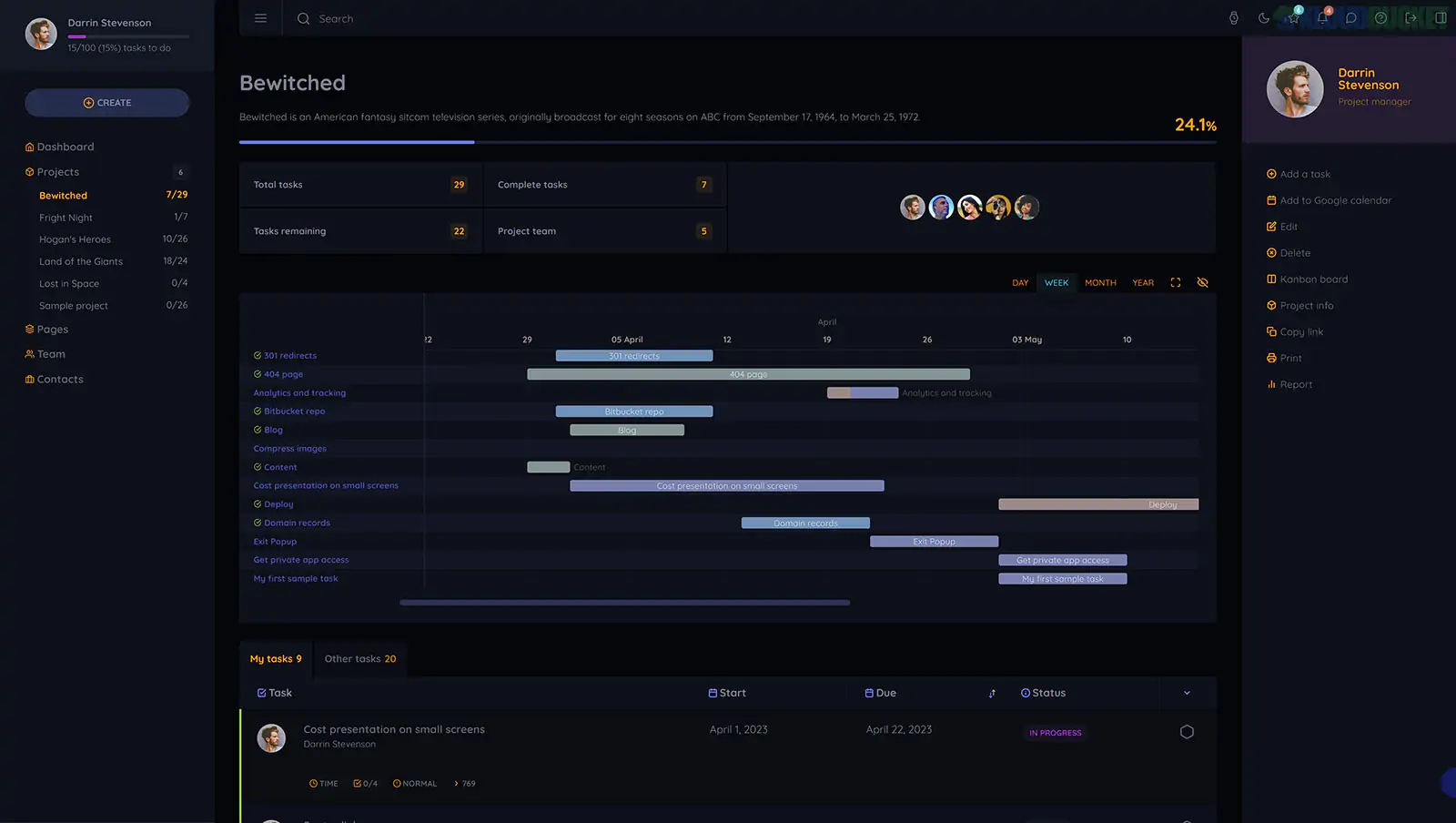
Task Management: Create tasks, assign them to team members, set deadlines, and track progress using statuses.
Gantt Charts: Visual timelines to help you see how tasks overlap and manage project schedules.
Time Tracking: Built-in timers to track how many hours are being spent on specific tasks—essential for billing.
Client Management: You can create dedicated logins for clients so they can see the progress of their specific projects without seeing your internal operations.
Kanban Boards: For teams that prefer the "Trello-style" drag-and-drop workflow.
Cost-Effective: Usually involves a one-time purchase or a much lower annual fee compared to per-seat SaaS pricing.
Data Ownership: Since it lives on your server, you own the database and the files.
White Labeling: It’s easier to brand the interface with your own logo and colors to make it feel like a proprietary company portal.
Server Resources: Because it's a heavy plugin, you’ll want to ensure your WordPress hosting can handle the extra load, especially if you have many concurrent users.
Security: Since it stores sensitive project data, keeping your WordPress core and plugins updated is critical.
Are you looking to set up wProject for a specific team, or are you comparing it against other WordPress project management plugins like WP Project Manager or Zephyr?
Subscribe to access unlimited downloads of themes, videos, graphics, plugins, and more premium assets for your creative needs.
.jpg) Help Us to Buy More New Theme/Plugin
Help Us to Buy More New Theme/Plugin
Published:
Jan 05, 2026 19:25 PM
Version:
v5.2.0
Category:
Author:
OtherLicense:
GPL v2 or Later