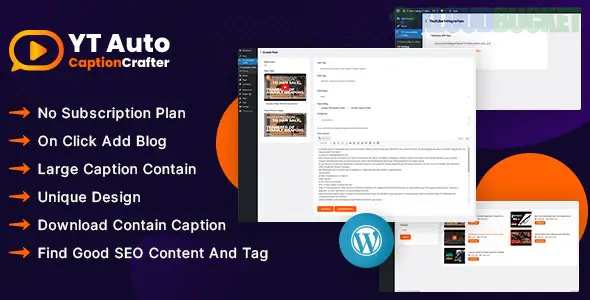
YT Auto Caption Crafter is a specialized WordPress plugin designed for content creators and video marketers who want to turn YouTube videos into text-based assets. It automates the process of fetching video captions and converting them into structured blog posts, articles, or social media snippets.
This tool is highly effective for "Content Repurposing"—taking a single video and turning it into a written piece that search engines can index.
Automatic Transcript Fetching: Pulls captions (subtitles) directly from any YouTube video URL.
AI-Powered Rewriting: Often integrates with OpenAI (GPT) to clean up raw, "messy" transcripts and turn them into readable, grammatically correct blog posts.
Timestamp Integration: Can include timestamps in the text, allowing readers to jump to specific parts of the video directly from your blog.
Bulk Generation: Convert entire playlists or channels into a library of blog posts to populate a new site quickly.
Video Embedding: Automatically embeds the original YouTube video at the top or bottom of the generated post, improving your "Time on Page" metrics.
Using this plugin with your specialized kits allows you to provide high-value content with zero writing effort:
Kit
Implementation Strategy
Goro (Coaching)
Turn your YouTube "Motivational Minute" videos into weekly blog newsletters for your students.
Botania (Gardening)
Import "How to Prune Roses" videos and create a library of gardening guides for local SEO.
RiderBroz (Bikers)
Convert "Bike Build" videos into technical articles for the club's "Garage" section.
Hostink (Tech/Hosting)
Repurpose "Server Setup" tutorials into written documentation for your knowledge base.
Topical Authority: Search engines cannot "read" video audio perfectly yet. By providing the text version, you help Google understand exactly what your content is about.
Keyword Rich: Naturally spoken language in videos often contains "Long-tail Keywords" that people actually search for.
Internal Linking: Once the video is converted to text, you can easily add internal links to your services (e.g., linking a "Car Detailing" video transcript to your Otoklin booking page).
Input URL: Paste the YouTube link into the plugin dashboard.
Clean & Format: Use the built-in AI tools to remove "ums," "ahs," and repetitive filler words.
Add Structure: Automatically generate H2 and H3 subheadings based on the video's topics.
Publish: Set the post to "Draft" to add a custom featured image, or "Publish" immediately to stay consistent.
Copyright: Ensure you are repurposing your own videos or those you have permission to use.
AI Quality: Raw transcripts are often one giant block of text. Always use the "AI Rewriter" feature (if available) to ensure the final post is engaging and easy to read.
Manual Review: Quickly scan the generated content for technical terms that the AI might have misheard (e.g., specific brand names or industry jargon).
Would you like me to help you create a "Content Calendar" of YouTube topics that would best complement one of your specific kits, like Milos (Glass) or Onatrix (Finance)?
Subscribe to access unlimited downloads of themes, videos, graphics, plugins, and more premium assets for your creative needs.
.jpg) Help Us to Buy More New Theme/Plugin
Help Us to Buy More New Theme/Plugin
Published:
Jan 14, 2026 13:01 PM
Version:
v1.0.0
Category:
Author:
OtherLicense:
GPL v2 or Later