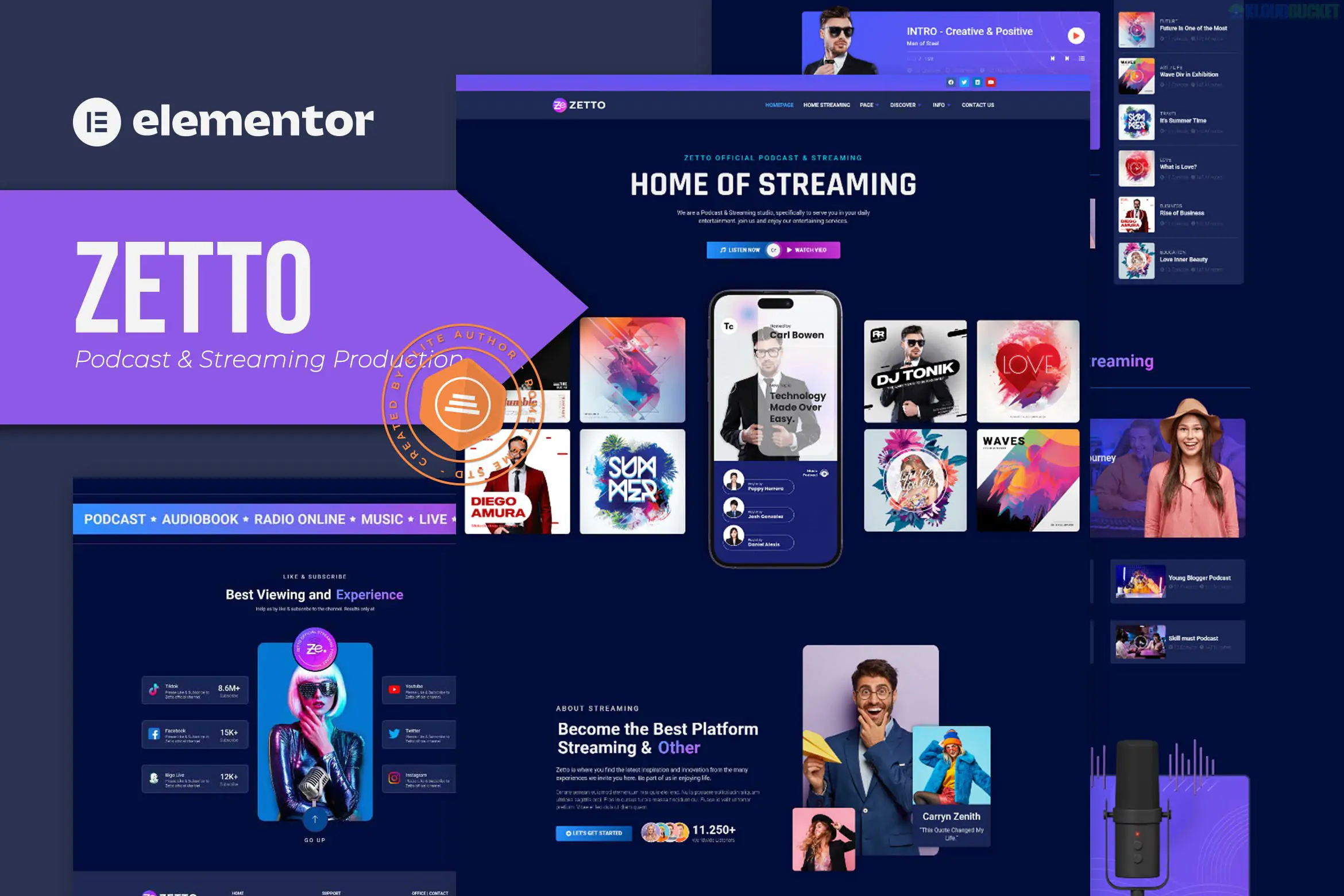
Zetto is a dark-themed, professional Elementor Template Kit designed by Rometheme specifically for podcasters, streamers, and media production studios.
Unlike a full WordPress "Theme," Zetto is a collection of pre-designed page layouts and blocks that you import into the Elementor page builder. This makes it significantly more lightweight and easier to customize without "theme lock-in."
14+ Pre-built Templates: Includes high-quality designs for Home, About, Services, Team, Episodes, FAQ, and Contact pages.
True No-Code Customization: Every element is built with Elementor's drag-and-drop interface. You can change the entire site's color palette or typography in one place using Global Kit Styles.
Modern Dark Aesthetic: The kit uses a sleek, "studio" look with deep blacks and high-contrast accents, which is the current industry standard for streaming and audio platforms.
Fully Responsive: The layouts are automatically optimized for mobile and tablet users, ensuring listeners can browse episodes on their phones.
Zetto provides a complete site structure out of the box:
| Page Category | What's Included |
| :--- | :--- |
| Core Pages | Homepage, About Us, Our Services, Our Project (Portfolio). |
| Podcasting | Episode List (Archive), Single Episode Layout, Media Player Blocks. |
| Business | Team Members, Pricing Tables, Contact Form, FAQ Section. |
| Technical | Header & Footer Blocks, 404 Error Page, Coming Soon page. |
To make Zetto work exactly like the demo, you will need to install several free plugins (no Elementor Pro required):
Elementor: The core page builder.
RomethemeKit: Provides the advanced widgets and theme-building capabilities (Header/Footer).
RomethemeForm: Used to manage the contact and subscription forms.
Music Player for Elementor: Specifically for hosting your audio previews directly on the page.
Install Hello Elementor: It is highly recommended to use the free Hello Elementor theme as your base for the best performance.
Upload the Zip: Go to Elements > Installed Kits (via the Envato Elements plugin) or Elementor > Tools > Import Template Kit.
Install Requirements: Click the "Install Requirements" button in the orange banner to automatically download the necessary plugins.
Import Global Styles: Always import the Global Kit Styles first to set the colors and fonts.
Import Pages: Import the individual pages one by one. They will then appear under Templates > Saved Templates.
If you are starting a podcast or a streaming channel in 2026, Zetto is an excellent choice because it focuses on conversion. The layouts are designed to guide visitors toward "Subscribe" buttons and social media links while showcasing your latest episodes prominently.
Would you like me to help you find the specific shortcodes for the "Music Player" widget, or do you need assistance setting up the Header and Footer for this kit?
Subscribe to access unlimited downloads of themes, videos, graphics, plugins, and more premium assets for your creative needs.
.jpg) Help Us to Buy More New Theme/Plugin
Help Us to Buy More New Theme/Plugin
Published:
Jan 22, 2026 11:01 AM
Category:
Author:
OtherLicense:
GPL v2 or Later