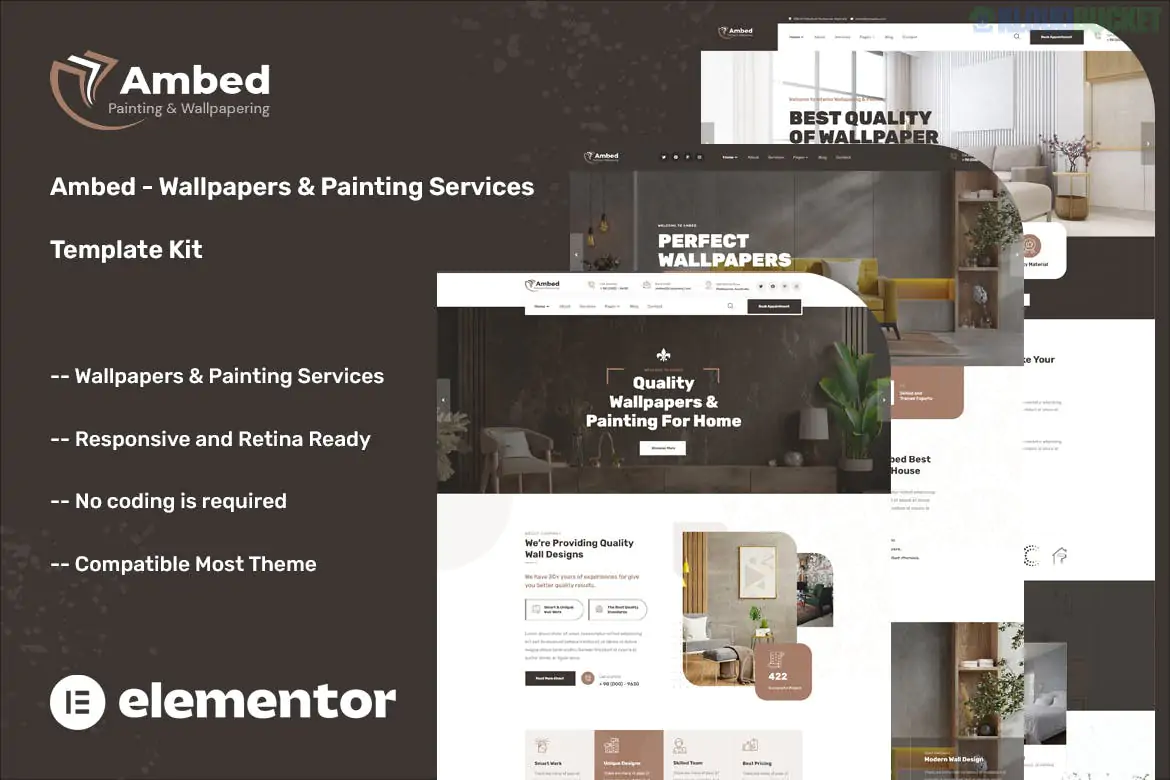
Ambed is a stylish and professional Elementor Template Kit designed for wallpaper installers, interior painters, and home renovation specialists. It features a clean, creative aesthetic with a focus on high-quality project imagery, making it perfect for showcasing the visual transformation of interior spaces.
This kit is built to work with the Free version of Elementor, though it provides a premium look through the use of several integrated helper plugins.
10+ Custom Templates: A focused set of pages specifically designed for the home decor and service industry.
No Elementor Pro Needed: All essential features, including headers, footers, and complex widgets, are handled by free plugins.
Visual Portfolio Focus: Large image sections and masonry grids designed to highlight wallpaper patterns and painting finishes.
Fully Responsive: Optimized for tablets and mobile devices, ensuring clients can browse your services on any screen.
Global Style Panel: Easily customize your primary colors (e.g., changing "Paint Blue" to "Terracotta") and typography across the whole site.
The kit provides a comprehensive collection of pages for a renovation business:
Category
Included Templates
Main Pages
Home, About Us, Contact, FAQ, 404 Error.
Our Services
Service Listing and Single Service Detail (e.g., Wallpaper Hanging, Interior Painting).
Gallery/Projects
Portfolio Grid and Single Project Detail to show off completed work.
Team & Trust
Meet the Team, Testimonials, and Why Choose Us sections.
System
Custom Header, Custom Footer, and Global Kit Styles.
To replicate the "Ambed" demo perfectly, you will need to install these free plugins:
Elementor (Free): The core page builder.
ElementsKit Lite: Powering the custom header/footer and advanced navigation.
MetForm: Used for service quotes and contact forms.
Jeg Elementor Kit: Provides additional design widgets and layout flexibility.
Hello Elementor Theme: The recommended lightweight "blank canvas" theme.
Preparation: Activate the free Hello Elementor theme.
Plugin Setup: Install the Envato Elements plugin from the WordPress repository.
Upload: Go to Elements > Installed Kits and upload the Ambed .zip file.
Install Requirements: Click the orange "Install Requirements" button to activate the necessary helper plugins.
Import Styles First: Import the Global Kit Styles first. This ensures your site has the correct font pairings and color scheme from the start.
Import Templates: Import your pages one by one. You can find them under Templates > Saved Templates or insert them into new pages using the Elementor folder icon.
The Ambed kit is particularly effective for the "aesthetic" home service industry. It moves away from the "industrial" look of many construction kits, opting instead for sophisticated typography and elegant spacing. This helps position your business as a high-quality, professional service rather than a budget contractor.
Would you like me to walk you through how to set up the "Get a Quote" form using MetForm, or do you need help customizing the Portfolio Gallery?
Subscribe to access unlimited downloads of themes, videos, graphics, plugins, and more premium assets for your creative needs.
.jpg) Help Us to Buy More New Theme/Plugin
Help Us to Buy More New Theme/Plugin
Published:
Dec 25, 2025 16:51 PM
Category:
Author:
OtherLicense:
GPL v2 or Later