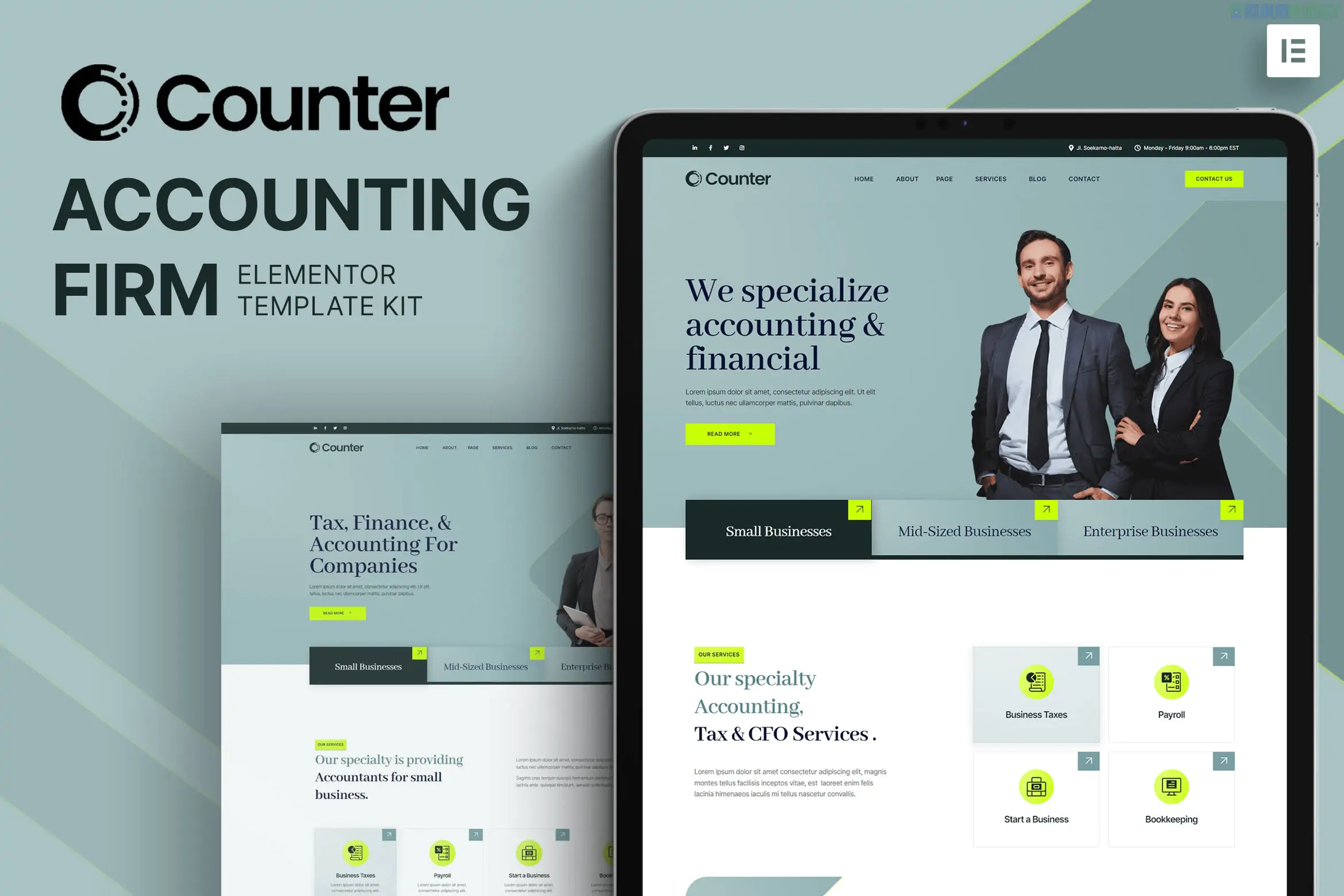
Counter is a modern and professional Elementor Template Kit designed specifically for accounting firms, tax consultants, auditors, and financial advisors. It stands out for its clean, corporate aesthetic and high-contrast layouts that project trust and reliability.
No Elementor Pro Required: This kit is fully functional with the free version of Elementor, making it a cost-effective choice for small firms.
Retina Ready & Responsive: Every layout is optimized for high-resolution screens and mobile devices.
Animated Data Counters: Includes specific widgets to showcase success metrics (e.g., "Clients Served" or "Years of Experience") in an engaging way.
Clean Typography: Uses professional, easy-to-read fonts suited for the financial sector.
The kit provides a complete set of essential pages to get your firm online:
Homepage: A high-conversion landing page with hero sections and service summaries.
About Us: Dedicated page for your firm's mission, values, and history.
Services: Detailed layouts for auditing, bookkeeping, tax planning, and consulting.
Team Profiles: Professional grids to introduce your accountants and partners.
Case Studies: Showcase client success stories and financial results.
FAQ: Clean accordion sections for common tax or accounting questions.
Contact Us: Integrated with a contact form and office location details.
To import and use this kit properly, ensure you have the following installed on WordPress:
Elementor (Free): The core builder plugin.
Hello Elementor Theme: The recommended lightweight starter theme.
Required Free Add-ons: * ElementsKit Lite: For advanced header, footer, and specialized widgets.
MetForm: To handle contact and inquiry forms.
Jeg Elementor Kit: Often used for specific layout features.
Install the Envato Elements plugin from the WordPress repository.
Go to Elements > Installed Kits and upload your Counter ZIP file.
Click the orange "Install Requirements" button to activate necessary plugins.
Import the Global Kit Styles first to set your brand colors and fonts.
Import page templates one by one, then set them as "Elementor Full Width" in page settings.
Would you like me to show you how to customize the animated "Success Counters" for your specific firm, or do you need help setting up the tax consultation booking form?
Subscribe to access unlimited downloads of themes, videos, graphics, plugins, and more premium assets for your creative needs.
.jpg) Help Us to Buy More New Theme/Plugin
Help Us to Buy More New Theme/Plugin
Published:
Jan 13, 2026 15:48 PM
Category:
Author:
OtherLicense:
GPL v2 or Later