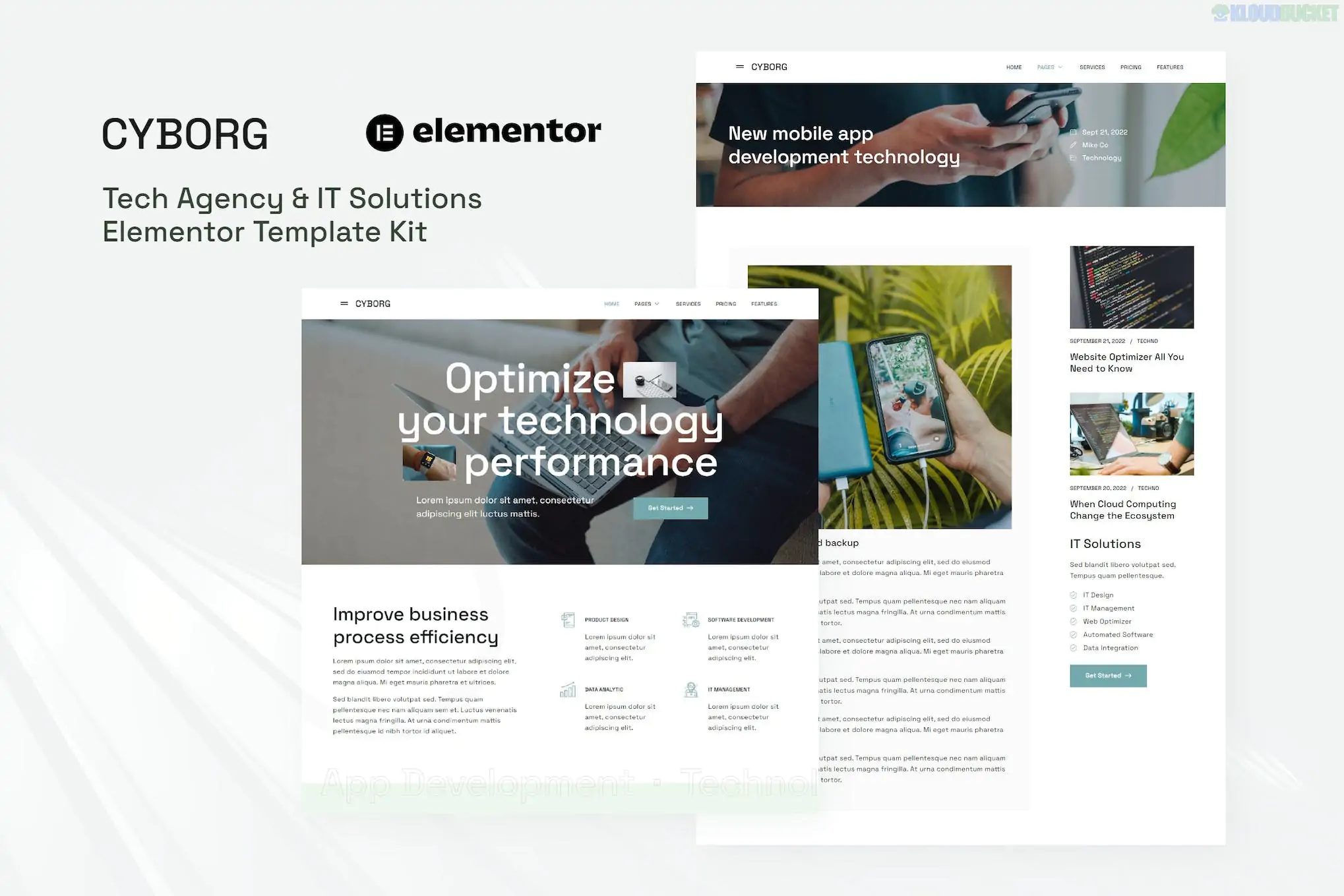
Cyborg (developed by moxcreative) is a sharp, futuristic Elementor Template Kit designed for IT solutions, software development houses, and tech agencies. True to its name, it uses a "Cyber-Industrial" design language—combining dark backgrounds with high-contrast electric accents (usually blues or purples) and sharp, technical borders.
This is a premium kit designed for users who want a high-end "Silicon Valley" look for their agency.
Cyborg provides a cohesive set of pages built to showcase technical expertise and drive service inquiries:
Homepage: A striking hero section with "data-flow" visuals and modular service blocks.
About Us: A professional layout for company mission, vision, and technical certifications.
Services: A grid layout listing all IT offerings (e.g., Cloud Computing, Cybersecurity).
Service Detail: A specialized page for deep-diving into specific software or hardware solutions.
Portfolio / Projects: To showcase past client successes with a technical, grid-based gallery.
Pricing: Modern, clear tables for managed IT services or subscription tiers.
Team: Profile blocks for developers, project managers, and engineers.
FAQ: Professional accordion layouts to address technical onboarding or SLAs.
Contact: Optimized lead-capture forms with a tech-oriented design.
Blog & Single Post: Clean, readable typography for sharing tech insights and news.
Cyborg is built for Elementor Pro users. To replicate the demo exactly, ensure you have:
Base Theme: Hello Elementor (Highly recommended).
Elementor Pro: Required. Essential for the Header, Footer, and advanced dynamic templates.
Required Addons (Free):
ElementsKit Lite: Used for advanced navigation and mega-menus.
Skyboot Custom Icons: Provides the unique, tech-focused iconography used throughout the kit.
Enable Flexbox: Go to Elementor > Settings > Features and set Flexbox Container to Active. This is critical as Moxcreative kits use containers for their precise, modular layouts.
Importing via Envato Elements:
Install the Envato Elements plugin.
Upload the Kit ZIP.
Step 1: Click "Import Global Kit Styles" first. This sets the dark-mode colors and technical typography site-wide.
Step 2: Import individual pages.
Theme Builder Setup: Since this is a Pro kit, go to Templates > Theme Builder and set the "Display Conditions" for your Header and Footer to Entire Site.
Logo Setup: You can change the global logo by editing the Header template directly in Elementor.
Cyber-Industrial UI: Uses "glassmorphism" (semi-transparent blurred backgrounds) and glowing borders to create a premium digital feel.
High Information Density: Designed to present a lot of technical data (like pricing or features) without feeling cluttered.
Interactive Elements: Features subtle hover effects on service cards that give the site a "living" software feel.
Peer Tip: Because Cyborg uses a dark theme, ensure your client’s logos are provided in White or Transparent PNG versions. Dark-colored logos will disappear against the Cyborg background.
Would you like me to help you customize the "Service Detail" template for a specific IT offering, or do you need assistance setting up the dynamic Project Portfolio?
Subscribe to access unlimited downloads of themes, videos, graphics, plugins, and more premium assets for your creative needs.
.jpg) Help Us to Buy More New Theme/Plugin
Help Us to Buy More New Theme/Plugin