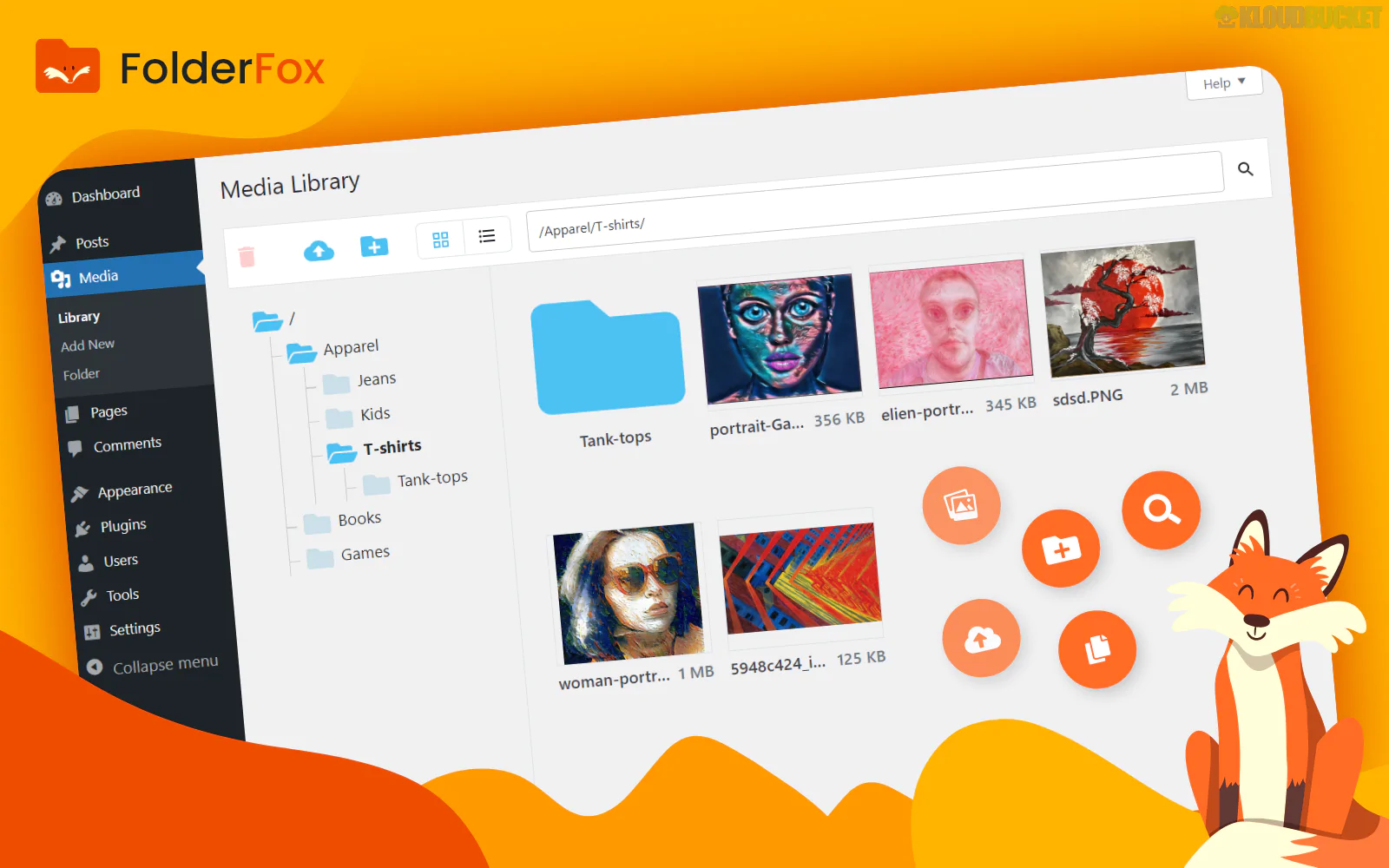
Folder Fox is a high-performance, lightweight WordPress plugin designed to bring sanity to messy Media Libraries. Similar to the file explorer on your computer, it allows you to organize thousands of images, videos, and documents into virtual folders using a drag-and-drop interface.
As of late 2025, it has gained traction among developers and high-traffic site owners specifically for its speed—it is built to handle libraries with 10,000+ items without causing the "lag" that often plagues older media folder plugins.
Virtual Folder System: It uses "virtual" folders, meaning it doesn't change the actual file paths on your server. This is critical because your image URLs remain the same, ensuring that no links are broken on your live site.
Smart Drag-and-Drop: Move single files or bulk-select hundreds of items to drop them into folders instantly.
Instant Search: Includes a powerful search bar within the folder interface that filters results in real-time as you type.
Folder Colors & Icons: Customize your folders with different colors to visually distinguish between "Logos," "Products," or "Blog Assets" at a glance.
Page Builder Integration: Fully compatible with Elementor, Gutenberg, WPBakery, and Divi. When you go to insert an image in a page builder, the Folder Fox sidebar appears inside the media popup.
WooCommerce Ready: Easily organize product galleries by creating folders for specific categories or brands.
Feature
Details
Technology
AJAX-based for real-time updates without page refreshes
Scalability
Optimized for 10,000+ files and unlimited subfolders
Compatibility
WordPress 6.7+ and PHP 8.3+
Migration
Can import folder structures from plugins like FileBird or Real Media Library
Latest Version
v2.x (Active Development)
To maintain a clean library in 2026, we recommend this organizational structure within Folder Fox:
Top-Level Folders: Create broad categories like 01_Branding, 02_Blog, 03_Products, and 04_System.
Subfolders: Under 03_Products, create subfolders for seasons (e.g., Winter_2025) or categories (e.g., Footwear).
Color Coding: Use Red for temporary folders (like To_Be_Deleted) and Green for approved brand assets.
Bulk Move: Use the "Uncategorized" filter to find all images not yet in a folder and move them in large batches to clear your "Root" directory.
While FileBird is the most well-known, Folder Fox is often chosen for its minimal footprint. It loads fewer scripts on the backend, which is a major advantage for sites running on shared hosting or those where the admin dashboard already feels slow. Additionally, its "Search within Folder" functionality is faster and more precise than the default WordPress search.
Pro Tip: In 2026, User Permissions are vital. If you have multiple contributors, you can restrict certain folders so that only "Admins" can delete items, while "Authors" can only view and use them. This prevents accidental deletion of core site assets.
Would you like me to find a tutorial on how to migrate your existing folders from another plugin into Folder Fox without losing your current organization?
Folder Fox: Best Media Folder Management for WordPress 2025
This link leads directly to the official WordPress repository where you can see the latest user reviews and download the free version to test the speed on your own server.
Subscribe to access unlimited downloads of themes, videos, graphics, plugins, and more premium assets for your creative needs.
.jpg) Help Us to Buy More New Theme/Plugin
Help Us to Buy More New Theme/Plugin
Published:
Dec 17, 2025 16:35 PM
Version:
v0.1
Category:
Author:
OtherLicense:
GPL v2 or Later